
XZN Mini 3D Printer Review: A Smart Start for Young Makers
By AValidReview. An AI-assisted summary of customer feedback, not a hands-on test.
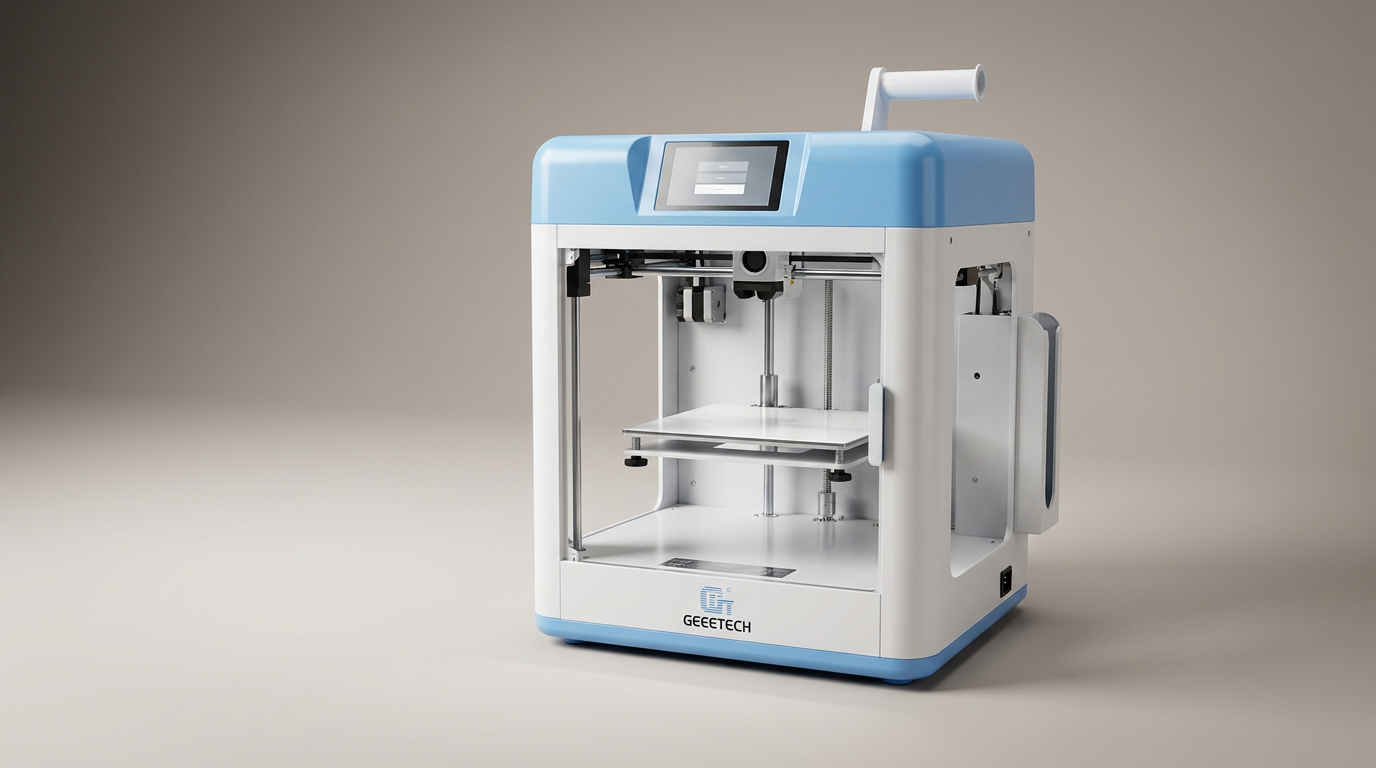
The XZN Mini 3D Printer enters a crowded market of entry-level fabrication tools, yet it carves out a specific niche: a true plug-and-play experience for novice users, particularly children. While many "beginner" printers demand considerable setup or troubleshooting, the XZN model pledges immediate utility, focusing on the creative output rather than the technical overhead. This approach addresses a common frustration in the segment, where the learning curve for the machine often eclipses the learning curve for design itself.
Most buyers approach a printer in this price band with tempered expectations. They anticipate compromises, perhaps in print quality, speed, or advanced features. The XZN Mini, however, frequently subverts these expectations, integrating capabilities typically found on more expensive models. This positions it not merely as a scaled-down toy, but as a genuinely capable tool that prioritizes accessibility and user experience, even if that accessibility comes with certain tradeoffs.
Our assessment reveals a product designed with a clear, singular purpose: to remove friction from the initial 3D printing experience. It aims to deliver immediate gratification, fostering engagement and learning without requiring an adult to become a troubleshooting expert first. This strategy creates what we call the "First Print Foundation" - a critical early success that encourages continued exploration, rather than early abandonment.
What owners love
- + Arrives fully assembled and ready for immediate printing
- + Features automatic bed leveling and nozzle cleaning, simplifying setup
- + Capable of printing various filament types, including PLA and TPU
- + Produces surprisingly good print quality for its class
- + Compact and quiet operation makes it suitable for home use
Common complaints
- − Limited capacity for standard 1kg filament spools without a printed adapter
- − Bundled SD card content can be restrictive; direct file transfer methods are not always clear
- − Some owners report difficulty adding new files to the included SD card
- − Lack of native network connectivity for remote printing
- − Small build volume limits object size
Design & Build
The XZN Mini presents a compact, self-contained design, fitting easily onto a desk or shelf. Its fully enclosed nature contributes to its aesthetic and provides some measure of safety for younger users, though it is not a complete enclosure. Owners consistently praise its small footprint and portability. The construction feels robust for its class, with several users noting unexpected quality for a printer in this price bracket. The inclusion of a PEI heated bed is a practical choice, facilitating print adhesion during printing and easy model removal afterward. This material choice, combined with automatic nozzle cleaning, reflects a design philosophy focused on reducing common points of failure and frustration.
Setup & Ease of Use
This printer's primary strength lies in its virtually zero-effort setup. It arrives fully assembled, a notable departure from many budget models requiring extensive build time. Owners describe the process as taking mere minutes from unboxing to the first print. Critical features like automatic bed leveling and nozzle wiping, typically found on much higher-priced machines, are integrated. This automation bypasses the most common obstacles for new users: manual calibration and print bed adhesion issues. The interface, accessed via a clear screen, is straightforward to navigate. The product excels at what we term "Operational Obfuscation" - making complex calibration processes invisible to the end user, allowing them to focus on the creative act rather than machine management. However, this simplification occasionally extends to file management, which can be less intuitive for those moving beyond the pre-loaded designs.
Performance in Real Use
Despite its "mini" designation, the XZN Mini consistently delivers commendable print quality. Owners report clean details, consistent layer lines, and reliable results directly out of the box. The printer handles both PLA and TPU filaments effectively, with good adhesion on the PEI print bed. Speeds are noted as fast, with some users observing it outpaces older, larger models like certain Ender series printers. The machine operates quietly, a significant advantage for home or classroom environments, allowing for prints to run without disruption. The ability to print a larger spool holder as the first project directly addresses a common practical limitation for mini printers, showing thoughtful anticipation of user needs. This feature demonstrates the "Anticipated Utility Loop" - the product itself facilitates overcoming its own initial constraints, turning a potential con into an early success.
Software & Ecosystem
The XZN Mini supports Orca Slicer, a well-regarded slicing software, which owners find easy to integrate for custom designs. The included SD card comes pre-loaded with designs and essential files, including the 1kg filament spool holder. However, the software experience is not uniformly praised. While loading pre-sliced G-code from the SD card is simple, some users encounter difficulties adding their own G-code files to the card or transferring new designs. A single negative report specifically cites a lack of an advertised app and challenges with file transfer. The absence of native network connectivity means users rely on physical transfer via microSD cards, a common method for this class of printer but a potential bottleneck for convenience. The "SD Card Ceiling" describes this limitation: while convenient for initial use, the dependence on the physical card can constrain more advanced or frequent users who desire a more fluid workflow.
Value & Reliability
Positioned in the under $200 price segment, the XZN Mini offers substantial value, particularly given its feature set. The inclusion of automatic bed leveling and nozzle cleaning, along with full assembly, elevates its standing against competitors. Owners frequently express surprise at the quality and capabilities for the cost, often comparing it favorably to more expensive options. The printer's reliability appears strong, with many users reporting consistent performance over time. While the limited initial filament roll is a minor point, the ability to print a larger spool holder immediately mitigates this. The manufacturer's warranty and technical support are advertised as robust, though few specific instances of engaging support are detailed in feedback. Overall, its strong out-of-box performance and features contribute to a high perceived value for its target audience.
Verdict
Buy - The XZN Mini 3D Printer is an excellent choice for beginners and families seeking an immediate, frustration-free entry into 3D printing.
This printer is ideal for those new to the hobby, including children and their parents, who prioritize ease of use and consistent results over advanced features or a large build volume. It excels as a "First Print Foundation" machine, delivering immediate success without the typical setup headaches. Individuals primarily interested in printing small functional items or toys will find its capabilities more than sufficient. Those accustomed to traditional crafting hobbies who want to extend into digital fabrication will appreciate its low barrier to entry.
Conversely, users who require a large build area, demand advanced network connectivity, or anticipate extensive customization and tinkering with printer hardware should look elsewhere. Experienced 3D printer operators seeking maximum flexibility or rapid prototyping of complex parts might find its limited ecosystem and manual file transfer methods restrictive. If your budget allows for well north of $500, other machines offer more comprehensive features.
The XZN Mini, by design, champions the joy of immediate creation over the rigors of technical mastery. It cleverly navigates the "Operational Obfuscation" imperative for new users, making the machine disappear so the project can shine. Its true innovation isn't just auto-leveling; it's in making 3D printing a casual, accessible activity, rather than an engineering project, fostering a new generation of makers from their very first successful print.
FAQ
More 3D Printers reviews
ugee Funbox 3D Printer Review: Safe Household Making
Original Prusa CORE One+ Kit Review: The Maker's CoreXY
ANYCUBIC Photon P1 Max Review: Scale Meets Detail
Anycubic Kobra S1 ACE 2 Pro Combo 3D Printer Review
Toybox Alpha Two 3D Printer Review: The Zero-Fuss Toy Factory
Creality K2 SE 4C Review: Budget Multicolor CoreXY
This review is based on real experiences shared by owners in online communities.