
Shining 3D Einstar Vega Wireless: The Self-Contained 3D Scanner
This review is based on real experiences shared by owners in online communities.
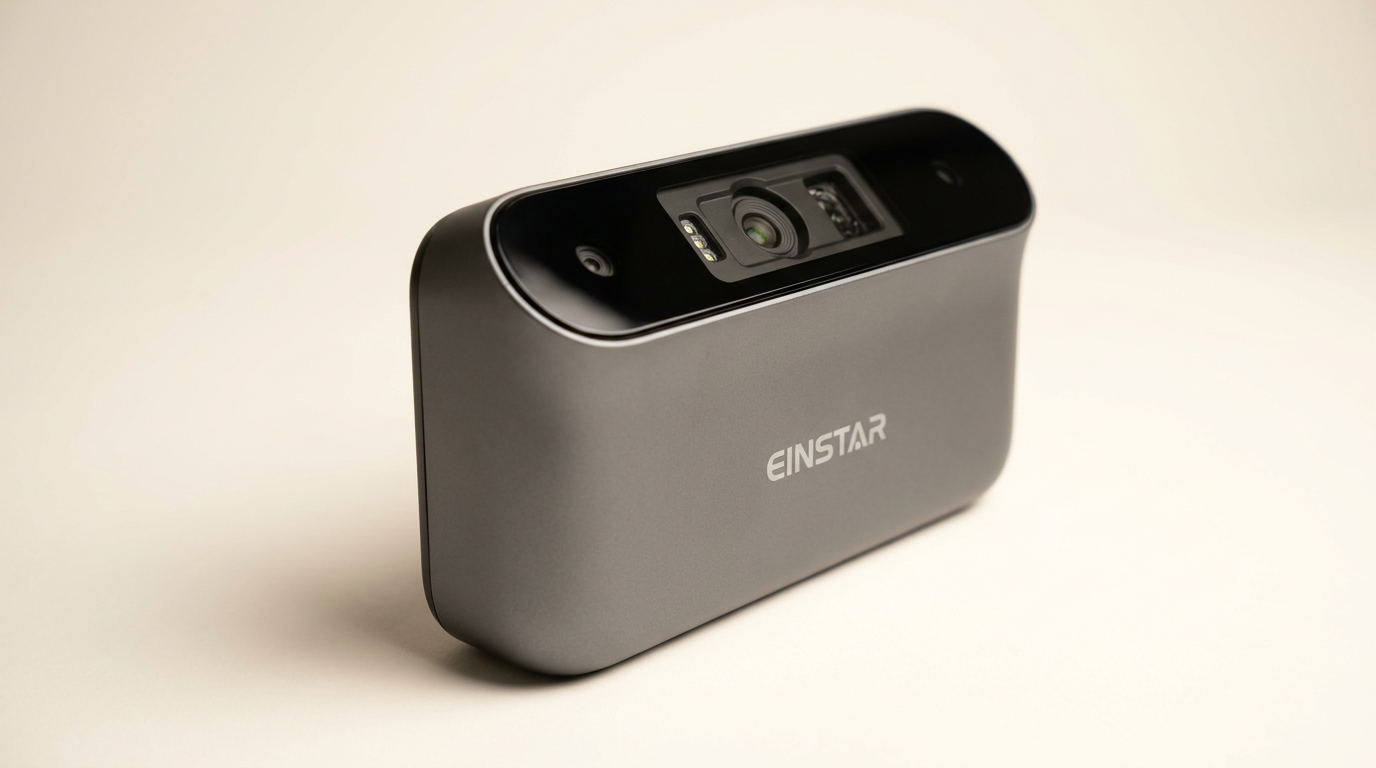
The professional 3D scanning market has long accepted a trade-off: high accuracy often meant tethered operation, complex setups, and substantial investment in auxiliary computing hardware. The Shining 3D Einstar Vega Wireless 3D Scanner attempts to rewrite this equation, promising an integrated, untethered experience. It arrives not merely as a scanner, but as a complete mobile workstation, aiming to liberate the scanning process from the desktop.
This all-in-one approach addresses a critical friction point for professionals and advanced hobbyists who require agility and on-site capability. However, integrating processing power, dual scanning technologies, and a display into a handheld unit at this price point inevitably introduces its own set of engineering compromises and user experience challenges. Our analysis reveals where the Vega excels in realizing its vision of portable, capable scanning, and where the ambition outpaces its current execution, particularly for users with demanding workflows.
What emerges is a product caught between the convenience of a consumer device and the rigor of industrial equipment, defining a new category of 'field-ready' scanner. Understanding this dual identity is key to assessing its true utility and identifying the specific user archetypes who will find it indispensable.
What owners love
- + Integrated design with onboard processing eliminates PC tethering
- + Dual scanning modes effectively handle varied object sizes
- + Reliable tracking for dark and complex surfaces
- + Sturdy build quality with a premium feel
- + Intuitive controls and guided calibration for new users
- + Effective for outdoor scanning, minimizing sunlight interference
Common complaints
- − Battery life is limited for continuous scanning sessions
- − Proprietary software can be inconsistent or problematic for data transfer
- − High reliance on scanning spray and markers for optimal results
- − Processing large datasets directly on the device can be slow
- − Some critical features and user interface elements feel underdeveloped
- − Mandatory login and 2FA can be inconvenient for repeated use
Design & Build
The Einstar Vega distinguishes itself with its integrated, self-contained design, a clear departure from traditional tethered scanners. Owners consistently praise its compact form factor and portable nature, allowing for easy transport and on-site use. The unit’s weight provides a sense of robustness and quality, contributing to its professional feel. The integrated 6.4-inch 2K AMOLED screen facilitates direct interaction without an external display, enhancing its self-sufficiency. While the ergonomics are generally well-received, a few users report their index finger occasionally interfering with the sensor during single-handed operation, a minor but recurring observation. This design represents a significant step towards scanning independence, a concept we term the 'Untethered Advantage,' where the entire capture workflow resides within the device, streamlining fieldwork and reducing logistical overhead.
Setup & Ease of Use
Initial setup for the Vega benefits from a guided calibration process, which new users describe as straightforward. The inclusion of an internal SSD and RAM means that, unlike many peer devices, the Vega does not demand a powerful external PC for basic operation. This 'First-Scan Simplicity' lowers the barrier to entry for individuals new to dedicated 3D scanning hardware. However, this ease of initial setup can be deceptive. While the device handles basic scanning autonomously, a recurring complaint involves mandatory recalibration upon startup and an irritating login requirement with 2FA, which can impede quick access. The learning curve for optimizing scan quality, especially regarding marker placement and surface preparation, remains steep, requiring a learned art rather than immediate proficiency.
Performance in Real Use
The Vega’s performance is characterized by its dual-mode capability: Fast Mode for larger objects and HD Mode for fine details. Owners report success with both, noting reliable tracking, particularly on dark or complex surfaces when appropriate preparation is applied. The infrared light source effectively mitigates sunlight interference, supporting outdoor scanning scenarios where many competitors falter. However, the expectation of spray-free, marker-free scanning for challenging objects is often unmet. Users consistently find that scanning dark, small, or featureless items still necessitates the use of anti-glare sprays and tracking markers, even if fewer are required than with some other devices. This suggests a 'Preparation Threshold' exists, where the wireless convenience is fully realized only after adhering to specific pre-scan rituals, impacting the overall efficiency for certain object types. While it excels at capturing geometry, the processing speed on the device itself for mesh generation is perceived as slow by some, leading to an 'on-device processing tax' on the user's time during longer sessions.
Software & Ecosystem
The integrated software on the Vega is generally described as intuitive, providing a smooth scanning experience without a PC. The SHINING 3D Cloud service offers 5GB of free storage and facilitates wireless data transfer. However, the ecosystem presents notable friction points. Multiple owners report difficulties transferring models to a PC via USB-C, with issues ranging from connection warnings to complete data transfer failures unless specific, bundled cables are used. Some find the StarView software for PC to be problematic and less capable than competing solutions, impacting post-processing workflows. The cloud service, while present, is sometimes difficult to locate or navigate. The reliance on cloud for certain data types (e.g., only meshed data, not raw point clouds) and the lack of robust local transfer options create a 'Workflow Funnel' where the initial freedom of wireless scanning narrows into constrained data management downstream.
Value & Reliability
Positioned in the mid-range for professional handheld scanners, owners perceive the Vega as offering good value, especially considering its integrated computing and dual scanning technologies. Several experienced users describe it as the best scanner they have purchased within its price band. Support response times are generally reported as quick and helpful, especially for missing accessories or software inquiries, which contributes positively to reliability. However, reliability concerns also surface, primarily around software stability, features that do not work as advertised (e.g., HD mode issues, tracking without markers for all objects), and the aforementioned data transfer problems. The product’s relatively recent market entry and ongoing software updates suggest a continuous development cycle, which can be a double-edged sword: promising future enhancements while also indicating current immaturity. This creates a ‘Living Product’ dynamic, where the user experience evolves with each update, but current capabilities may not always meet initial expectations.
Verdict
Consider - The Einstar Vega provides an integrated, untethered scanning experience that makes fieldwork highly efficient for specific use cases.
This scanner is best suited for experienced hobbyists and professionals who prioritize portability and on-site scanning, especially for medium to large objects in environments where a tethered PC is impractical. Those accustomed to using scanning sprays and markers will adapt quickly. It represents a compelling option for reverse engineering or documentation where immediate, self-contained capture is paramount and who can tolerate some software quirks and post-processing on a separate system. If your workflow includes frequent outdoor or varied-location scanning, and you have a budget in the around $1500 to $2000 range, the Vega deserves consideration.
Conversely, users seeking a truly 'plug and play' experience with zero pre-processing, consistently perfect scans without markers or sprays, or those requiring robust, flawless PC integration and advanced post-processing tools directly from the manufacturer, might find its current iteration frustrating. Individuals whose primary need is scanning very small, intricate objects without any surface treatment, or those operating exclusively in a controlled studio environment with a powerful PC, may find more specialized or traditional wired solutions offer better performance fidelity for a similar investment. The Vega's current state embodies a powerful vision of mobile 3D capture, but one that still demands the user to meet it halfway, performing the necessary preparatory work and navigating its ecosystem to unlock its full potential.
FAQ
More 3D Scanners reviews

Revopoint INSPIRE 2 3D Scanner Review: Unpacking the Accessory Echo Chamber

Creality 6mm 3D Scanning Markers Review: Essential Tracking Aid

TOSUKKI 6mm Positioning Targets Review: The Refined Generic Choice

AESUB 3DTOOLS 3D Scanner Spray Review: The 'Evaporative Enabler'

Creality 8-inch Rotating Turntable: A Solid Scanner Accessory

Generic 12 Piece Multi-Angle Markers Review: Essential 3D Scanning Dots
This review is based on real experiences shared by owners in online communities.