
Revopoint MetroX Review: Industrial Precision, Uneven Experience
This review is based on real experiences shared by owners in online communities.
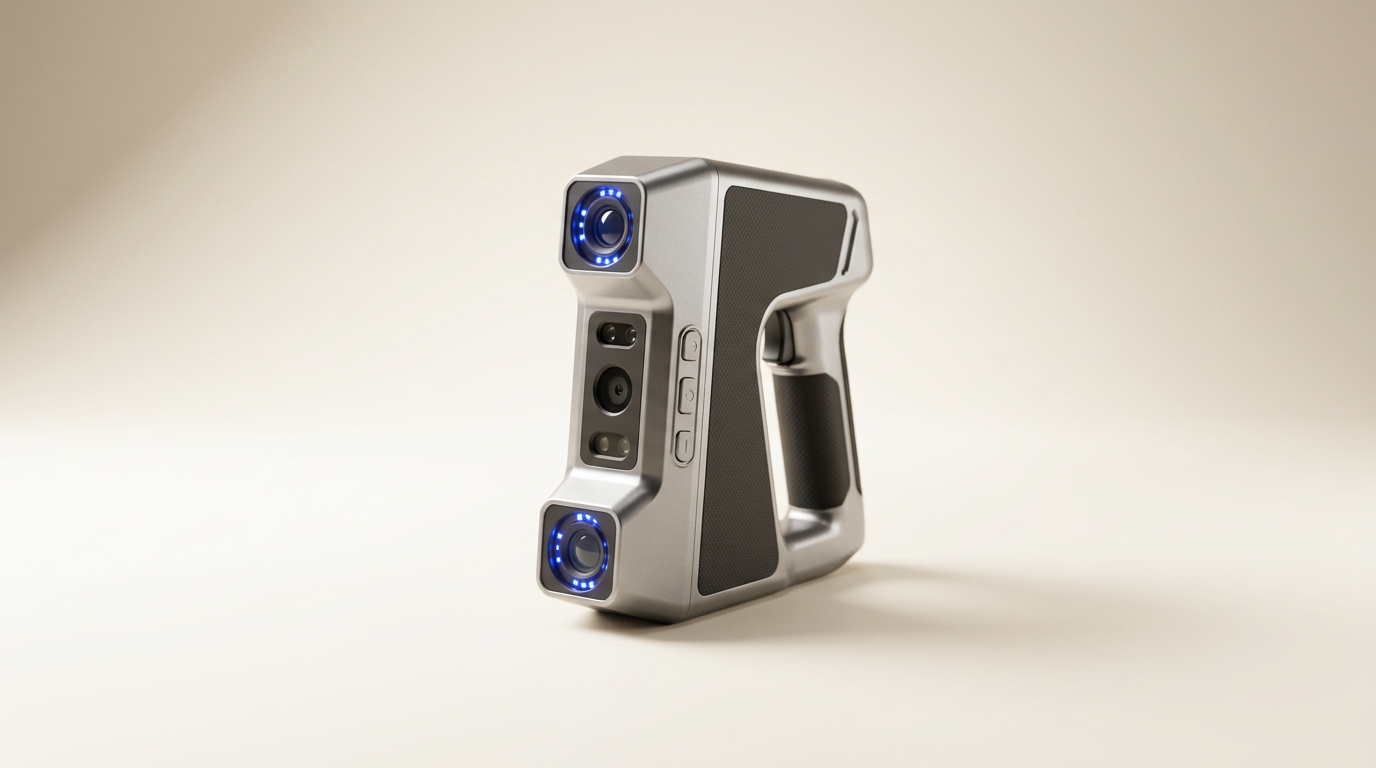
The Revopoint MetroX arrives as a dedicated instrument within the increasingly crowded 3D scanning market, positioning itself as a metrology-grade tool for industrial applications. Its manufacturer boasts sub-hundredth-millimeter precision and advanced laser capabilities for challenging surfaces, suggesting a clear focus on technical rigor over mainstream accessibility. However, the true measure of such a device lies not just in its advertised specifications, but in its ability to deliver consistent results across a diverse user base, particularly when those users bridge the gap between industrial demands and personal project expectations.
While the MetroX purports to simplify complex tasks like scanning dark or shiny objects without spray, owner feedback suggests this promise encounters friction in practice. This review delves into where the MetroX successfully executes its high-precision mandate and where its advanced features introduce unexpected complexities, revealing a tension between ambitious engineering and practical, day-to-day usability. We assess whether its industrial-grade aspirations translate into a consistently polished user journey, or if it represents a specialized tool with a significant 'user-side integration' effort.
The MetroX introduces what we term the "Precision Plateau Paradox": while its core scanning engine often delivers on its high-accuracy claims, the overall ecosystem-software, hardware integration, and support experience-does not always match this underlying technical capability. This creates a scenario where the raw data is excellent, but the path to leveraging it effectively is frequently obstructed. This paradox shapes the entire ownership experience, from initial setup to long-term workflow.
What owners love
- + Delivers excellent scan quality and precision for detailed models.
- + Effective at scanning complex parts with irregular features.
- + Automated turntable mode simplifies capturing metrology-grade data.
- + Strong initial support responsiveness for hardware issues.
- + Claims to scan dark/shiny surfaces without spray, though with caveats.
Common complaints
- − Inconsistent software performance, particularly on macOS.
- − Hardware and software issues like disconnections and slow processing are reported.
- − Requires significant learning curve and CAD skills for optimal use.
- − Key features like measurement tools are paywalled behind additional software licenses.
- − Claims regarding scanning reflective metal without spray are contradicted by user experience and documentation.
Design & Build
The MetroX presents a focused design emphasizing stability and precision, evidenced by the inclusion of a tripod and a lithographic calibration board. Owners who have successfully integrated the device into their workflow frequently praise its physical components, noting the scanner itself feels robust. The design facilitates the automated turntable mode, a key feature for consistent data capture. However, the reliance on a wired USB 3.0 connection means portability is inherently limited, requiring a dedicated setup with a laptop and power source. This design choice underscores its intent as a fixed-station industrial tool rather than a portable field device, a limitation acknowledged by long-term users.
Setup & Ease of Use
Initial setup with the MetroX is a mixed experience. For some first-time users, the scanner is reported to 'just work' out of the box, allowing for a successful first scan within 30 minutes, particularly when utilizing the auto turntable mode. This suggests a straightforward initial plug-and-play capability for basic operations. However, this ease does not extend universally. Recurring complaints cite Bluetooth connectivity issues with the turntable across multiple computers, leading to returns. The software installation process, specifically for macOS, is noted as problematic, with users reporting sluggish processing even on high-end Apple Silicon systems due to apparent lack of native optimization. This disparity highlights a significant gap in the onboarding experience, creating what we call the "On-Ramp Inconsistency" where initial successes are often followed by unexpected technical hurdles.
Performance in Real Use
The MetroX is designed for high-precision tasks, with claims of 0.01mm precision and specific modes for challenging surfaces. When functioning optimally, the scan quality is frequently described as fantastic, producing detailed 3D models suitable for printing and CAD design. Users successfully scanning complex, irregular black parts attest to its capability. However, the manufacturer's claim of scanning shiny or reflective metal without spray is often disputed. Owners report needing extensive tracking markers and even spray for these surfaces, directly contradicting promotional material. Some users also find its speed to be insufficient compared to competitors, impacting the overall user experience. This creates a 'Marketing-Reality Gap' where advertised benefits do not always align with lived operational experience, especially for specific material types.
Software & Ecosystem
The Revo Scan 5 MetroX software is central to the scanner's operation, offering tools for point cloud processing, meshing, and export. While some users appreciate its capabilities for learning and processing scans, significant issues persist. The software's performance on macOS is particularly poor, with reports of extreme sluggishness on powerful machines, attributed to a lack of Apple Silicon optimization and reliance on Nvidia GPU acceleration, which is not applicable to modern Macs. Beyond performance, a major point of contention is the "paywall problem": basic measurement features are locked behind an additional, annual software license costing several hundred dollars. This licensing model is perceived as a 'sneaky' tactic by owners, extracting further cost for functionality expected to be integral to a metrology-grade device. The support forum also raises data privacy concerns, further eroding trust in the software ecosystem.
Value & Reliability
Priced well north of $1000, the MetroX enters a segment where reliability and consistent performance are expected. While initial customer support for hardware replacements is generally praised as responsive, the recurring software and connectivity issues detract from the overall value proposition. The requirement for an additional, costly annual software license to unlock fundamental measurement tools significantly diminishes its perceived value, turning a one-time purchase into a recurring expense for full functionality. The scanner's reliability is undermined by intermittent disconnections and slow processing, leading some users to return the product. For a tool positioned for industrial use, the frequent need for troubleshooting and the 'paywall problem' for essential features introduce unexpected friction and hidden costs, challenging the 'excellent price, quality, and precision' claims made by some satisfied buyers.
Verdict
Consider - The Revopoint MetroX offers high-precision scanning capabilities suitable for detailed work, but its inconsistent software and licensing model introduce significant hurdles.
This scanner is best suited for experienced users and small businesses deeply invested in 3D scanning, who possess strong CAD modeling skills, have robust Windows-based workstations with compatible GPUs, and are prepared for a learning curve. These users will likely integrate the MetroX into an existing workflow and can absorb the additional cost of its feature-unlocking software. It serves well for dedicated reverse engineering, quality control, or product design tasks where raw scan data quality is paramount and the user has the technical acumen to navigate software complexities.
Conversely, casual users, those primarily on macOS, or buyers expecting an out-of-the-box, fully-featured experience without recurring software costs should hold off. The "Precision Plateau Paradox" remains: the scanner's fundamental optical quality is commendable, yet the surrounding ecosystem-software, support, and hidden costs-often fails to meet the standard set by its hardware. This product highlights a prevalent industry trend where advanced hardware is released without a fully mature, user-centric software platform, demanding too much user-side integration for the stated price point.
FAQ
More 3D Scanners reviews

Revopoint INSPIRE 2 3D Scanner Review: Unpacking the Accessory Echo Chamber

Creality 6mm 3D Scanning Markers Review: Essential Tracking Aid

TOSUKKI 6mm Positioning Targets Review: The Refined Generic Choice

AESUB 3DTOOLS 3D Scanner Spray Review: The 'Evaporative Enabler'

Creality 8-inch Rotating Turntable: A Solid Scanner Accessory

Generic 12 Piece Multi-Angle Markers Review: Essential 3D Scanning Dots
This review is based on real experiences shared by owners in online communities.