
Portable 3D Printer Review: A Beginner's Compact Option
By AValidReview. An AI-assisted summary of customer feedback, not a hands-on test.
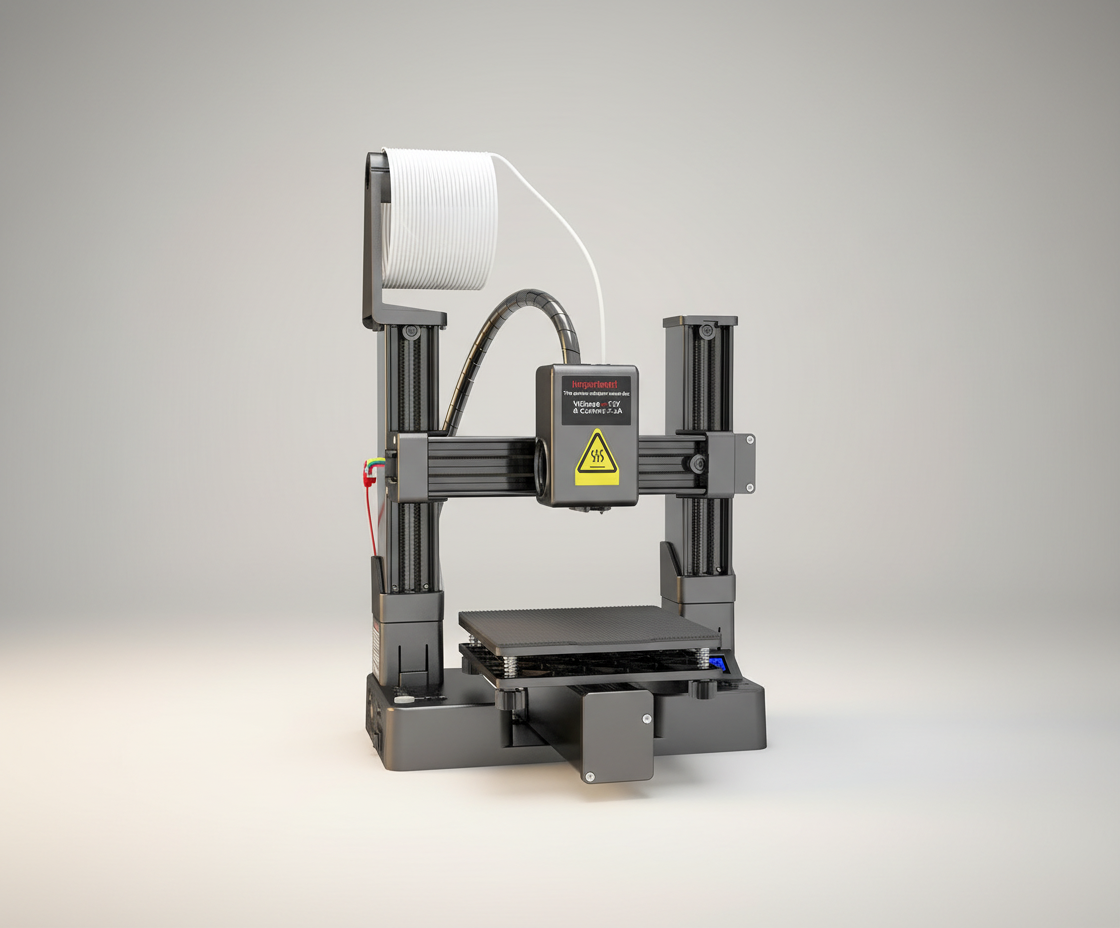
The Portable 3D Printer is marketed as an accessible entry point into FDM 3D printing, featuring a compact design and a 100x100x100mm build volume. Positioned for students, hobbyists, and those with limited space, this model aims to simplify the 3D printing experience for novices.
Its appeal lies in its supposed ease of setup and operation. However, user feedback indicates a mixed experience, particularly regarding its long-term reliability and overall print quality. The printer's performance for its target audience warrants a closer look at its practical application and value proposition.
What owners love
- + Compact size ideal for small spaces and portability
- + Removable build plate simplifies print removal
- + Simple bed leveling process
- + Supports both PLA and TPU filaments
- + Generally considered an adequate starter for very small objects
Common complaints
- − Significant issues with long-term reliability and print failures
- − Poor software compatibility and challenging setup for slicing
- − Substantial reports of axis wobble leading to poor print quality
- − Very slow print speeds compared to other machines
- − Small build volume limits project scope
Design & Build
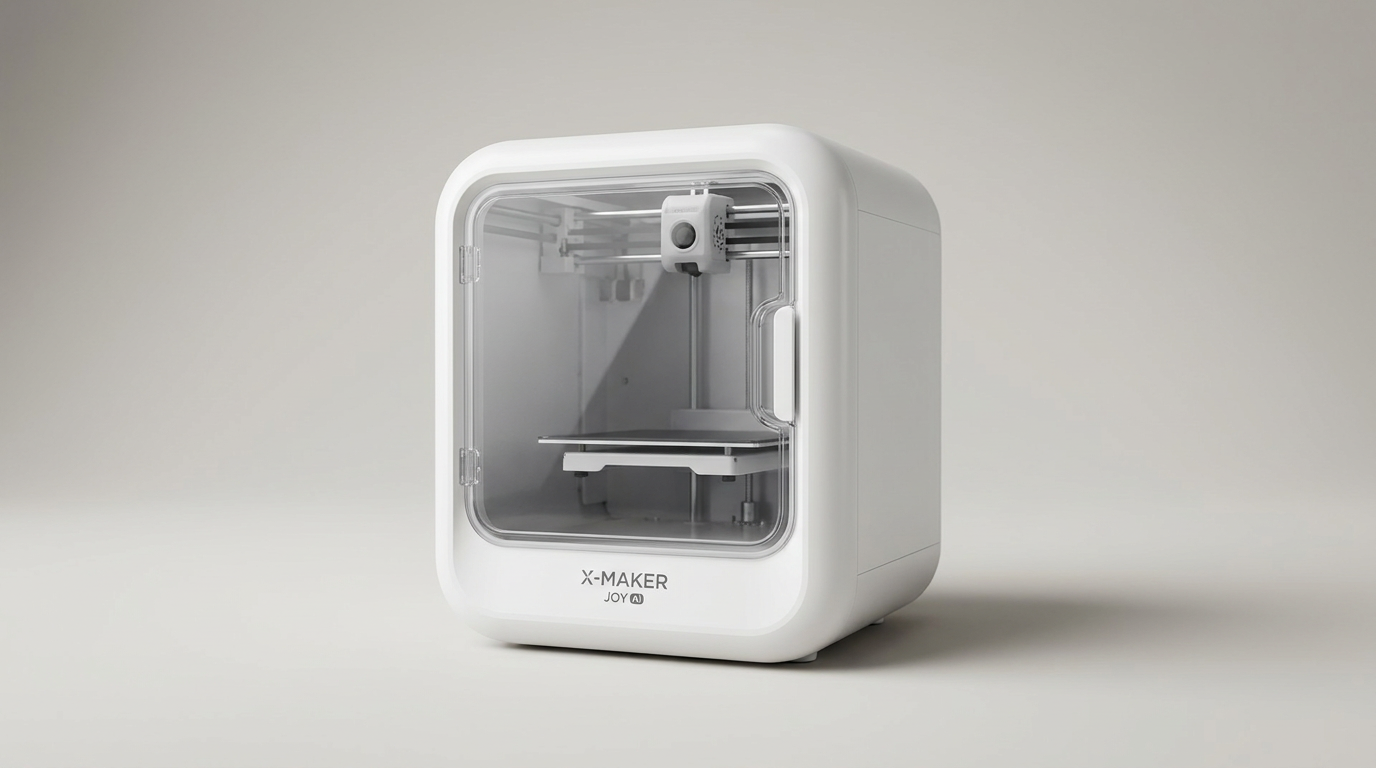
The Portable 3D Printer delivers on its promise of a compact footprint. Its 100x100x100mm build volume makes it suitable for small desks or educational settings. The design incorporates a removable build plate, a feature owners appreciate for easy model retrieval. Constructed with a metal/plastic hybrid frame, the printer has a snap-together modular design. While this contributes to its portability, several users report stability issues, particularly concerning axis wobble. This lack of rigidity, especially in the movement rails, frequently impacts print consistency and quality. The overall construction is described as minimalistic, with components like the base and print bed material cited as susceptible to damage or requiring frequent replacement.
Setup & Ease of Use
Initial setup draws mixed reactions. Some owners find the snap-together assembly straightforward, often aided by video guides. Bed leveling is frequently described as simple, which contributes to a relatively smooth start for some beginners. However, the subsequent steps, particularly regarding software and file preparation, present significant hurdles. Multiple users found the provided instructions for Orca Slicer confusing and incorrect for their specific model. Compatibility issues with slicing software and the absence of clear, functional guidance for converting files like STL to G-code are recurring complaints. This often leads to frustration for new users attempting to get their first print successfully underway.
Performance in Real Use
When functional, the printer can produce small items, suitable for miniatures, buttons, or small prototypes. The 0.4mm nozzle provides acceptable detail for its class, and it handles PLA filament with some success. However, its performance is significantly hampered by slow print speeds; a benchmark model (Benchy) that might take minutes on other machines can take many hours on this one. More critically, numerous reports detail print failures, including freezing mid-print, resulting in melted holes in the build plate or incomplete objects. Layer inconsistencies are common, particularly on taller prints. Printing flexible TPU filament reportedly caused damage to the print bed for some users, indicating limitations beyond basic PLA.
Software & Ecosystem
This printer's software experience is a notable drawback. While an 8GB TF card and reader are included, along with some tools, the software instructions and provided files are frequently inadequate or incorrect. Owners struggle to identify and configure the right slicing software (e.g., Orca Slicer) for their model, leading to prolonged troubleshooting. The lack of reliable, accessible customer support further exacerbates these software-related issues. The necessity for beginners to independently source and configure compatible slicing software, often with outdated or convoluted instructions, undermines the printer's 'easy-to-use' marketing.
Value & Reliability
The primary issue for this Portable 3D Printer centers on its reliability and overall value. While some consider it a low-cost entry into 3D printing, especially at prices under $100, the high rate of failure and operational problems quickly diminish its appeal. Many units reportedly stop working after just a few prints, or even within minutes of first use. Components like the print mat and axis mechanisms are described as cheap and prone to failure or warping. The cumulative frustration from troubleshooting, failed prints, and the need for frequent replacements often leads owners to conclude that the money would be better spent on a more capable, albeit more expensive, machine. The consistent reports of critical failures and lack of resolution indicate a significant reliability concern.
Verdict
Stay Away - This printer suffers from significant reliability issues and a frustrating user experience.
This printer is not suitable for most users, particularly beginners seeking a hassle-free introduction to 3D printing. The prevalence of print failures, software configuration difficulties, slow print speeds, and instability in its core mechanics make it a poor investment. Even at a price point under $100, the constant troubleshooting and high likelihood of the unit ceasing to function diminish any potential value.
Experienced users with a deep understanding of 3D printer mechanics and software might find it a challenging tinker project, but its fundamental design flaws limit its practical utility. Individuals seeking a functional, reliable 3D printer for ongoing projects, even small ones, should budget more and consider alternative models in a slightly higher price range.
FAQ
More 3D Printers reviews
Anycubic ACE 2 Pro Review: Heated Multi-Material Feeding
Magic Jimmy AI 3D Printer for Kids Review
Bambu Lab AMS lite Review: The Multi-Color Upgrade Dilemma
AOSEED AI 3D Printer for Kids Review: Capable Fun

Anycubic Kobra S1 ACE 2 Pro Combo Review: Enclosed Multicolor Value

FLASHFORGE AD5M Pro Review: High Speed Enclosure on a Budget
This review is based on real experiences shared by owners in online communities.