
Bambu Lab P1S Combo Renewed Review: High Speed, High Risk
By AValidReview. An AI-assisted summary of customer feedback, not a hands-on test.
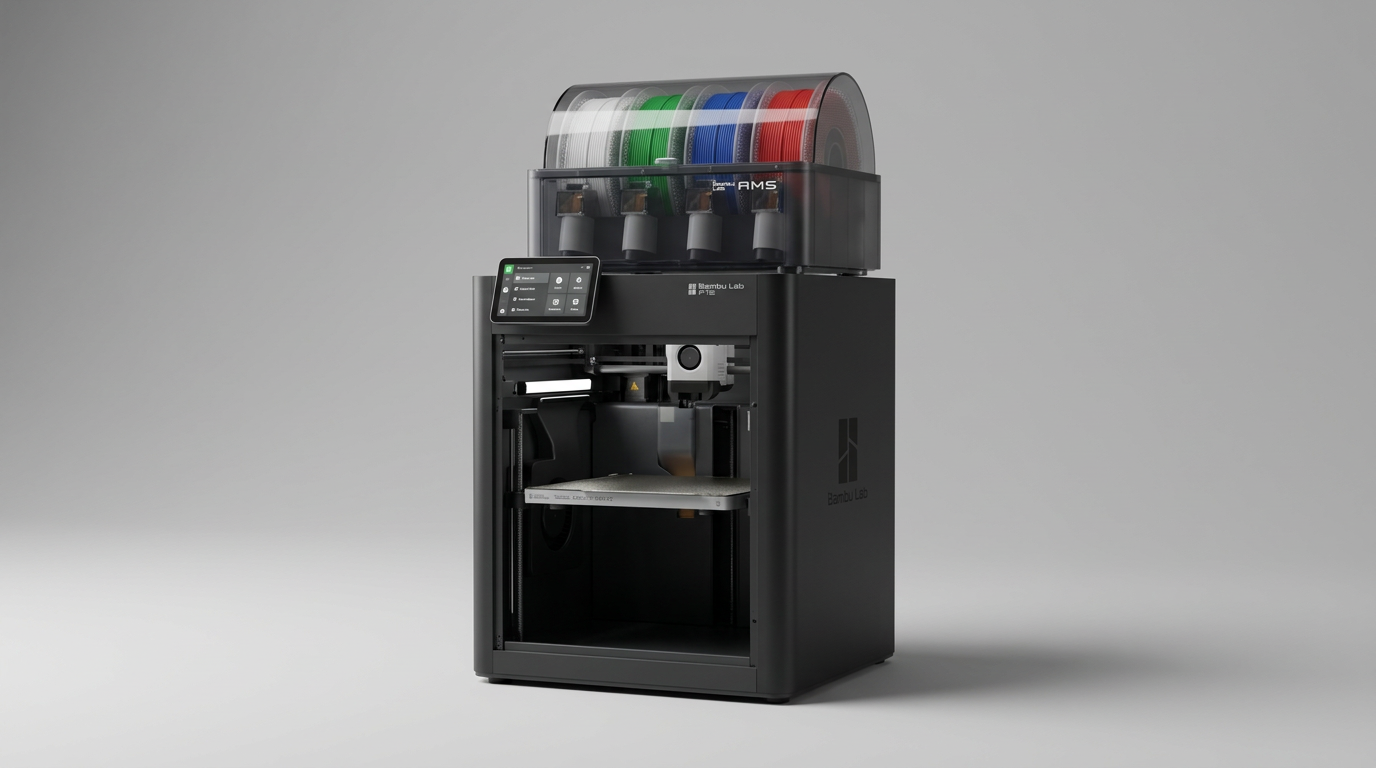
Bambu Lab transformed desktop 3D printing by selling an appliance rather than a project. The CoreXY motion, enclosed chamber, and automated material system made multi-color printing feel modern and predictable. However, buying that ecosystem through official refurbished channels exposes what we call the Refurbished Tolerance Stack. High-speed 3D printers rely on dozens of synchronized optical sensors, drive gears, and stepper motors. When a machine with those interdependencies is certified pre-owned, any oversight during inspection ruins the turnkey illusion immediately.
Priced in the $450 to $500 range, the renewed P1S Combo promises premium multi-material production at an accessible tier. For buyers looking at the spec sheet, the calculation looks simple: get flagship-tier throughput and four-spool capabilities at a substantial discount.
Yet real-world owner experiences tell a polarized story. While some buyers receive pristine hardware that prints flawlessly out of the box, a significant proportion encounter critical feeder motor failures and extruder blockages on day one. When you buy renewed, you are not just buying discounted hardware; you are wagering your time against the adequacy of factory re-certification.
What owners love
- + High-speed CoreXY motion architecture completes prints rapidly
- + Fully enclosed chassis provides reliable temperature control for technical filaments
- + Renewed units generally arrive in clean, visually pristine cosmetic condition
- + Automated calibration and bed leveling take the guesswork out of first layers
- + Native multi-color capability via the included automated material system
Common complaints
- − High incidence of dead-on-arrival filament feed motors in refurbished units
- − Extruder and AMS path jams create immediate support and teardown headaches
- − Factory certification fails to catch critical mechanical desynchronization
- − Troubleshooting complex proprietary mechanisms negates the brand's plug-and-play appeal
Design & Build
Physically, the Bambu Lab P1S remains one of the smartest industrial designs in the consumer fabrication space. The rigid welded frame and enclosed side panels reduce draft susceptibility while managing operating noise. In the renewed units shipped to owners, cosmetic presentation is consistently high: the machines arrive looking practically indistinguishable from brand-new inventory. However, aesthetic condition masks internal mechanical wear. A 3D printer is a cluster of high-wear friction points, particularly around the extruder drive gears and the four filament entry funnels on the AMS. The cosmetic standard of the refurbished program is high, but superficial polishing does not compensate for sub-assembly wear.
Setup & Ease of Use
Out of the box, the setup routine follows the streamlined workflow that put Bambu Lab on the map. Guided onboarding, automated resonance testing, and load-cell bed leveling mean physical assembly takes under thirty minutes. Yet this is where what we call the First-Spool Cliff appears. When the system works, the transition from unpacking to printing is remarkably swift. When it does not, owners find themselves disassembling motorized feed assemblies before completing their initial bench print. Factory refurbished units frequently fail right at the handoff between software setup and physical filament loading.
Performance in Real Use
When mechanical components function as intended, the P1S delivers exceptional speed and sharp layer consistency across standard PLA, PETG, and ABS spools. However, the automated material system (AMS) is the primary vulnerability in these renewed units. Multiple owners report that the AMS feeds filament a single time for toolhead purge, then fails to retract or sync with the primary feed motor on subsequent operations. Disassembling the unit per official repair documentation frequently reveals no physical debris, pointing instead to electrical faults or desynchronized drive motors. The result is an enclosed printer reduced to single-spool auxiliary printing, stripping away the core reason to buy the combo tier.
Software & Ecosystem
Bambu Studio and the accompanying mobile app offer a polished interface with remote monitoring and cloud slicing. When hardware glitches strike, however, the digital ecosystem shifts from a convenience to a ticketing queue. Owners experiencing repeated extruder jams and feed exits report submitting as many as eight support tickets in their first week of ownership. The software diagnostic tools can identify when a feed error occurs, but they cannot fix an internal motor that refuses to push filament past the hub. Navigating back-and-forth technical support for replacement sub-assemblies undermines the closed-system advantage.
Value & Reliability
At around $500, a working P1S Combo offers unmatched capability per dollar. But reliability metrics for renewed units present a genuine financial hazard. What buyers encounter here is the Appliance Paradox: Bambu Lab attracts customers who explicitly do not want to become 3D printer mechanics, yet a defective refurbished unit demands immediate, delicate teardowns of motorized multiplexers. Saving roughly $100 over brand-new hardware is poor economy if you spend your initial weeks diagnosing extruder clogs, waiting on replacement parts, or repacking the printer for return.
Verdict
Hold Off - High defect rates on complex filament feeding components make this refurbished combo a diagnostic gamble rather than a ready-to-run bargain.
This renewed package is only worth considering for experienced fabricators who already understand Bambu Lab internals, possess the patience to log multiple customer support tickets, and are comfortable tearing down an AMS on arrival to fix motor synchronization quirks.
Anyone buying a Bambu Lab printer specifically to avoid the endless maintenance cycles of budget open-frame machines should stay clear. The modest price break does not compensate for the elevated probability of receiving a non-functional feed mechanism.
The real lesson of the renewed P1S Combo is that complex automation does not survive casual re-certification. Multi-material systems depend on microscopic tolerances and multi-sensor coordination, and until factory refurbishment guarantees exhaustive mechanical stress testing rather than superficial cosmetic checks, buying new remains the only way to ensure the turnkey performance you are paying for.
FAQ
More 3D Printers reviews
QIDI Plus5 Combo 3D Printer Review: High Temp Powerhouse
Bambu Lab A1 Combo Renewed Review: Fast Multicolor Printing
Hephi3d TINA2S Review: Compact, Accessible 3D Printing
Davercop 3D Printed Latte Art Camera Review
Anycubic Kobra S1 Max Combo Review: Industrial Scale for Less
ugee Funbox 3D Printer Review: Safe Household Making
This review is based on real experiences shared by owners in online communities.