
ELEGOO Centauri Carbon 2 Combo Review: Bridging the Speed Gap
By AValidReview. An AI-assisted summary of customer feedback, not a hands-on test.
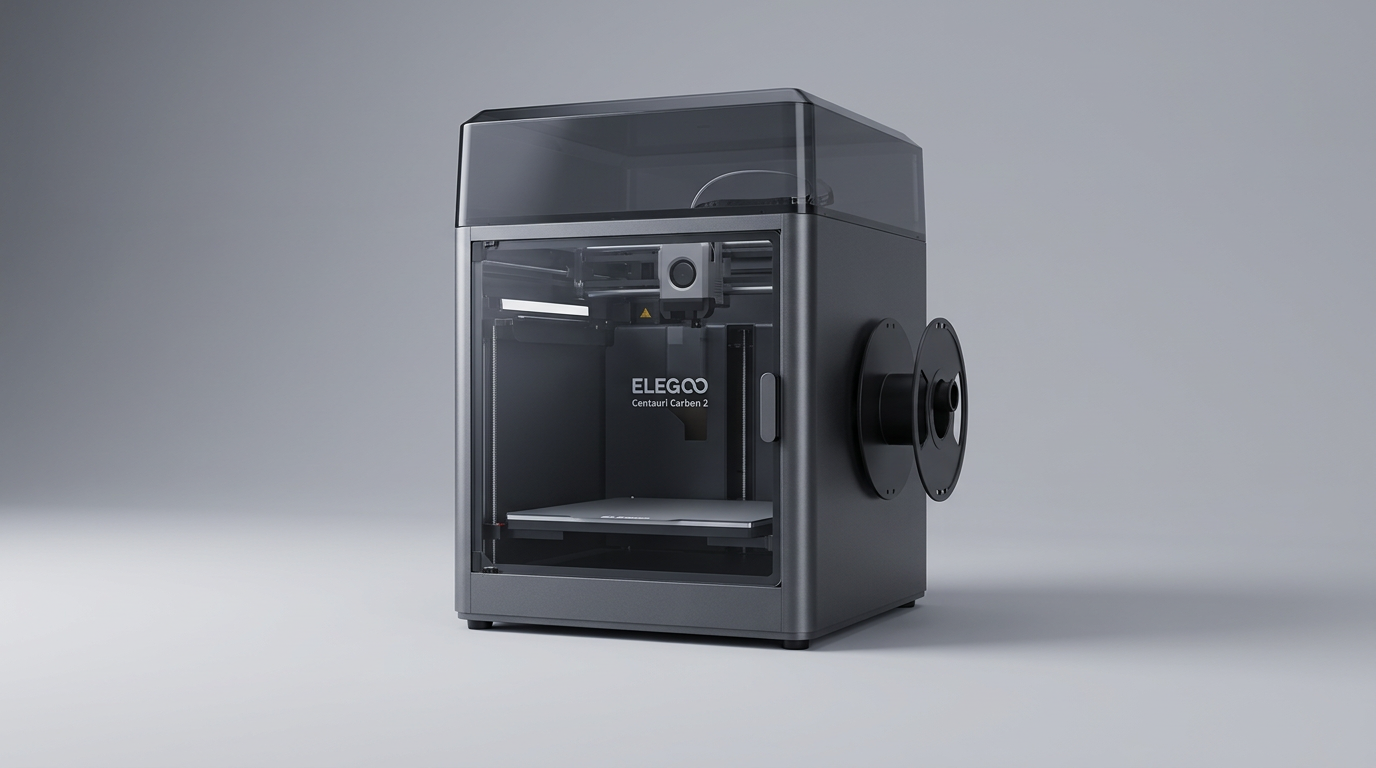
The ELEGOO Centauri Carbon 2 Combo 3D printer enters a competitive market segment defined by increasingly accessible high-speed machines. While many manufacturers tout raw speed metrics, the Centauri Carbon 2 (CC2) aims to deliver performance without compromising the user experience or demanding constant intervention. This model represents a significant evolution from earlier consumer-grade 3D printers, focusing on reliability and ease of use over the traditional enthusiast requirement for extensive tinkering.
What many buyers overlook when considering a high-performance printer is the concept of "the hidden cost of speed", the often-unspoken expectation that faster printing necessitates deeper technical knowledge or compromises in print quality and reliability. The CC2 challenges this notion, positioning itself as a fully integrated solution that offers substantial speed and advanced features like multicolor printing, while aiming to keep setup and maintenance burdens low. This review explores whether the CC2 successfully navigates this balance, providing genuine performance for a broad user base.
Our assessment, drawing from extensive owner feedback, reveals a printer that largely delivers on its promises, particularly for users upgrading from older, less integrated systems. It offers an enclosed environment, multicolor capabilities (with the CANVAS system), and the capacity to handle engineering-grade filaments, making it a compelling option in its price category.
What owners love
- + High print speeds with superior quality compared to previous generations.
- + User-friendly setup and calibration, facilitating quick first prints.
- + Robust enclosed design capable of handling various filament types.
- + Effective multicolor printing with the optional CANVAS system.
- + Responsive and helpful customer support experiences reported.
- + Competitive pricing for its feature set, offering strong value.
Common complaints
- − Integrated software and network setup can present minor challenges.
- − Some owners experienced initial hardware issues requiring support.
- − Memory card size limitations restrict modern storage options.
- − Printer can exhibit stringing with certain settings or materials.
- − Requires proper ventilation when printing specific materials like ABS.
Design & Build
The Centauri Carbon 2 features a CoreXY motion system housed within a rigid aluminum frame and an enclosed chassis. Owners consistently describe the machine as well-built, with a substantial feel and excellent packaging that protects components during shipping. The enclosed design is a key differentiator, enabling stable printing environments for materials like ABS that are sensitive to temperature fluctuations, and providing a measure of noise reduction. While the physical construction earns high marks, some users have noted minor initial issues, such as a damaged screen ribbon cable clip, indicating that while the overall build is solid, component integration can occasionally suffer from transit stressors. This points to the product's ambition to offer premium features at a competitive price point, sometimes revealing the practical edges of that trade-off in manufacturing and logistics.
Setup & Ease of Use
Setup is frequently cited as straightforward, with several owners reporting they were printing within an hour of unboxing. The included USB stick contains assembly videos and software, complementing clear pictographic instructions. Features like fully automated calibration and monitoring aim to simplify the printing process, reducing the learning curve significantly. However, some advanced features, like network setup, can pose minor hurdles, particularly for users with hidden network configurations. This balance of automated convenience and occasional technical friction defines the initial user experience; it largely succeeds in making complex processes accessible, but still requires a basic comfort with digital setup. For many, this represents a significant improvement over older machines that demanded extensive manual calibration, reducing the initial "tinkering tax" that often deters new users.
Performance in Real Use
The CC2 delivers on its promise of speed and print quality. Owners upgrading from older, slower printers report drastic reductions in print times, with one comparing a 24-hour job on their previous machine to just 5 hours on the CC2, often with improved quality. Layer lines are consistently described as tight, and surfaces smooth, even at elevated speeds. The printer demonstrates strong plate adhesion across various common filaments including PLA, PETG, and TPU. The ability to print abrasive materials like PLA-CF without issue is a recurring positive. While the CANVAS system for multicolor printing is generally praised, some users observe minor stringing or need to fine-tune settings for optimal results with specific advanced filaments. This illustrates what we term the "performance ceiling paradox" where high speeds and versatility are achieved, but pushing into exotic materials still requires user engagement beyond basic presets.
Software & Ecosystem
The ELEGOO ecosystem, including the Elegoo Cura slicer, PC software, and a mobile app, contributes to a streamlined workflow. The modified Cura software is noted for its pre-configured settings that work well out of the box, reducing the need for extensive profile tuning. Owners appreciate the printer's ability to detect and sometimes self-correct issues, and the AI print failure system is credited with saving filament. While largely effective, the system does have some limitations. A recurring point of concern is the restriction on memory card size, with the printer only supporting cards up to 32GB. In an age of gigabyte-sized print files, this is an unexpected constraint and introduces a practical inconvenience for users accustomed to larger storage capacities. This limitation represents a 'legacy hardware anchor,' where an otherwise modern machine is held back by a minor, yet impactful, design choice.
Value & Reliability
The Centauri Carbon 2 is frequently lauded for its exceptional value, often being compared favorably to competitor models that cost significantly more while offering similar features. Many owners express satisfaction with its reliability, describing it as a workhorse capable of continuous operation. Despite some initial hardware issues, ELEGOO's customer service receives consistent praise for being responsive and effective, even handling international part shipments without cost. This strong support system significantly bolsters the product's perceived reliability, mitigating concerns over potential faults. The printer's longevity is suggested by owners running it 'ragged' for months without significant problems, reinforcing its position as a durable investment in the sub-$500 category.
Verdict
Buy - This printer delivers high-speed, reliable, and versatile 3D printing, making it an excellent upgrade or first serious machine.
The ELEGOO Centauri Carbon 2 is ideal for hobbyists and small businesses looking to step up from entry-level printers or invest in their first capable machine. Its enclosed design, speed, and material versatility make it suitable for functional prints and engineering-grade filaments, and the optional CANVAS system broadens creative possibilities. Users who prioritize a robust, relatively hands-off experience with strong customer support will find significant value here, particularly when considering alternatives that cost well north of $500.
Those who are absolute beginners with no prior 3D printing exposure, or who exclusively print simple PLA models at lower speeds, might find some of its advanced features and speed overkill. However, even for this group, the CC2 offers a path to growth without demanding excessive technical skill. The CC2 excels in delivering what we call 'accelerated competence', a platform that quickly elevates users from basic proficiency to confident operation of advanced techniques, bridging the gap between enthusiast-tier performance and user-friendly accessibility.
FAQ
More 3D Printers reviews
Anycubic ACE 2 Pro Review: Heated Multi-Material Feeding
Magic Jimmy AI 3D Printer for Kids Review
Bambu Lab AMS lite Review: The Multi-Color Upgrade Dilemma
AOSEED AI 3D Printer for Kids Review: Capable Fun

Anycubic Kobra S1 ACE 2 Pro Combo Review: Enclosed Multicolor Value

FLASHFORGE AD5M Pro Review: High Speed Enclosure on a Budget
This review is based on real experiences shared by owners in online communities.