
EINSTAR 2 Review: Portable 3D Scanner Meets Mac Compatibility Wall
This review is based on real experiences shared by owners in online communities.
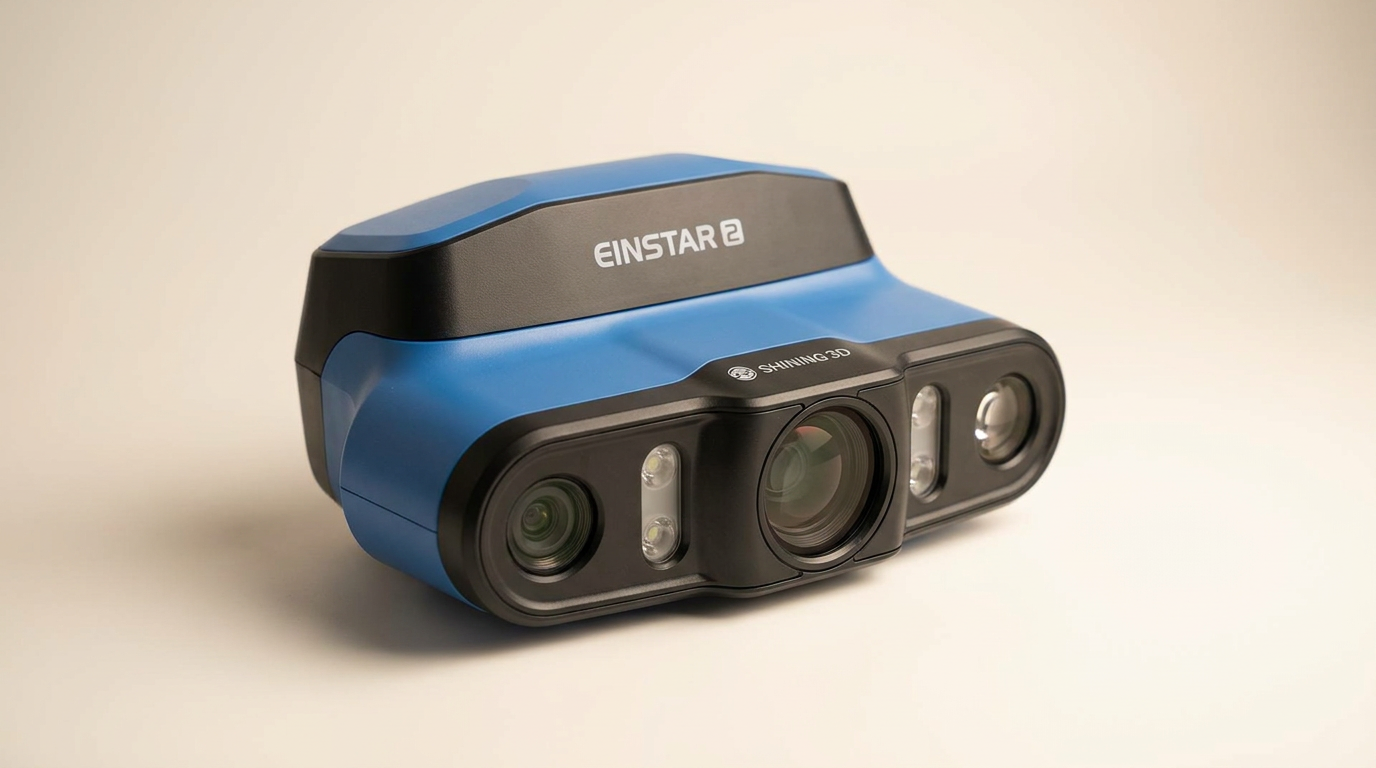
The EINSTAR 2 wireless 3D scanner aims to untether scanning workflows, offering a vision of portable, high-fidelity capture. In an industry often plagued by complex setups and tethered operations, the promise of a battery-powered device with laser precision and RGB color data is compelling, particularly for users seeking on-the-go flexibility. This product positions itself as a streamlined tool for various applications, from creative design to reverse engineering.
However, the real-world experience, especially for a segment of creative professionals, introduces a friction point that directly undermines its core value proposition. While the EINSTAR 2 excels in delivering freedom from cables and a detailed scan, its success hinges entirely on its ability to integrate with existing computing environments. This is where the product encounters what we term the "Ecosystem Lockout" - a critical failure to support common hardware, transforming a feature-rich device into a non-functional one for some users.
Our assessment reveals a device with strong potential for those whose systems are supported, but a clear warning for others. The EINSTAR 2 represents a paradox: highly capable when it works, completely inert when it doesn't, underscoring the often-overlooked importance of software and hardware compatibility in specialized tech.
What owners love
- + Cordless design enhances portability and reduces clutter
- + Blue laser lines enable high-detail scanning at 0.05 mm precision
- + No scanning spray needed for various object types
- + Capable of capturing vibrant RGB color data
- + Comes with essential accessories for immediate use
- + Competitive pricing for its feature set
Common complaints
- − Incompatible with Apple Silicon (M5) Mac processors
- − Scanner not detected by EXSTAR software on unsupported Macs
- − Software updates can initially require internet and corded connection
- − Limited customer feedback makes broad generalizations challenging
Design & Build
The EINSTAR 2 prioritizes freedom of movement with its fully wireless, battery-powered design. Owners commend this cordless operation, noting its contribution to a less cluttered workspace and enabling scanning in diverse environments. The device integrates a swappable battery, offering up to three hours of continuous operation, which positions it well for fieldwork or projects requiring extensive mobility. Its build quality supports handheld use, suggesting a design focused on practical application and ergonomic handling. This emphasis on portability is a significant differentiator in a market where many precision scanners remain tethered.
Setup & Ease of Use
Initial setup generally appears straightforward, with the EINSTAR 2 including all necessary accessories to begin scanning. However, the initial software update process presents a minor hurdle, requiring a temporary switch to a corded connection and internet access before full wireless functionality is achieved. One owner reported this process took approximately 10 minutes, indicating it is manageable but not entirely plug-and-play out of the box. Beyond this initial step, the wireless freedom fundamentally redefines ease of use for many, allowing for fluid object manipulation without cable management concerns. The inclusion of a calibration board and markers also streamlines the initial calibration sequence.
Performance in Real Use
The EINSTAR 2 employs 17 blue laser lines to achieve a claimed 0.05 mm precision, capturing fine details effectively. It operates at 90 FPS, facilitating rapid data acquisition. The integration of IR VCSEL technology negates the need for scanning sprays on dark, shiny, or large objects, a notable advantage that saves time and material costs in many scanning scenarios. Owners appreciate the detailed scanning capabilities, especially given the scanner's price point. Its ability to capture true-to-life RGB color data in approximately 60 seconds further enhances its utility for applications requiring visual fidelity, such as VR/AR content creation or art preservation. This combination of speed, precision, and material versatility represents a strong performance profile for its class.
Software & Ecosystem
The EXSTAR software is central to the EINSTAR 2's functionality. While the software enables the scanner's capabilities, a significant limitation emerges regarding platform compatibility. Owners with Apple Silicon Macs (specifically M5 processors) report a complete failure of the scanner to be detected by the EXSTAR software, even when connected via USB-C. This "Ecosystem Lockout" means the scanner is entirely unusable for a critical user base, despite otherwise robust hardware. This issue points to a substantial oversight in software development or driver support, severely restricting the product's market reach and practical utility for many modern creative workflows. The software needs to catch up to contemporary hardware platforms to fully realize the scanner's potential.
Value & Reliability
Priced around $1000, the EINSTAR 2 offers a compelling feature set for its cost, particularly its wireless operation, high precision, and no-spray capability. For users with compatible systems, it represents strong value. Owners praise it as a worthwhile purchase, citing its detailed scanning and cordless freedom. However, the critical compatibility issue with Apple Silicon Macs introduces a significant reliability concern. For those affected, the product's value drops to zero, rendering it an expensive paperweight. This stark dichotomy in user experience highlights a reliability gap not in the scanner's hardware, but in its foundational software ecosystem support. Before purchase, verifying system compatibility is paramount to ensure the intended value is realized.
Verdict
Hold Off - Significant compatibility issues with Apple Silicon Macs render the EINSTAR 2 unusable for a segment of its target audience.
This scanner is a Buy for users operating on Windows or older Intel-based Mac systems. Its wireless operation, precision scanning, and ability to handle difficult surfaces without spray offer excellent value for around $1000. It suits hobbyists, small design studios, or educational institutions prioritizing portability and detail in a budget-conscious manner. However, if your workflow relies on modern Apple Silicon Macs (M5 or similar), you should absolutely skip this product. The "Ecosystem Lockout" makes it a non-starter.
The EINSTAR 2 exemplifies a growing tension in the tech market: feature-rich hardware undermined by incomplete software support. Its wireless freedom is a powerful step forward, but the failure to support a common, actively developing computing platform reveals a product that is both forward-thinking in its design and critically backward in its ecosystem planning. The true innovation here isn't just portability; it's the lesson that compatibility is as fundamental a feature as precision.
FAQ
More 3D Scanners reviews

Revopoint INSPIRE 2 3D Scanner Review: Unpacking the Accessory Echo Chamber

Creality 6mm 3D Scanning Markers Review: Essential Tracking Aid

TOSUKKI 6mm Positioning Targets Review: The Refined Generic Choice

AESUB 3DTOOLS 3D Scanner Spray Review: The 'Evaporative Enabler'

Creality 8-inch Rotating Turntable: A Solid Scanner Accessory

Generic 12 Piece Multi-Angle Markers Review: Essential 3D Scanning Dots
This review is based on real experiences shared by owners in online communities.