
Creality TPU 95A: A Flexible Filament for Patient Printers
By AValidReview. An AI-assisted summary of customer feedback, not a hands-on test.
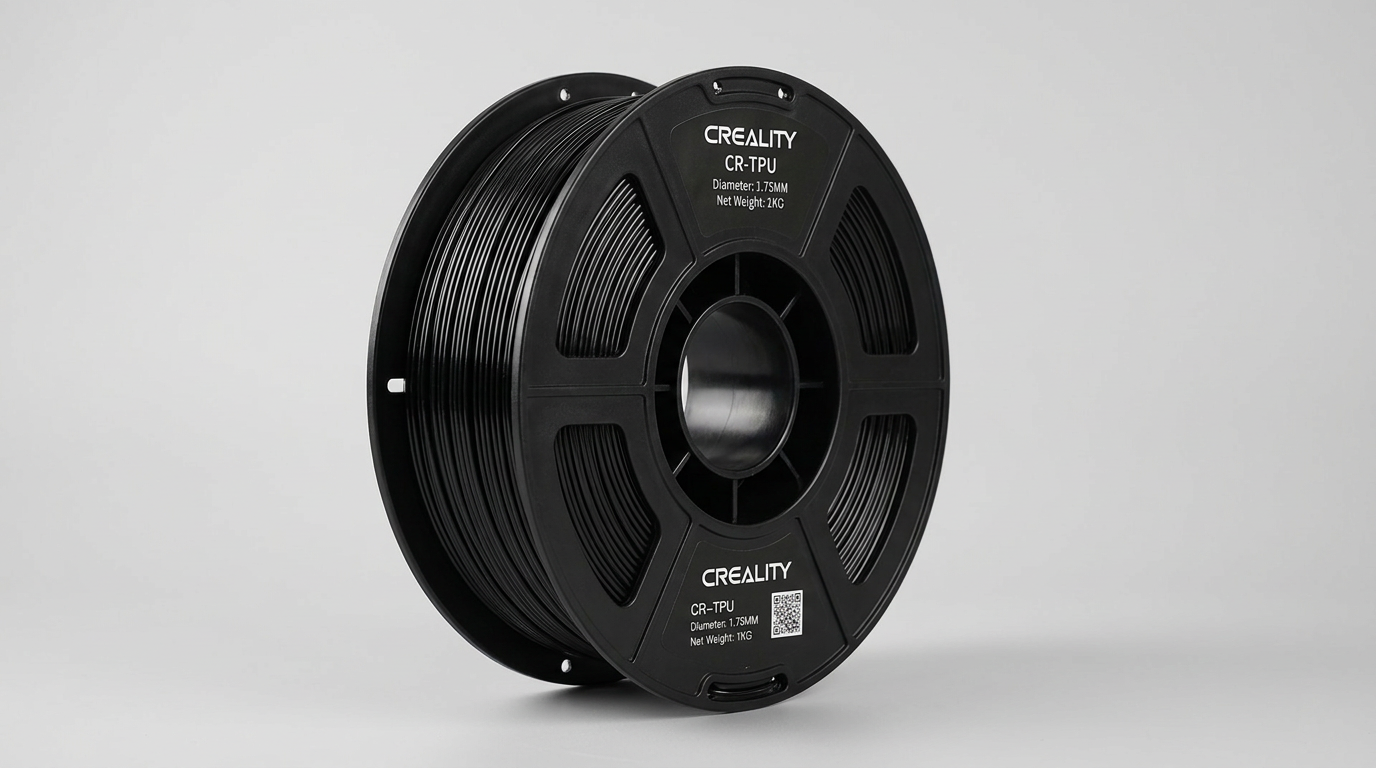
The modern 3D printing landscape offers an array of materials, yet flexible filaments like TPU remain a unique challenge, often demanding a different approach from users accustomed to rigid plastics. Creality's TPU 95A, with its 95A Shore hardness, presents itself as a contender in this space, promising durability and elasticity. However, what most buyers overlook is the fundamental tension between TPU's inherent material properties and the mechanics of extrusion-based 3D printing, especially at higher speeds.
This filament embodies a concept we term the "soft-skill tax": while offering compelling final product characteristics, it consistently demands a greater investment in user knowledge, calibration, and patient workflow optimization than its rigid counterparts. This is not merely a quirk of this specific product but a pervasive characteristic of most flexible materials. The Creality TPU 95A explicitly foregrounds this trade-off, serving as a proving ground for a printer's setup and a user's tenacity.
For those willing to pay this soft-skill tax, the filament delivers on its core promises. However, for users seeking a plug-and-play experience, particularly those new to flexible materials or operating less forgiving printer setups, the path to successful prints will be paved with more adjustments and potential frustrations than anticipated.
What owners love
- + Delivers good print quality and flexibility once dialed in
- + Suitable for functional parts requiring elasticity and durability
- + Generally good value proposition for its performance
- + Minimal odor during printing, even in enclosed spaces
- + Compatible with a wide range of FDM printers
Common complaints
- − Highly sensitive to print speed, often requiring significant reductions
- − Prone to tangling and sticking on the spool, causing feeding issues
- − Demands precise calibration and drying for consistent results
- − May be too stiff for applications requiring extreme softness
- − Can be challenging for beginners due to material properties
Design & Build
Creality's TPU 95A filament offers a Shore hardness of 95A, positioning it as a moderately flexible material. Owners frequently describe the printed objects as having good elasticity and toughness, suitable for functional applications like gaskets, flexible phone cases, and even components for cosplay or fursuits. The material demonstrates strong wear and aging resistance, with some users reporting durability even after multiple dishwasher cycles for items like soap dishes. A notable design characteristic is the lack of a strong odor during printing, which contributes to a more pleasant user experience, particularly when printing in less-ventilated areas. However, several users report that the filament often sticks to itself on the spool. This is not a manufacturing defect but an inherent material characteristic of flexible filaments, leading to feeding issues if not manually unraveled. This 'spool adhesion tax' requires users to pre-tension or manually unroll sections of filament to prevent the extruder from stalling.
Setup & Ease of Use
The Creality TPU 95A presents a steep learning curve for many users, embodying the 'soft-skill tax' inherent to flexible filaments. While some experienced users report minimal adjustments for successful prints on their Creality machines like the Ender 3 Pro, others encounter significant challenges across various printer models, including Bambu Lab and Anycubic Kobra X systems. The most consistent advice from successful owners involves drastically reducing print speeds, often to 20-40 mm/s, far below typical PLA speeds. Retraction settings, nozzle temperature (typically 210-230°C), and bed temperature (35-55°C) also demand careful tuning. A critical recurring theme is the necessity for drying the filament, even directly out of a new package, to combat stringing and inconsistent extrusion. This highlights a common oversight in user preparation: assuming factory-sealed means print-ready. Users with direct-drive extruders generally report an easier experience compared to Bowden setups, which are more susceptible to tangles and buckling due to the material's flexibility.
Performance in Real Use
When correctly configured, the Creality TPU 95A performs reliably, producing strong, flexible, and visually appealing prints. Owners successfully create items ranging from carburetor gaskets and soap dishes to flexible phone cases and model tires, praising the material's durability and ability to withstand repeated use and moderate abuse. The filament exhibits good interlayer bonding, contributing to the stability of printed parts. However, achieving this performance often requires substantial calibration effort. The material's tendency to string and clog is a consistent complaint until optimal settings are found. One user noted difficulty achieving the expected level of flexibility, finding the 95A hardness firmer than anticipated for their specific application, underscoring the importance of understanding Shore hardness ratings relative to desired end-product feel. The 'speed-yield compromise' is evident: higher print speeds lead to significant visual flaws and print failures, while slower speeds reliably produce quality results, illustrating a fundamental constraint of printing with flexible materials.
Software & Ecosystem
While Creality offers a broad ecosystem of printers, the TPU 95A filament does not universally integrate with default profiles, even on Creality's own machines. Owners frequently mention needing to deviate from generic TPU settings in slicers like Bambu Studio or Creality Print. For instance, some Bambu Lab P1P users found success with the 'Bambu TPU 95A' profile, not the 'HF' version, after initial failures. This indicates that relying solely on manufacturer-provided generic profiles may lead to frustration; specific, fine-tuned profiles are often necessary. The lack of a universally optimal default profile necessitates a 'profiling burden' on the user, requiring iterative testing and adjustment. This underscores that while the filament is broadly compatible with FDM printers, its successful deployment often depends on user-driven optimization within their chosen slicing software, rather than seamless integration into pre-defined manufacturer ecosystems.
Value & Reliability
Creality's TPU 95A is often cited for its good quality at its price point, typically falling in the under $30 range for a 1kg spool. This value proposition makes it an attractive option for users who can overcome its printing challenges. Reliability, however, is a nuanced metric for this filament. Its material properties introduce inherent difficulties, such as sticking to itself on the spool and requiring very slow print speeds, which some users mistakenly attribute to product unreliability rather than material behavior. For experienced users familiar with TPU's quirks, the filament is considered reliable once settings are dialed in. For those new to flexible materials, the initial experience can feel inconsistent, with recurring issues like clogging, stringing, and failed prints, until they understand the material's demands. The 'user-experience gradient' for this product is steep, meaning satisfaction levels correlate directly with the user's prior experience and willingness to experiment with settings.
Verdict
Consider - This filament offers good results and value, but demands patience and calibration from the user.
Creality's TPU 95A is a suitable choice for intermediate to advanced 3D printing enthusiasts already familiar with the unique demands of flexible filaments. Users with direct-drive extruders and a willingness to meticulously calibrate settings for print speed, retraction, and temperature will find this filament produces durable, flexible parts at a competitive price point. It is a solid option for functional prototypes, gaskets, or any application where moderate flexibility and wear resistance are key, particularly for those on a budget.
Beginners or users seeking a trouble-free, 'print-as-is' experience should hold off. The inherent challenges of printing TPU, exacerbated by this filament's tendency to stick to itself on the spool and demand for precise drying, will likely lead to frustration. If your primary goal is ease of use and consistent results without extensive tuning, other, potentially more expensive, flexible filaments might offer a smoother path. This filament is not a "set it and forget it" material.
The Creality TPU 95A effectively serves as a crucial gatekeeper filament in the flexible material category, filtering out the impatient and rewarding the persistent. It quietly champions the idea that true 'value' in 3D printing often isn't just the raw material cost, but the experience and iterative effort a user invests. This product does not just print objects; it prints skilled users.
FAQ
More 3D Printer Parts & Accessories reviews
Eracosy Filament Storage Bags Review: The Seal Lottery
Fungiworks Filament Storage Box 4-Pack Review
Hemulac Hardened Steel Extruder for Bambu P1P and P1S Review
Creality Star-Shaped PTFE Tube Review: Smart Design, Mixed Results
YOOPAI 2-Pack Cold Build Plate Review: Aggressive Bed Grip
Wefuit Bambu Lab Liquid Bed Adhesive Review
This review is based on real experiences shared by owners in online communities.