
Creality Scan Bridge: Untethering Your 3D Scanning Workflow
This review is based on real experiences shared by owners in online communities.
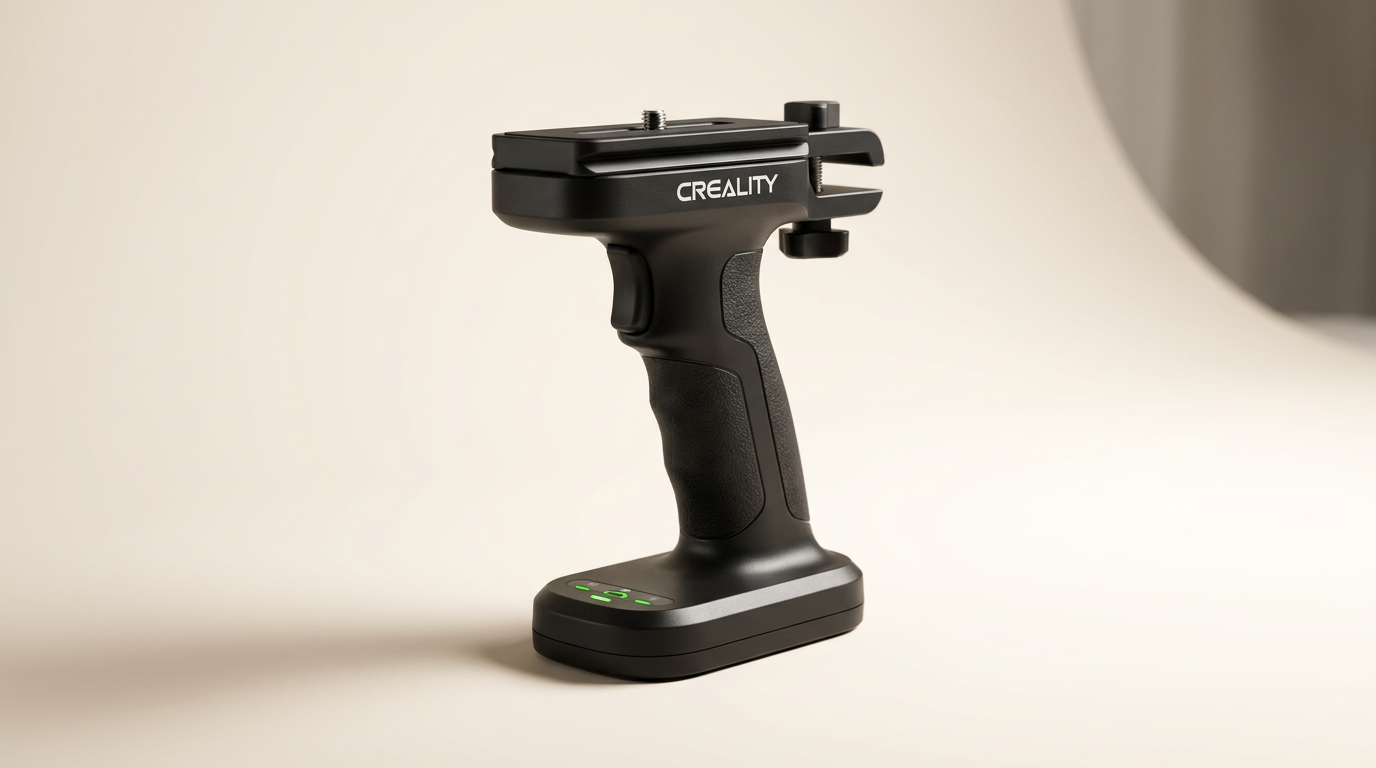
The professional 3D scanning landscape often emphasizes precision and portability, yet many setups remain tethered by cables, restricting mobility and workflow flexibility. Creality's Scan Bridge proposes a solution to this often-overlooked limitation, positioning itself as an essential accessory rather than a mere convenience. It promises to liberate Creality Raptor, Raptor Pro, and Sermoon S1 users from their wired constraints, facilitating remote operation and on-site collaboration.
This device enters a market segment increasingly valuing agility. While the core scanning technology advances, the peripheral experience-factors like setup friction and environmental adaptability-often dictate actual user efficiency. The Scan Bridge directly addresses these points, aiming to transform a stationary process into a more fluid, adaptive one. It represents Creality's acknowledgment that the scanning experience extends beyond the sensor itself.
What owners love
- + Enables completely wireless scanning with a smartphone
- + Significantly enhances scanner portability and operational freedom
- + Features robust battery life for extended use
- + Facilitates real-time screen mirroring for collaboration
- + Offers fast Wi-Fi 6 data transmission to computers
Common complaints
- − Requires a specific Creality scanner model for compatibility
- − Some units exhibit manufacturing inconsistency or faulty components
- − Adding an accessory can complicate access in tight scanning spaces
- − Does not resolve underlying scanner or cable reliability issues
- − Represents an additional investment beyond the scanner
Design & Build
The Scan Bridge is a compact accessory designed to integrate directly with compatible Creality 3D scanners. Its form factor aims to be unobtrusive, providing a wireless connection without adding significant bulk. While owners generally describe it as a 'great product' that feels well-engineered, there are recurring reports of Creality's broader 'hit or miss quality' affecting peripheral components. This suggests that while the concept is sound, individual unit consistency can vary, a phenomenon we might call 'the accessory lottery' where the quality of an add-on isn't guaranteed to match the primary device.
Setup & Ease of Use
Owners consistently report a straightforward setup process, with one user stating it 'works perfect' for their needs. The primary appeal lies in its ability to connect the scanner directly to a smartphone, bypassing the need for a computer during scanning. This simplification of the field setup is a significant benefit, reducing equipment footprint and power demands. The device's 'very easy to use' interface contributes to its positive reception, allowing users to quickly integrate it into their scanning routines without a steep learning curve. The core value proposition here is convenience, and the Scan Bridge largely delivers.
Performance in Real Use
The Scan Bridge excels at its stated purpose: providing wireless freedom. Users transitioning from wired connections describe the experience as transformative, asserting that it 'changes everything about wireless.' The ability to operate the scanner without a physical tether opens up new possibilities for scanning in confined spaces or awkward positions, as the unit can be detached and manipulated more freely. The integrated 36000 mWh battery supports up to four hours of continuous scanning, which aligns with typical session lengths and is a key factor in its practical utility. Its wireless screen mirroring feature allows for multi-terminal collaboration, enabling real-time inspection and demonstration of scanned images.
Software & Ecosystem
The Scan Bridge functions as a conduit within the Creality 3D scanning ecosystem, rather than introducing new software interfaces itself. It enables wireless connectivity to the smartphone application and facilitates fast data transmission via Wi-Fi 6 to a computer for processing. This integration means users continue to leverage their familiar Creality scanning software, with the bridge simply enhancing the hardware's operational flexibility. The 'fast data transmission' is a critical, often underestimated, feature; it minimizes transfer bottlenecks, allowing scan data to move efficiently from the device to a workstation, which is vital for maintaining workflow momentum, especially with large datasets.
Value & Reliability
Priced around $450, the Creality Scan Bridge represents a notable investment for an accessory. Its value proposition hinges entirely on the user's specific workflow needs and the perceived benefit of wireless operation. For those requiring maximum mobility and the ability to scan away from a power outlet or computer, its value is high. However, reliability is a point of contention. While many owners find it 'flawless,' others report receiving faulty units or experiencing persistent connectivity issues, even using the Scan Bridge as a potential fix for pre-existing cable problems. This inconsistent reliability introduces a 'reliability surcharge'--the additional cost in time and potential frustration from managing possible defects. The core utility is clear, but buyer experience varies.
Verdict
Buy - The Creality Scan Bridge significantly enhances the portability and operational flexibility of compatible Creality 3D scanners.
This accessory is a strong recommendation for existing owners of Creality Raptor, Raptor Pro, or Sermoon S1 scanners who frequently scan in diverse environments, require extended mobility, or value a streamlined, computer-free field setup. It makes the most sense for those whose workflow is hindered by wired connections. Users primarily performing stationary, studio-based scans with easy access to a computer and power might find the added cost of around $450 less justifiable.
The Scan Bridge addresses a silent efficiency bottleneck: the physical tether. It elevates the core scanner's utility by unlocking what we might call 'environmental plasticity,' allowing the scanner to adapt more freely to varied physical spaces. This isn't merely about wireless convenience; it's about shifting the scanning paradigm from fixed-point operation to agile, on-demand data capture.
FAQ
More 3D Scanners reviews

Revopoint INSPIRE 2 3D Scanner Review: Unpacking the Accessory Echo Chamber

Creality 6mm 3D Scanning Markers Review: Essential Tracking Aid

TOSUKKI 6mm Positioning Targets Review: The Refined Generic Choice

AESUB 3DTOOLS 3D Scanner Spray Review: The 'Evaporative Enabler'

Creality 8-inch Rotating Turntable: A Solid Scanner Accessory

Generic 12 Piece Multi-Angle Markers Review: Essential 3D Scanning Dots
This review is based on real experiences shared by owners in online communities.