
Creality Raptor 3D Scanner Review: High Detail, High Demands
This review is based on real experiences shared by owners in online communities.
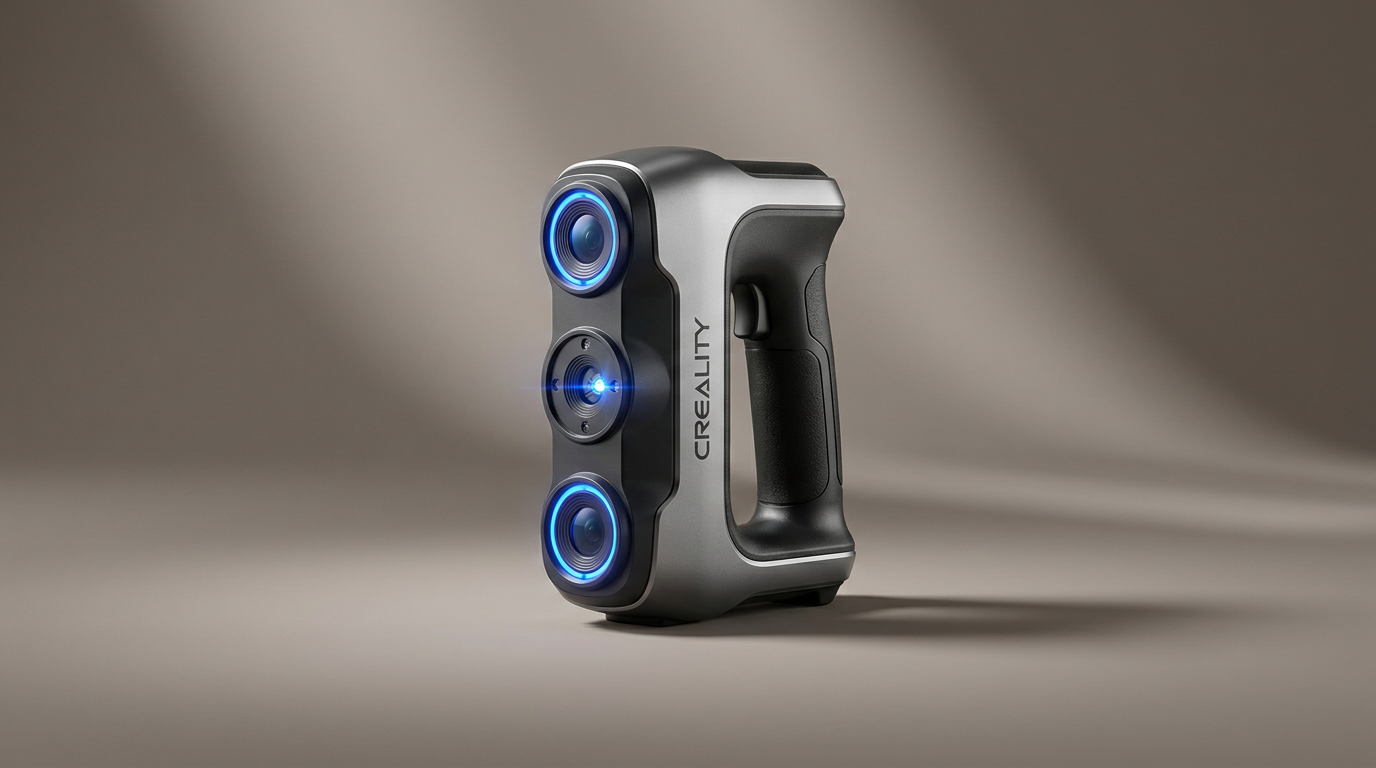
The Creality Raptor 3D scanner arrives in a segment increasingly populated by devices promising professional-grade results at enthusiast-friendly prices. While many scanners target broad appeal, the Raptor quietly asserts itself as a specialized instrument, demanding a specific workflow and system infrastructure to deliver on its ambitious precision claims. Its dual-mode blue laser and infrared scanning capabilities suggest versatility, but owner experiences consistently narrow its effective operating envelope, revealing it not as a generalist tool but as a focused precision device for meticulous projects.
Most buyers encounter a common pitfall in 3D scanning: mistaking raw precision specifications for ease of use. The Raptor, despite its stated 0.02mm accuracy, illustrates what we call the "Precision Paywall" - the hidden costs and specific conditions required to consistently achieve those advertised metrics. This isn't a plug-and-play solution for every object; it demands a significant investment in both computing power and user technique to unlock its potential, favoring those who prioritize minute detail over scanning speed or broad object compatibility.
This review will unpack whether the Raptor justifies its position as a high-fidelity tool, or if its operational demands make its precision less accessible than marketed. We'll examine its build, real-world scanning performance, and the software ecosystem that underpins its operation, offering clarity for potential adopters.
What owners love
- + Delivers extremely high accuracy and fine detail, especially on small objects
- + Hybrid blue laser and infrared modes offer scanning flexibility
- + Capable of capturing full-color textures with good results
- + Included software facilitates merging multiple scans effectively
- + Solid build quality with an all-metal lens barrel for stability
Common complaints
- − Requires a high-specification computer for optimal performance
- − Frequent tracking loss and connection issues are reported by some users
- − Proprietary cables are short, limiting operational freedom
- − Scanning can be slow and requires significant user patience
- − Merging scans can be tedious and prone to distortion without careful technique
Design & Build
The Raptor presents a robust, professional aesthetic, weighing 372g. Owners report a comfortable grip, suggesting it handles well during extended use. The all-metal lens barrel and base underscore a commitment to mechanical and thermal stability, crucial for maintaining the advertised 0.02mm precision. This attention to physical integrity provides a tangible sense of durability, differentiating it from devices with more plastic constructions. The tactile mechanical buttons and interactive indicator lights contribute to a user-friendly physical interface, though the operational experience can be more demanding than the physical design implies. This robust construction is a clear design choice, signaling its intent for serious, repetitive use where stability is paramount.
Setup & Ease of Use
Initial setup involves connecting the device via USB 3.0 and installing the Creality Scan software. While the physical connection is straightforward, the subsequent configuration reveals a key aspect of the Raptor's design philosophy: it is not designed for casual use. The system requirements are substantial, demanding a high-end CPU and a dedicated graphics card with ample VRAM. Owners consistently report that an under-specced computer leads to poor performance or outright malfunction. This creates a "configuration bottleneck" where the scanner's theoretical capabilities are gated by the host system's power. Furthermore, while the software includes guided steps for the first scan, the process of achieving usable results, particularly merging multiple scans, requires significant user skill and patience, often becoming a time-consuming task rather than a quick capture.
Performance in Real Use
When paired with adequate computing power and careful technique, the Raptor excels at its core promise: high-fidelity detail capture. Users commend its ability to scan very small objects, down to sub-millimeter features, with remarkable accuracy. The blue laser mode, in particular, is noted for its precision, often requiring marker points for optimal tracking. The hybrid technology also allows for marker-free scanning in infrared mode, suitable for larger objects or human forms, and its ability to handle black and metal surfaces without excessive powder spraying is a practical advantage. However, a significant recurring issue is tracking stability; several users report frequent loss of tracking, leading to fragmented or distorted scans. The device also appears sensitive to maintaining an equal distance from the object during scanning, introducing a challenging variable for consistent results. This points to a tension between the scanner's high-precision ambition and its sometimes finicky real-world tracking performance, a characteristic of complex optical systems at this price point.
Software & Ecosystem
The Creality Scan software is central to the Raptor's operation. Its ability to patch together multiple scans into a cohesive 3D object receives positive mentions when it functions correctly. The guided first-scan process is a helpful starting point for new users. However, the software's performance is inextricably linked to the host computer's specifications, and some owners report issues with stability, including unexpected disconnections. The post-processing phase, while capable of producing high-resolution models, often demands considerable user intervention to correct tracking errors or merge disparate data sets. The ecosystem's current iteration appears focused on raw data acquisition and basic stitching, leaving advanced model cleanup and optimization to external software, which is standard for the category but still requires user proficiency. The future prospect of wireless scanning via cell phone, as mentioned by one user for a potential 'Raptor X' model, indicates Creality's awareness of portability demands, but the current model remains tethered.
Value & Reliability
Priced around $800 to $900, the Creality Raptor occupies a mid-to-high tier for consumer-grade 3D scanners, venturing into prosumer territory. For users who can consistently achieve its maximum precision, the value proposition is strong, especially for detailed work on small-to-medium objects where its capabilities truly shine. The high fidelity it offers, particularly for the price, is a significant draw for those with specific, high-accuracy needs, like scanning intricate molds. However, reliability concerns such as frequent tracking loss, USB disconnection issues, and the demanding computational requirements introduce a degree of unpredictability. These factors can lead to an extended workflow, where the advertised speed and ease are offset by troubleshooting and extensive post-processing. Its value is highest for users willing to invest the time in mastering its idiosyncrasies and who possess the necessary high-end hardware, making it a specialized tool rather than a universally reliable performer.
Verdict
Consider - The Creality Raptor delivers exceptional detail for specific use cases but demands significant user investment.
This scanner is best suited for experienced users, or those committed to a steep learning curve, who require extremely high precision for small to medium-sized objects and possess a powerful computing setup. Its strengths lie in capturing fine details for applications like custom components or intricate model replication. Buyers engaged in professional prototyping, archival work for small artifacts, or specialized 3D printing where dimensional accuracy is paramount will find its capabilities compelling. Those with less powerful systems or who prioritize speed and general versatility over microscopic detail should look elsewhere.
The Raptor illuminates a crucial product development tension: the "Precision Paradox." While its technical specifications for accuracy are genuinely impressive, the operational overhead required to consistently achieve that precision, coupled with reported tracking inconsistencies, creates a significant barrier to entry. It's a powerful tool, but one that extracts a substantial tax in setup, practice, and computational resources, preventing it from being the widely accessible precision instrument its marketing suggests. Its true place is in the hands of the dedicated, not the casual.
FAQ
More 3D Scanners reviews

Revopoint INSPIRE 2 3D Scanner Review: Unpacking the Accessory Echo Chamber

Creality 6mm 3D Scanning Markers Review: Essential Tracking Aid

TOSUKKI 6mm Positioning Targets Review: The Refined Generic Choice

AESUB 3DTOOLS 3D Scanner Spray Review: The 'Evaporative Enabler'

Creality 8-inch Rotating Turntable: A Solid Scanner Accessory

Generic 12 Piece Multi-Angle Markers Review: Essential 3D Scanning Dots
This review is based on real experiences shared by owners in online communities.