
Bambu Lab AMS lite Review: The Multi-Color Upgrade Dilemma
By AValidReview. An AI-assisted summary of customer feedback, not a hands-on test.
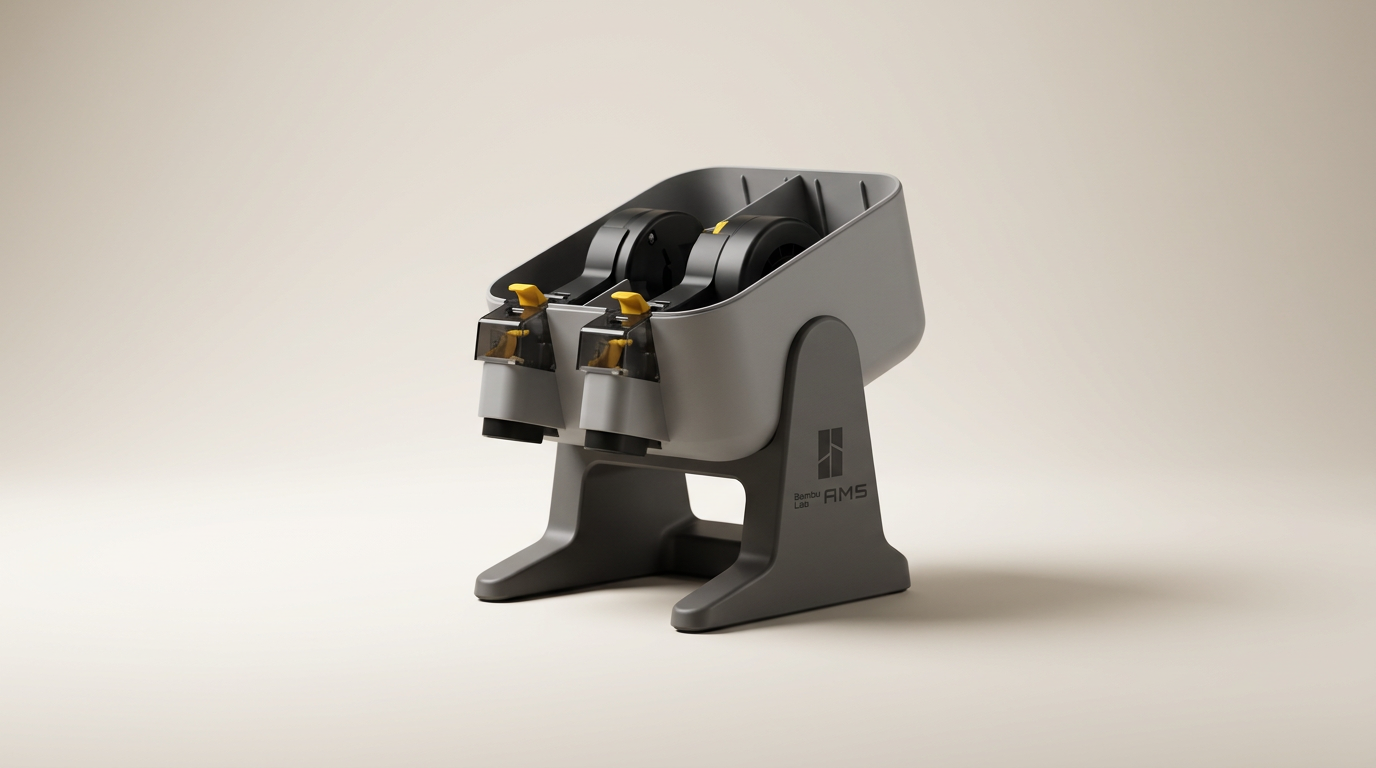
The consumer 3D printing market spent years treating multi-material printing as an exotic luxury reserved for tinkerers willing to tune purge towers and dual-extrusion offsets. Bambu Lab changed that narrative by turning multi-spool automation into an accessible consumer commodity. The AMS lite is the stripped-down, open-frame sibling of the original enclosed Automatic Material System, engineered specifically to bring automated filament feeding to the budget-friendly A1 and A1 Mini bedslingers.
Yet the AMS lite presents an acute economic puzzle that many newcomers encounter only after buying their first printer: the standalone penalty. Purchased alongside a printer in a factory bundle, the unit costs a modest premium. Purchased separately later, the price tag hovers around $200, which approaches the cost of an A1 Mini printer body on its own. For hobbyists who started with a bare-bones setup and quickly realized manual layer pauses are insufficient, the AMS lite represents both a massive workflow upgrade and a frustrating pricing reality.
Beyond cost, the AMS lite trades the hermetic environmental sealing of the flagship AMS for an exposed four-spool tree. This mechanical divergence makes the unit dramatically easier to unjam and maintain, but it also leaves filament exposed to ambient humidity and introduces long-term physical wear points on its rotating spool holders and feeder motors.
What owners love
- + Enables hands-free four-color printing and automated spool backup
- + Open layout makes manual clearing and troubleshooting straightforward
- + Automates support interface changes using dedicated breakaway material
- + Quick physical assembly out of the box
- + Integrates cleanly with Bambu Studio slicing profiles
Common complaints
- − Standalone purchase carries a steep pricing penalty compared to bundle kits
- − Exposed spools provide no protection against ambient moisture
- − Purge waste during multi-color prints accumulates rapidly
- − Reports of spool rotary clips snapping and feeder motor wear over time
Design & Build
The AMS lite rejects the enclosed box aesthetic of its predecessor in favor of an open, four-arm rotary tree that mounts either directly beside the printer or onto the machine frame. Its mechanical layout is exposed by design: spring-loaded rotary claws grip the inner bore of each spool, feeding strands directly into an overhead filament hub through translucent guide tubes. This open architecture eliminates the complex internal retraction corridors of the original AMS, drastically reducing the time required to clear brittle broken filament. However, the exposed nature also acts as a double-edged sword. Users operating in humid environments lose the desiccant-drying chamber functionality found on premium enclosures, meaning hygroscopic materials like PETG or TPU will slowly absorb water while mounted. Mechanically, the unit relies on high-friction plastic clips and small stepper drives. Multiple long-term owners report physical wear points developing within the first year of regular use, including cracked tension arms inside the spool clutches and feeder motors that lose torque under continuous retract-and-purge cycles.
Setup & Ease of Use
Physical setup is swift, requiring little more than bolting the rotary arms to the primary stalk, running the four PTFE tubes down to the print head tool hub, and plugging the four-pin bus cable into the printer. For owners of Bambu-branded filament, the integrated RFID readers automatically sync material type and spool color into Bambu Studio without manual input. Third-party filaments fit readily on the rotary hubs, though irregular cardboard spools occasionally slip or deform on the retention claws, requiring printed spool adapter rings for reliable rotation. The operational curve is minimal, but hardware handling requires finesse: several owners report that aggressive tugging during spool removals can snap the plastic internal locking tabs, prompting costly module replacements through customer support.
Performance in Real Use
When executing multi-color prints or material transitions, the AMS lite performs its core duty of feeding, retracting, and spool-swapping with remarkable consistency. In practice, the system eliminates the manual tedium of babying a print to swap filament colors for text or accent trim. Furthermore, utilizing a spool slot for dedicated breakaway or soluble support interfaces elevates surface finish on steep overhangs. However, multi-color printing on a single-nozzle toolhead incurs what can only be termed the purge tax. Every individual color swap requires the toolhead to travel to the purge wiper, flush the melt zone, and deposit a pellet of extruded waste before continuing the layer. On complex four-color models, this process routinely generates waste scrap that outweighs the completed model itself, while adding hours to print times. For single-material prints, the automatic spool backup feature quietly shines, swapping to a fresh spool mid-print when the current roll runs dry without missing a step.
Software & Ecosystem
The software coordination between the AMS lite, Bambu Studio, and the Bambu Handy mobile app is among the cleanest implementations currently available in consumer desktop manufacturing. Assigning materials to specific bodies or paint zones in the slicer is intuitive, and the printer firmware handles feed timing without manual calibration steps. The primary limitation sits in the closed ecosystem surrounding warranty and service. Multiple owners note that troubleshooting hardware faults through official channels often requires navigating automated ticket systems rather than speaking to live support staff. If a feeder sub-assembly fails or an RFID sensor fails to read, resolving the ticket frequently hinges on submitting diagnostic video logs, creating friction for users who expect conventional consumer electronics support.
Value & Reliability
Evaluating the AMS lite on value entirely depends on when you buy it. In an integrated combo pack, the peripheral adds roughly $100 to $150 to the baseline purchase, making it an undeniable bargain for the functionality unlocked. Purchased standalone in the $200 to $250 range, the value proposition shrinks dramatically, approaching parity with the standalone purchase price of an A1 Mini. At that elevated standalone price, recurring reports of mechanical fragility - such as dying feed motors after several hundred hours or fragile spool retention clips - become much harder to overlook. It is a capable accessory, but one that is aggressively priced to favor initial hardware bundles over modular, piecemeal upgrades.
Verdict
Consider - It delivers seamless multi-material utility to A1 printers, but steep standalone pricing and long-term mechanical fragility temper its appeal.
If you own an A1 or A1 Mini and routinely print complex decorative models or functional parts requiring support separation materials, the AMS lite is an essential hardware addition that fundamentally alters how you use your machine. It turns a manual tool into an automated fabrication station. However, buyers should avoid purchasing this unit as an afterthought at its full standalone price in the $200 to $250 bracket; those who have not yet bought their printer should unconditionally purchase the combo bundle instead.
What most buyers miss about the AMS lite is that it is not an end-state multi-material solution, but an automated feeder married to an inherently wasteful single-nozzle architecture. Until toolchanging and independent multi-nozzle platforms drop down to consumer price tiers, the AMS lite remains a brilliantly executed stopgap - one that trades significant filament waste and mechanical wear for immediate out-of-the-box convenience.
FAQ
More 3D Printers reviews
AOSEED AI 3D Printer for Kids Review: Capable Fun

Anycubic Kobra S1 ACE 2 Pro Combo Review: Enclosed Multicolor Value

FLASHFORGE AD5M Pro Review: High Speed Enclosure on a Budget

FLASHFORGE Creator 5 Pro Review: Multi-Toolhead Utility

QIDI Q2 3D Printer Review: High-Temp Power at a Consumer Price
Flashforge Adventurer 5M Smooth PC Plate Review
This review is based on real experiences shared by owners in online communities.