
Anycubic Photon Mono 4 Ultra 10K Review: The Entry-Level Micro-Detailer
This review is based on real experiences shared by owners in online communities.
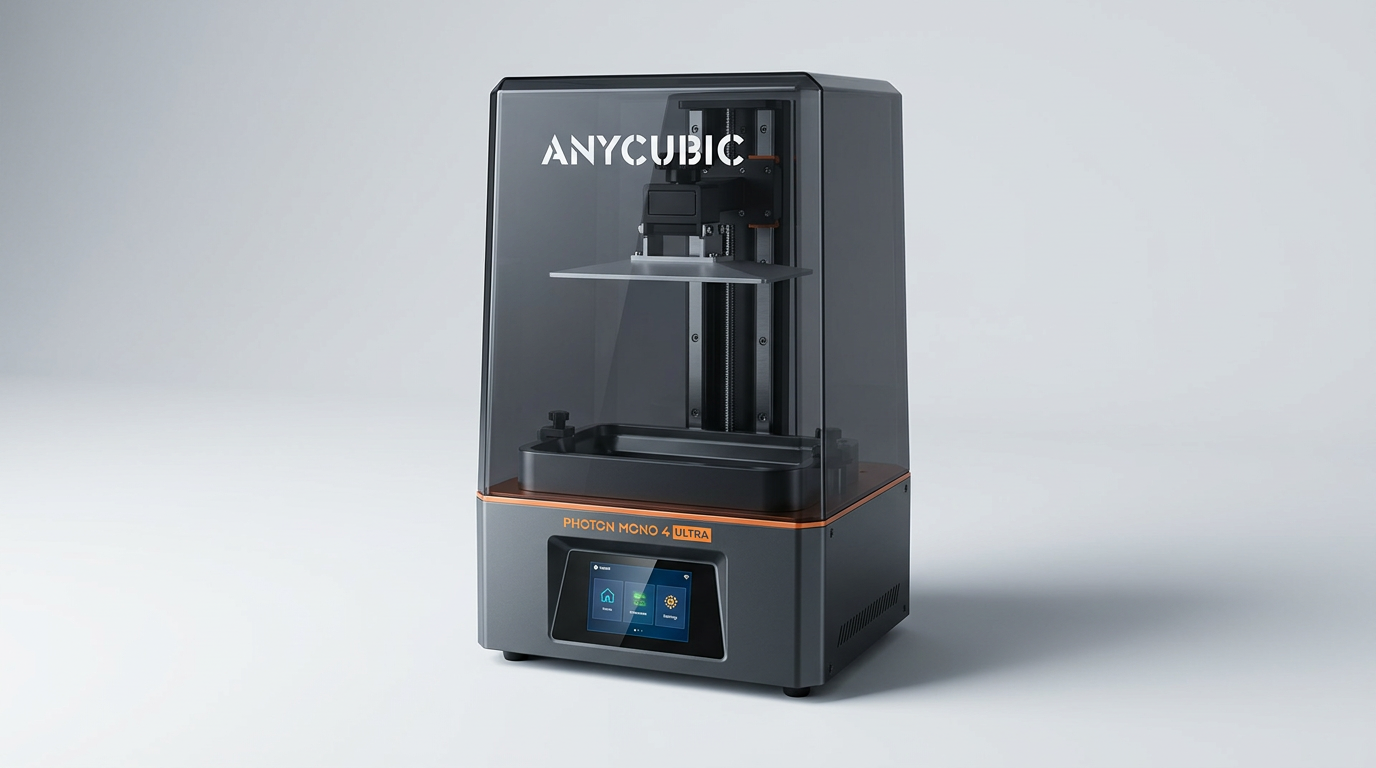
The Anycubic Photon Mono 4 Ultra 10K arrives in a resin 3D printing market increasingly defined by accessibility and high resolution, yet often failing to deliver on both. While many manufacturers push larger build volumes or hyper-specific niche features, the Mono 4 Ultra quietly focuses on a critical, often underserved segment: the FDM user or complete novice ready to transition to resin for its inherent detail. Its design philosophy clearly prioritizes a smoother onboarding experience over raw, unchecked power, aiming to lower the "resin barrier to entry" that deters many potential users.
This printer isn't attempting to reinvent the wheel; instead, it refines the core experience of small-format, high-resolution resin printing. By offering robust build quality, a focus on user-friendliness, and commendable print fidelity for its price, it positions itself as an unpretentious workhorse. The question then becomes whether its thoughtful compromises and targeted feature set truly deliver on a consistent, headache-free journey into the world of resin, or if typical resin pitfalls still snag the unwary.
Our analysis reveals the Mono 4 Ultra largely succeeds in its mission, carving out a niche as the "gateway resin printer." It excels at producing intricate models for hobbies like miniatures and jewelry, making the leap from FDM less intimidating than anticipated. However, like any resin printer, it demands an understanding of its inherent operational quirks and maintenance requirements, despite its best efforts to simplify them.
What owners love
- + Delivers exceptional detail and print resolution
- + Relatively easy setup and user-friendly interface
- + Fast print speeds due to ACF film and algorithms
- + Good value for the performance and detail offered
- + Compact size suitable for small projects and spaces
- + Effective COB light source for uniform curing
Common complaints
- − Strong resin fumes necessitate ventilation or enclosure
- − Occasional build plate adhesion issues reported by some users
- − Potential for screen durability issues over time
- − Manufacturer's mobile app connectivity can be unreliable
- − USB drive compatibility problems for some third-party files
- − Resin leaks and failed prints can lead to significant mess
Design & Build
The Photon Mono 4 Ultra features a compact footprint, a characteristic owners appreciate for desktop placement. Its construction feels robust, with an 8mm diameter T-type screw rod and precision guide rails contributing to print stability. The 7-inch 10K monochrome screen is a central component, delivering high pixel density critical for fine details. However, the screen's longevity is a recurring concern, with some long-term users reporting the need for multiple replacements within months. This raises questions about the long-term cost of ownership, introducing what we might call the "screen replacement tax" for sustained, heavy use. While the overall build quality is satisfactory for its price segment, the durability of its most critical component remains an area of scrutiny.
Setup & Ease of Use
A significant strength of the Mono 4 Ultra is its user-friendly setup. Numerous owners, including those new to resin printing, report being able to print successfully right out of the box with minimal fuss. The 4.3-inch high-definition screen and redesigned UI contribute to a straightforward interaction. The manufacturer's inclusion of Intelligent Detection features, such as residual resin detection and failed print detection, aims to mitigate common user errors and improve efficiency. This emphasis on reducing initial friction makes the Mono 4 Ultra an excellent candidate for what we term the 'first-layer friend'-a printer designed to build confidence in new resin users by minimizing early failures. While initial build plate adhesion can be a minor hurdle, often resolved with simple techniques like hot water baths, the overall consensus points to a smooth learning curve.
Performance in Real Use
The Mono 4 Ultra consistently delivers on its promise of high-resolution prints. Owners frequently highlight the crispness and detail achieved, particularly for small objects like miniatures and jewelry components. The advertised 120mm/h fast print speed, aided by the ACF film and Intelligent Release Algorithm, translates to practical time savings in production. The COB light source system, coupled with Fresnel lenses, provides excellent light uniformity, which directly contributes to dimensional accuracy across layers. This consistent output quality is its most lauded attribute, cementing its position as a reliable detail printer. However, the omnipresent issue with resin printing remains: the strong odor. Users strongly recommend dedicated ventilation or an enclosure, underscoring that the advanced tech does not negate the fundamental chemical realities of resin handling.
Software & Ecosystem
The manufacturer provides its own slicer app, which many find adequate and easy to use. Cloud print support is a convenience for some. However, the integrated software experience is not without its flaws. Several owners report difficulties with the mobile app's connectivity, citing issues with barcode recognition and general instability. More critically, some users encounter problems with the printer reading files from third-party slicers or even certain USB drives, which can create a "slicer lockout" effect. While the machine itself excels, the software ecosystem appears to be the less polished sibling, occasionally hindering the user experience for those who prefer alternative workflows or encounter specific file compatibility quirks.
Value & Reliability
Priced around $280, the Photon Mono 4 Ultra represents a strong value proposition for its feature set and output quality. Its ability to produce prints with such fine detail at this price point is a notable achievement. For many, it replaces or supplements FDM printers for specific tasks where precision is paramount. Reliability is generally good, with many owners reporting dozens of successful prints without issues. However, the previously mentioned concerns about LCD screen durability and the occasional failed print leading to significant resin messes are non-trivial. While the manufacturer offers support and sometimes replaces faulty units or screens, these instances introduce downtime and additional costs, affecting the long-term value equation. Buyers should factor in the potential for periodic component replacement as part of the overall ownership experience.
Verdict
Buy - This printer offers an exceptional balance of detail, speed, and ease of use, making it ideal for new resin users and hobbyists.
This is a solid recommendation for anyone looking to enter resin 3D printing or expand their existing FDM capabilities with high-detail prints for miniatures, jewelry, or small prototyping. Its accessible design and strong performance for its price-point, generally under $300, make it a compelling choice. Those who prioritize ultra-large build volumes or demand flawless software integration with every third-party tool might find its limitations frustrating. If you are unwilling to manage resin fumes, perform regular cleaning, or potentially replace an LCD screen in the long run, this or any resin printer is not for you.
The Photon Mono 4 Ultra 10K embodies the "accessible detail paradox" of modern resin printing. It delivers stunning resolution and ease of entry, yet implicitly asks users to accept the inherent mess and maintenance of the technology. It’s not just a printer; it’s an invitation to a new workflow, one where the visible print quality is high, but the hidden costs often involve vigilance, ventilation, and a willingness to get a little messy.
FAQ
More 3D Printers reviews

QIDI Q2 3D Printer Review: High-Temp Power at a Consumer Price
Flashforge Adventurer 5M Smooth PC Plate Review

FLASHFORGE Creator 5 Pro Review: Multi-Toolhead Efficiency
HP OfficeJet Pro 9135 Review: Two Trays and a Tight Leash
Flashforge Creator 5 Pro Review: Multi-Material Toolchanger
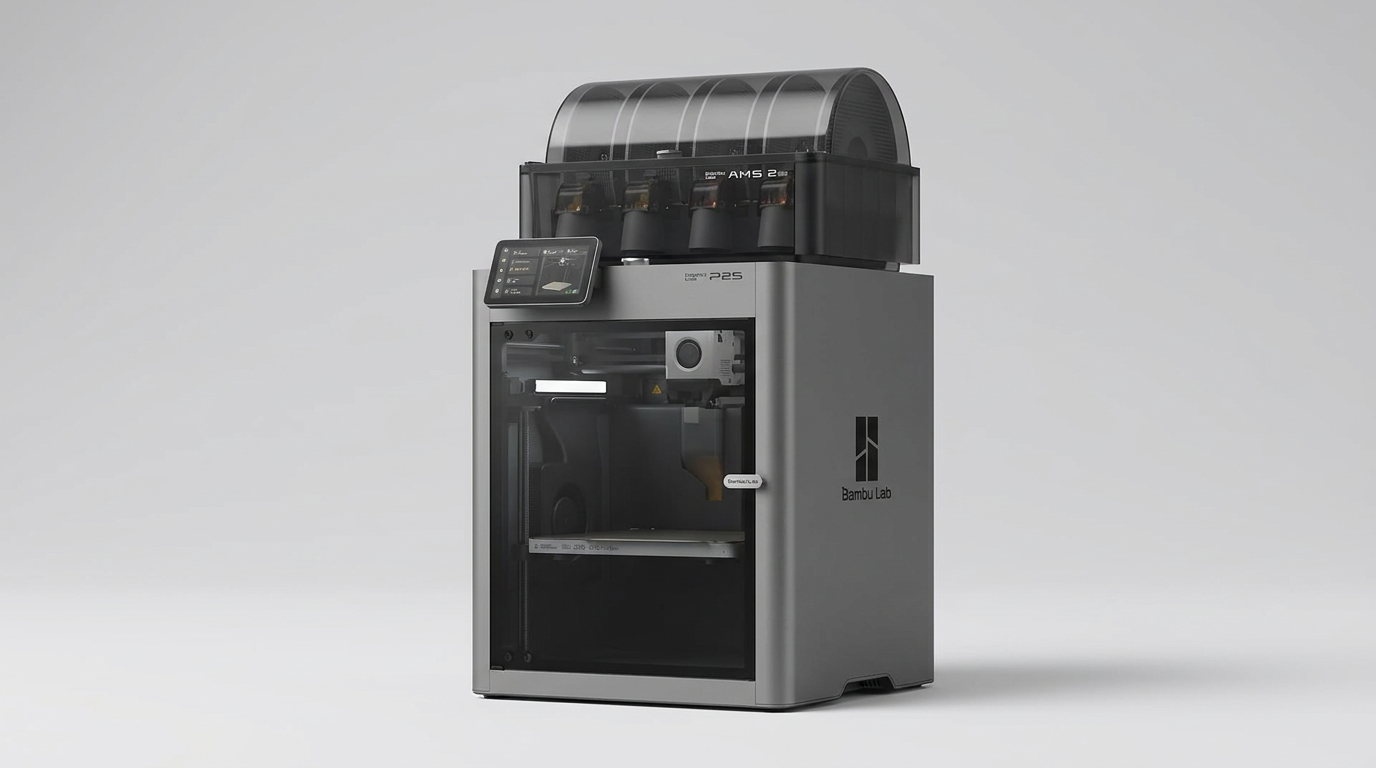
Bambu Lab P2S Combo Review: The 3D Printer Appliance
This review is based on real experiences shared by owners in online communities.