
3DMakerpro Moose: A Frustrating Entry Into 3D Scanning
This review is based on real experiences shared by owners in online communities.
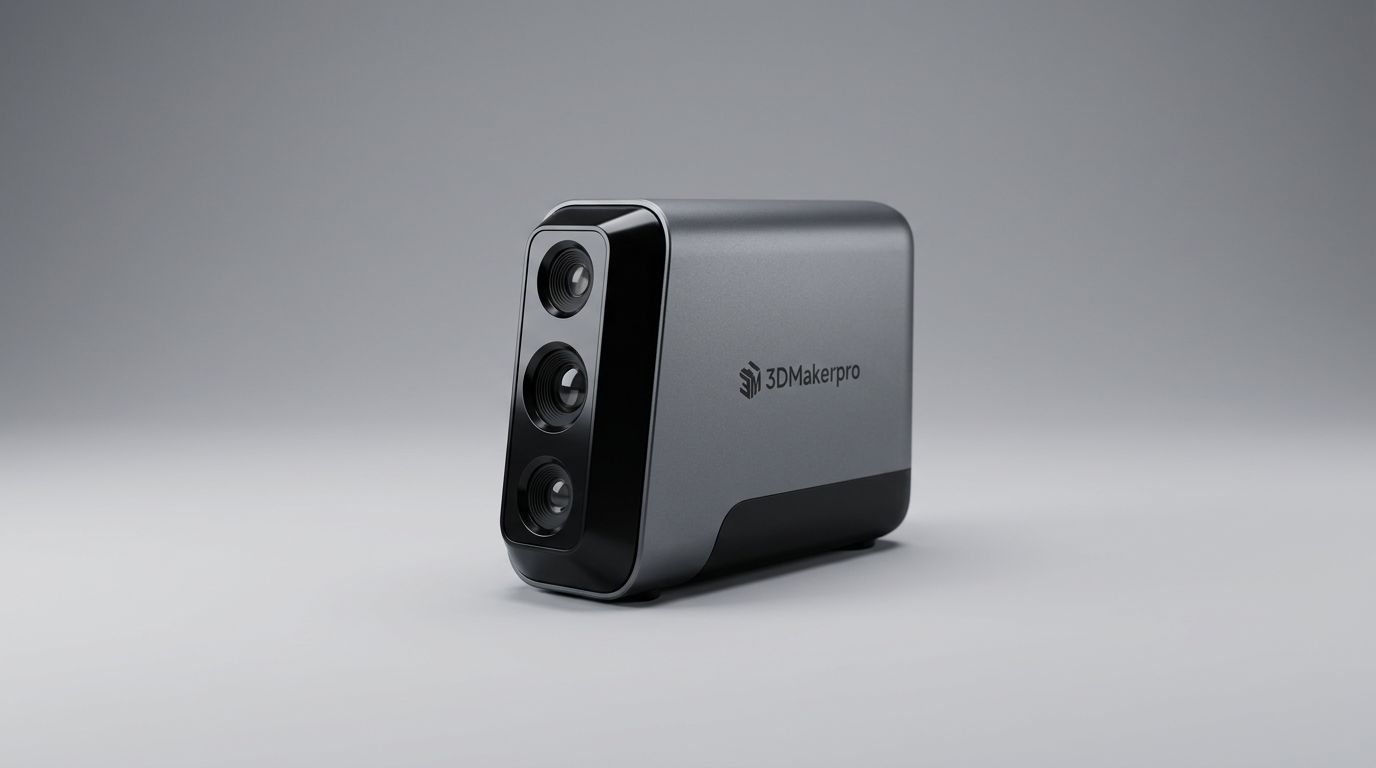
The promise of accessible 3D scanning often outpaces the reality of consumer-grade hardware. While the market is flooded with devices claiming high accuracy and ease of use, many struggle to bridge the gap between specification sheets and practical application. The 3DMakerpro Moose positions itself as a medium-format scanner capable of high-resolution color capture, but it embodies a common pitfall: the technical demands of 3D scanning are frequently underestimated by users and, at times, by manufacturers themselves.
This scanner arrives with a robust accessory kit, including a turntable and tripod, suggesting a comprehensive out-of-the-box experience. Yet, the critical feedback from owners paints a picture of a product that falters severely in its core function: producing usable 3D scans. The core challenge for devices like the Moose is not just capturing data, but consistently capturing *sufficient* and *accurate* data for reconstruction, especially for users who are not professional photogrammetry or metrology experts.
Our analysis indicates that the Moose might fall into what we term the "Expert's Entry-Point Paradox." While marketed broadly, its operational complexity and unforgiving nature mean only experienced 3D modelers or those with significant patience and a high tolerance for troubleshooting will even begin to extract its theoretical capabilities. For most, the learning curve becomes a sheer cliff, leading directly to frustration and unmet expectations.
What owners love
- + Includes a robust accessory kit with turntable and tripod
- + Offers 24-bit full-color scanning capability
- + Advertises high accuracy (0.03mm) and resolution (0.07mm)
- + Bundled JMStudio software receives free lifetime updates
- + Supports common 3D export formats (OBJ, STL, PLY, ASC)
Common complaints
- − Significantly difficult to use for new and experienced users alike
- − Software frequently fails to maintain tracking during scans
- − Consistently produces poor quality or incomplete scans
- − High hardware requirements for smooth operation (powerful PC)
- − Frustrating and time-consuming setup and calibration process
Design & Build
The 3DMakerpro Moose arrives with a commendable unboxing experience. Owners note the inclusion of a dedicated storage box, charger, data cable, and essential accessories like a turntable and tripod. These components are described as sturdy enough for routine scanning tasks, suggesting a thoughtful approach to the physical setup. The hardware itself feels substantial, adhering to a general expectation of quality for a device in its price range. The blue LED light source is a standard for achieving fine detail in structured light scanning, indicating a foundational design choice consistent with high-accuracy goals. However, the apparent quality of the physical components does not translate into a positive user experience, as issues arise downstream in performance and software integration.
Setup & Ease of Use
This is where the Moose encounters its most significant hurdle. Despite the user manual explicitly stating a learning curve and powerful PC requirements, owners consistently report extreme difficulty in operating the device. Setup is not merely a matter of plugging in components; it involves mastering specific scanning techniques and software interactions that prove highly challenging. The software's inability to maintain tracking points, even with a turntable, is a recurring complaint, directly hindering the ability to complete a basic scan. This reflects a fundamental disconnect, what we might call the 'Workflow Friction Trap,' where a technically capable piece of hardware is rendered nearly unusable due to an overly complex or unreliable operational pipeline. The difficulty is so pervasive that even basic functionality, like starting a new project, is reported as problematic.
Performance in Real Use
The core purpose of a 3D scanner is to produce accurate and usable digital models. Owners of the Moose overwhelmingly report poor scanning performance. Scans are frequently described as "garbage" or simply "not working." When a device struggles with basic tracking and data acquisition, its advertised accuracy of 0.03mm and 24-bit color capabilities become largely irrelevant. The scanner's inability to reliably capture objects, even within its stated medium-format range, suggests a critical flaw in its real-world execution. This feedback indicates a significant gap between the intended technical performance and the lived user experience, revealing that the device fails at the fundamental task of converting physical objects into digital representations with sufficient fidelity or consistency.
Software & Ecosystem
The 3DMakerpro Moose relies on JMStudio software, which offers features like visual tracking, error correction, and auto-alignment, alongside free lifetime updates. While the software theoretically supports common export formats (OBJ, STL, PLY, ASC) for 3D printing, its practical utility is severely hampered by its instability and tracking issues. Owners report the software getting "stuck" or losing tracking points frequently, even during simple tests. This renders the advanced processing features largely inaccessible because the raw data input is compromised. The requirement for a relatively powerful PC also adds to the cost of ownership, reinforcing the 'Expert's Entry-Point Paradox' where the user must bring significant auxiliary resources and technical expertise just to attempt operation. A robust feature set in software means little if the fundamental scanning process is unreliable.
Value & Reliability
Considering its price point, which places it well north of $700, the 3DMakerpro Moose represents a significant investment. Owners consistently express dissatisfaction, viewing it as a "waste of money" due to its poor performance and extreme difficulty. The low reported reliability, primarily stemming from its inability to consistently produce usable scans, undermines any perceived value. While the physical accessories are deemed sturdy, the core product's functionality is fundamentally flawed according to user feedback. The overall sentiment suggests a product that fails to deliver on its promise, making it a risky proposition for any potential buyer seeking a functional 3D scanner.
Verdict
Stay Away - The 3DMakerpro Moose consistently fails to deliver on fundamental scanning performance and ease of use.
This scanner is not recommended for most users. Individuals new to 3D scanning will find its operational complexity and inconsistent results prohibitively frustrating. Even experienced users seeking a dependable tool in the ~$700 to $800 range should look elsewhere, as the device struggles with basic functionality. Its high hardware requirements and significant learning curve mean only those with exceptional patience, extensive prior 3D scanning experience, and a high tolerance for troubleshooting might extract any value.
The 3DMakerpro Moose exemplifies the industry's 'Specification Trap,' where impressive numbers on paper, like accuracy and color depth, overshadow critical deficiencies in real-world usability and software stability. It inadvertently highlights that for practical 3D scanning, reliable tracking and consistent output are far more valuable than theoretical precision if the user cannot achieve it. This product underscores the ongoing challenge of making advanced 3D capture truly accessible, demonstrating how a promising accessory package can be undermined by fundamental execution failures.
FAQ
More 3D Scanners reviews

Revopoint INSPIRE 2 3D Scanner Review: Unpacking the Accessory Echo Chamber

Creality 6mm 3D Scanning Markers Review: Essential Tracking Aid

TOSUKKI 6mm Positioning Targets Review: The Refined Generic Choice

AESUB 3DTOOLS 3D Scanner Spray Review: The 'Evaporative Enabler'

Creality 8-inch Rotating Turntable: A Solid Scanner Accessory

Generic 12 Piece Multi-Angle Markers Review: Essential 3D Scanning Dots
This review is based on real experiences shared by owners in online communities.