
YOUSU TPU 95A Filament Review: Flexible, Reliable 3D Printing
By AValidReview. An AI-assisted summary of customer feedback, not a hands-on test.
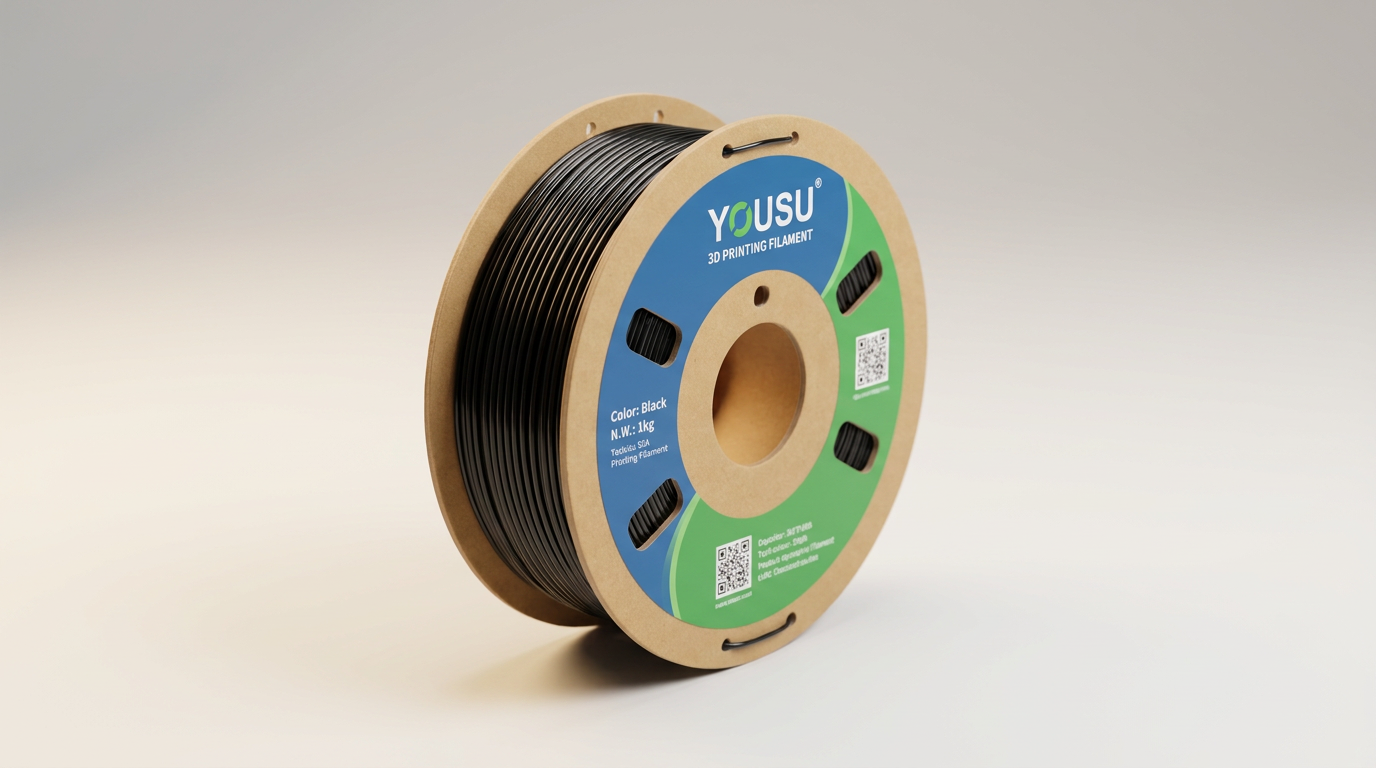
Flexible filaments present unique challenges in 3D printing. Variations in material properties, extrusion consistency, and print settings often lead to frustration. The YOUSU TPU 95A filament aims to provide a reliable solution for functional, elastic prints, positioning itself as an accessible option for both experienced users and those new to TPU.
This review evaluates the YOUSU TPU 95A filament based on real-world user experiences. We examine its handling characteristics, print quality, and overall performance across various FDM 3D printers. The focus remains on how this 95A Shore hardness TPU delivers on its promises of flexibility, durability, and ease of use in practical applications.
We analyze consistent feedback regarding its extrusion behavior, layer adhesion, and suitability for common applications like phone cases, wear-resistant parts, and RC airplane tires. Our assessment clarifies whether this filament lives up to its reputation as a consistent and versatile material for demanding projects.
What owners love
- + Consistent extrusion and layer adhesion
- + Minimal stringing with proper settings
- + Good balance of flexibility and rigidity for 95A Shore hardness
- + Works reliably on both direct drive and well-tuned Bowden systems
- + Packaged with desiccant and often includes a nozzle and resealable bag
- + Good value for functional TPU applications
Common complaints
- − Requires slower print speeds compared to rigid filaments
- − Some users may experience a learning curve to dial in settings
- − Occasional stringing if retraction settings are not optimized
- − Benefits from drying, especially after prolonged exposure
Design & Build
The YOUSU TPU 95A filament spools exhibit consistent winding, which prevents tangles during printing. Owners routinely report receiving well-packaged spools, vacuum-sealed with desiccant to mitigate moisture absorption. Some shipments also include a brass nozzle and a resealable bag, enhancing the out-of-box experience. The transparent plastic spool design allows users to monitor remaining filament levels effectively. The black color option provides a clean, professional finish on printed parts. Its 95A Shore hardness delivers a balance between elasticity for flexibility and sufficient rigidity for smooth feeding and functional applications.
Setup & Ease of Use
Many users, including those new to TPU, describe this filament as surprisingly easy to print. For direct drive systems like the Bambu Lab P1S or Prusa MK3S, stock TPU settings often yield excellent results with minimal adjustments. Bowden systems, such as the Ender 3 series, benefit from careful calibration, particularly slower print speeds and optimized retraction settings to minimize stringing and prevent binding. Hot end temperatures around 210-225°C and bed temperatures between 40-60°C are commonly reported as effective. While most users find it prints well straight out of the package, the manufacturer recommends drying, and some users confirm improved results after initial drying, especially for those new to TPU or after extended exposure to humidity.
Performance in Real Use
The YOUSU TPU 95A demonstrates strong performance across various demanding applications. Owners frequently create tough, flexible parts such as phone cases, RC airplane tires, door stoppers, and shock absorbers. The material offers excellent layer adhesion, contributing to part strength and durability. While some stringing can occur, particularly with incorrect retraction settings or higher speeds, it is generally considered minimal for a TPU. The finished prints often exhibit a slightly glossy surface. Users confirm its suitability for functional items requiring both resilience and elasticity, holding shape while withstanding bending and wear. Print speeds above 60mm/s have been achieved by some users on direct drive systems, which is notable for a flexible filament.
Software & Ecosystem
This filament shows high compatibility with a wide range of FDM 3D printers and slicing software. Users report successful prints using generic TPU profiles in popular slicers and on machines like Bambu Lab P1S, Creality Ender 3/K1, Prusa MK3S, Artillery Sidewinder X2, and Anycubic Kobra series. The material's ability to print effectively with near-stock settings on many printers reduces the learning curve associated with flexible filaments. Its consistent behavior across different setups allows users to adapt slicer settings for optimization rather than extensive troubleshooting.
Value & Reliability
Priced in the realm of other common filaments, the YOUSU TPU 95A filament offers significant value. Its consistent print quality, reliability, and robust mechanical properties make it a cost-effective choice for functional parts. Many owners articulate that its performance rivals more expensive brands, making it a preferred option. The vacuum-sealed packaging and included desiccant contribute to its reliability by helping to preserve filament quality over time. Long-term users consistently report no issues with tangles, clogs, or brittleness, underscoring its dependable nature over several months of use.
Verdict
Buy - This TPU filament offers a highly reliable and consistent printing experience for flexible parts.
This filament is an excellent choice for anyone needing to print durable, flexible, and functional components, from phone cases to RC parts and wear-resistant gaskets. Its ease of use, even for those new to TPU, and compatibility with a broad range of printers make it a strong recommendation. Users seeking a dependable flexible filament in the under $20 category will find this an exceptional value that performs consistently.
However, those solely focused on high-speed production printing of rigid parts may find the necessary slower print speeds for TPU a limitation. While generally easy to use, new users should be prepared for minor calibration if their printer is not direct-drive or already tuned for flexible filaments.
FAQ
More 3D Printing Supplies reviews
ACESAY Glow in the Dark PLA+ Review: Novelty With Hidden Costs
Kretrum Glow in the Dark PLA Review: Vivid Color, Subdued Glow
MarsWork Pre-Dried PLA Basic 8x250g Bundle Review
Meuymeu 8-Pack Silk and Glow PLA+ Filament Review
SUNLU 16 Color PLA Filament Bundle Review
ANYCUBIC Multicolor PLA 10KG Review: Budget Bulk Reality
This review is based on real experiences shared by owners in online communities.