
Revopoint MIRACO Plus Review: Capable Handheld 3D Scanner
By AValidReview. An AI-assisted summary of customer feedback, not a hands-on test.
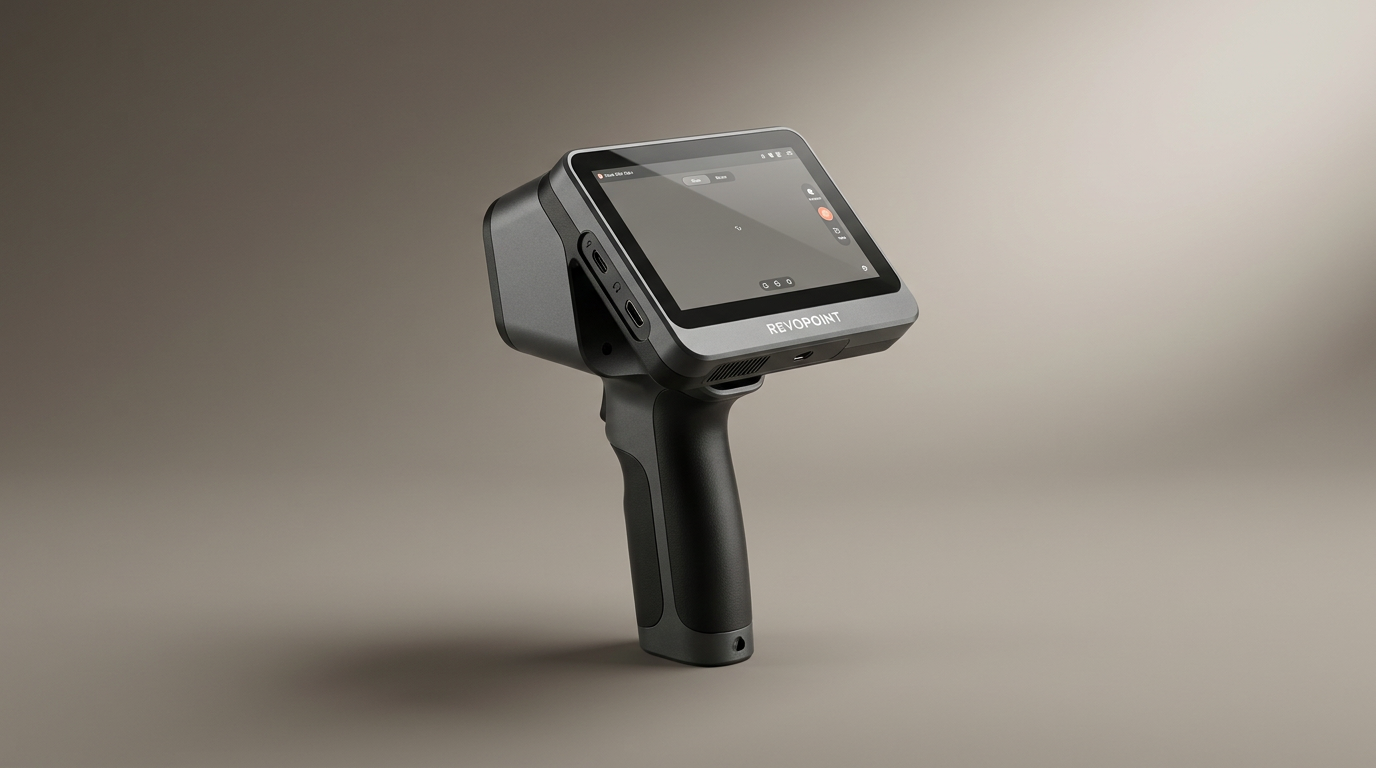
The Revopoint MIRACO Plus presents itself as an all-in-one solution for 3D scanning, offering a portable, handheld design with integrated processing capabilities. Positioned for both small and large object capture, it aims to provide professional-grade results without the need for a tethered PC during scanning.
This review evaluates the MIRACO Plus based on extensive user feedback, examining its performance, ease of use, and overall value. We assess its ability to deliver on core promises such as accuracy, detail capture, and versatility across different object types.
Understanding the strengths and limitations of the MIRACO Plus is crucial for prospective buyers. We detail its practical application in various scenarios, highlighting where it excels and where users may encounter challenges, providing a comprehensive guide for those considering this device for their 3D printing or reverse engineering workflows.
What owners love
- + All-in-one design with integrated processing
- + Highly versatile for varied object sizes and details
- + Generally user-friendly with a forgiving scanning process
- + Performs well on non-reflective, lighter surfaces
- + Good value compared to significantly more expensive alternatives
- + Exportable to multiple common 3D formats
Common complaints
- − Steep learning curve for optimal results
- − Struggles with dark, shiny, or highly reflective objects
- − Detail capture can be limited on features under 1mm
- − Battery life can be shorter than stated, especially with lights on
- − Mac connectivity issues reported by some users
- − Setting up photogrammetry for large objects is time-consuming
Setup & Ease of Use
Initial setup and basic operation are straightforward, with several users describing it as the most user-friendly scanner they have experienced. The device allows for deletion of mistakes and restarting from the last good scan, which makes the process forgiving for new users. However, owners consistently report a significant learning curve to achieve optimal scans, particularly for complex objects or those with challenging surface characteristics. While single-shot and continuous scanning modes offer flexibility, managing photogrammetric setups for larger objects can be time-consuming and sometimes yields inconsistent results, especially for metallic or dark items.
Performance in Real Use
The MIRACO Plus delivers high accuracy, with an advertised point cloud accuracy of 0.04 mm, suitable for detailed capture. It excels with non-reflective surfaces and lighter objects, where it can produce impressive results. The new optical infrared zoom enhances surface detail capture with less noise. However, several users found that the device struggles significantly with highly reflective, dark, or transparent objects, often failing to capture fine details under approximately 1mm. While it handles a range of object sizes from small screws to large machinery, scanning large objects with photogrammetry requires extensive setup using coded targets, and some users reported scattered point clouds even after diligent preparation. Performance can also be impacted by battery drain when onboard lights are utilized, particularly in confined spaces.
Software & Ecosystem
The scanner operates with an integrated 8-core 2.4GHz processor and 32GB RAM, enabling on-device processing without a dedicated PC. This all-in-one capability is a significant upside for many users, offering immediate feedback and scan refinement. The device stores scans on a 256GB hard drive and supports Wi-Fi 6 or USB-C for transfer to MacOS and Windows systems. It exports to popular formats like PLY, OBJ, STL, and FBX, ensuring compatibility with most 3D software. The included MIRACO Plus software handles scanning, photogrammetry, processing, editing, and merging. Some Mac users reported initial connectivity issues via USB, though community-sourced workarounds exist, suggesting the need for software refinement in certain areas.
Value & Reliability
Owners frequently praise the MIRACO Plus for offering significant power and versatility at its price point, often noting it performs comparably or better than scanners in a similar range. While the initial investment is considerable, many view it as a worthwhile purchase given its capabilities. The device comes with a 2-year warranty and 24/7 customer support, which some users found responsive. Despite its strengths, the specific challenges with difficult surfaces and the learning curve mean that users with very specific, highly demanding scanning needs might find limitations, potentially requiring a more specialized, and much more expensive, blue-laser system to meet their requirements fully.
Verdict
Consider - The Revopoint MIRACO Plus offers an impressive all-in-one 3D scanning experience with substantial power and versatility for its price range. This scanner is well-suited for enthusiasts and professionals who require a portable, PC-independent solution and are prepared to navigate an initial learning curve. It performs admirably on a wide variety of objects, especially non-reflective ones, and its forgiving scanning process makes it accessible even for those new to 3D scanning. If your primary use cases involve capturing diverse objects and you value an integrated workflow, this device represents a strong option in the sub-$2500 category.
However, users anticipating flawless capture of highly reflective, dark, or extremely small (under 1mm) detailed objects without special preparation or significant effort should hold off. Those with very specific industrial needs requiring absolute precision on challenging surfaces might find themselves better served by significantly more expensive, specialized devices, potentially costing well north of $3000.
FAQ
More 3D Scanners reviews
Creality CR-Scan Ferret Pro Review: Budget Reality Check
3DMakerpro Fox Review: Budget 3D Scanning with Real Trade-offs

Revopoint INSPIRE 2 3D Scanner Review: Unpacking the Accessory Echo Chamber

Creality 6mm 3D Scanning Markers Review: Essential Tracking Aid

TOSUKKI 6mm Positioning Targets Review: The Refined Generic Choice

AESUB 3DTOOLS 3D Scanner Spray Review: The 'Evaporative Enabler'
This review is based on real experiences shared by owners in online communities.