
Creality 3D Scanner Raptor Pro Review: Metrology-Grade Scanning
By AValidReview. An AI-assisted summary of customer feedback, not a hands-on test.
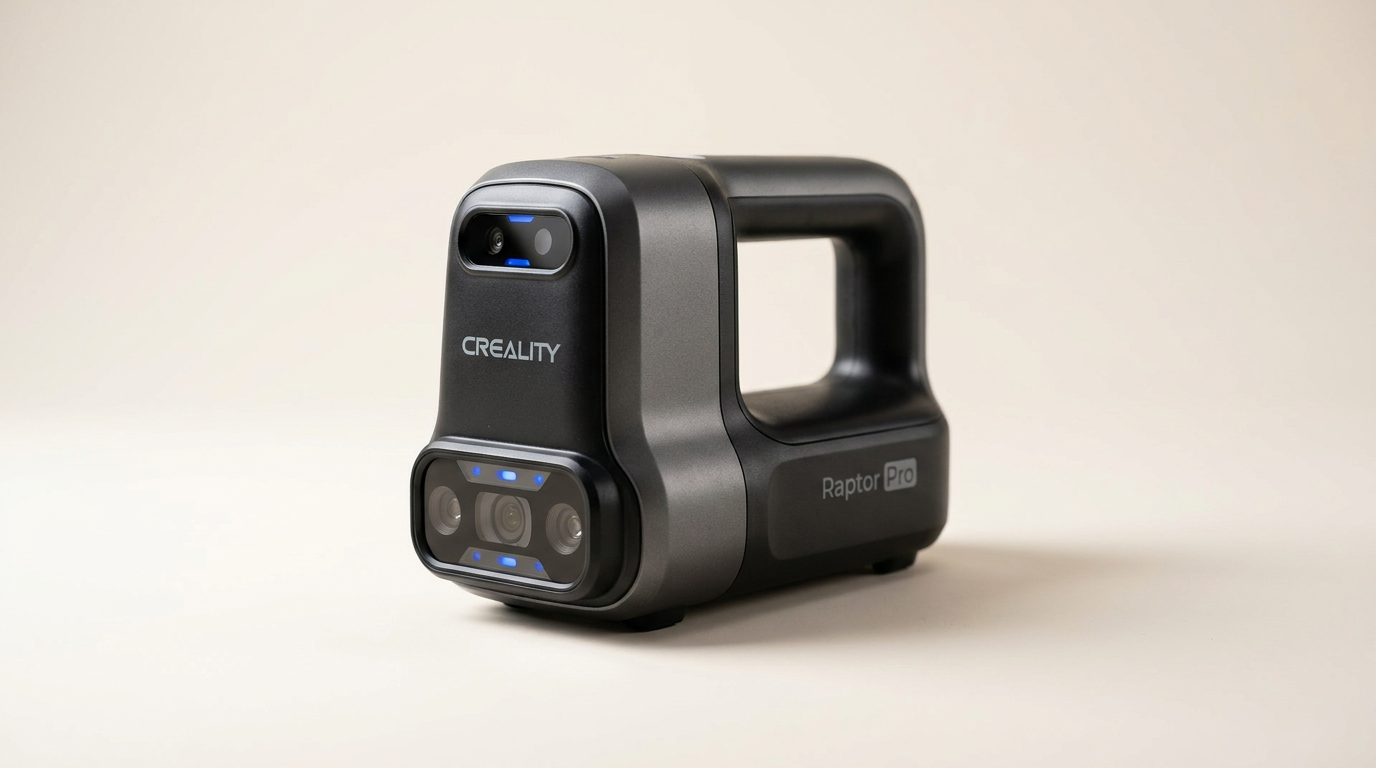
Accurate 3D scanning plays a critical role in automotive and engineering fields, where capturing precise geometries is essential for design, analysis, and reverse engineering. The Creality Raptor Pro 3D Scanner enters this demanding segment with a promise of metrology-grade accuracy, high scanning speeds, and robust performance across varied object sizes.
This review evaluates the Raptor Pro based on real-world owner experiences, focusing on its ability to deliver on technical specifications in practical applications. We examine its precision with complex components and large surfaces, its operational efficiency, and the overall reliability reported by users who depend on this tool for professional outcomes.
Our assessment cuts through marketing claims to provide an objective look at the Raptor Pro's strengths and limitations. Whether you work with intricate mechanical parts or expansive vehicle bodies, understanding the scanner's true capabilities is crucial for making an informed investment.
What owners love
- + Delivers metrology-grade accuracy with precise laser configuration.
- + Fast scanning speeds accelerate workflow for rapid data capture.
- + Anti-shaking design ensures stable tracking in handheld mode.
- + Versatile dual lighting handles various environmental conditions.
- + Creality Scan software simplifies processing and offers advanced tools.
- + Seamless integration with professional inspection and design software.
Common complaints
- − Requires high-spec computing hardware for optimal performance.
- − Specific details regarding marker sizes can be inconsistent in documentation.
- − Reliance on reflective markers for large, featureless surfaces adds a consumable cost.
- − Markers from Creality are reported to be difficult to peel from backing sheets.
- − Scanner's high cost necessitates careful financial consideration.
Design & Build
The Raptor Pro is engineered for stability and precision, featuring a robust metal lens barrel and holder. Its construction includes a 2.3-megapixel imaging camera complemented by a low-distortion lens system. The device employs a combination of 22 cross laser lines for large objects and 7 parallel blue laser lines for intricate details and smaller items, achieving a 0.02mm accuracy. Weighing 405 grams, the unit is designed for portability, supporting both laboratory and field-based scanning tasks. Owners highlight the importance of its robust build for consistent precision and longevity.
Setup & Ease of Use
The scanner's design integrates One-Shot 3D imaging technology and an anti-shaking mechanism, aimed at minimizing tracking loss and ensuring stable operation even in handheld configurations. Fast backtracking also contributes to maintaining data quality when moving around larger objects. While the scanner itself is reported to be straightforward, users frequently mention the necessity of specific reflective markers for optimal performance, especially on large, featureless surfaces. These markers, while effective, require careful application and removal, and some users note difficulty peeling them from their backing sheets.
Performance in Real Use
The Raptor Pro delivers on its promise of high-speed, accurate data capture. Its blue laser line mode can process 660,000 points per second at up to 60 frames per second, significantly reducing scanning durations. The NIR mode provides a balance between speed and detail at 30 frames per second. Owners consistently report excellent tracking capabilities, especially when aided by the recommended scanning markers. The 3.0 mm markers, in particular, are praised for improving scan accuracy and efficiency. This performance accelerates design iterations in dynamic environments like automotive modification, where rapid data acquisition directly impacts workflow efficiency.
Software & Ecosystem
Creality provides the CrealityScan application, featuring step-by-step tutorials, one-click model processing, and advanced editing tools. This software facilitates point cloud editing, global marker scanning, and specialized modes for rapid human body scans. Integration is a key strength, as Creality Scan supports direct data transfer to professional 3D inspection and design tools such as Geomagic Control X, Geomagic Design X, and Verisurf Inspect. This compatibility streamlines workflows for reverse engineering, quality control, and direct 3D printing applications, making the scanner a versatile component within existing professional pipelines.
Value & Reliability
The Raptor Pro's pricing places it in a professional-grade category, well above entry-level consumer scanners. Its reliability is supported by environmental adaptability, with a blue laser system designed for outdoor conditions and a dual lighting system (blue for laser line scanning, white for texture enhancement) ensuring consistent performance across varying light conditions. The recurring cost of scan markers is a consideration; however, owners rate Creality's markers as high quality and cost-effective per marker compared to alternatives. The scanner's overall value is judged by its ability to provide metrology-grade accuracy and high efficiency, justifying the investment for professional applications requiring precise 3D data.
Verdict
Buy - The Creality Raptor Pro delivers professional-grade accuracy and efficient scanning for engineering and automotive applications. This scanner is a strong recommendation for professionals in automotive modification, industrial design, and quality control who require metrology-grade accuracy for medium to large objects. Its combination of speed, precision, and software integration supports complex workflows and accelerates design cycles. Those who regularly perform reverse engineering, dimensional analysis, or rapid prototyping will find its capabilities highly valuable, provided they have the necessary computing hardware. Conversely, individuals with sporadic scanning needs or those primarily working with very small, texture-rich objects may find the Creality Raptor Pro to be an over-specification. The cost, which places it well north of the mid-range for 3D scanners, and the ongoing expense of reflective markers, may not be justified for hobbyists or users with less demanding requirements.
FAQ
More 3D Scanners reviews
Creality CR-Scan Ferret Pro Review: Budget Reality Check
3DMakerpro Fox Review: Budget 3D Scanning with Real Trade-offs

Revopoint INSPIRE 2 3D Scanner Review: Unpacking the Accessory Echo Chamber

Creality 6mm 3D Scanning Markers Review: Essential Tracking Aid

TOSUKKI 6mm Positioning Targets Review: The Refined Generic Choice

AESUB 3DTOOLS 3D Scanner Spray Review: The 'Evaporative Enabler'
This review is based on real experiences shared by owners in online communities.