
3DMakerpro Fox Review: Budget Scanning Meets Hard Physics
By AValidReview.
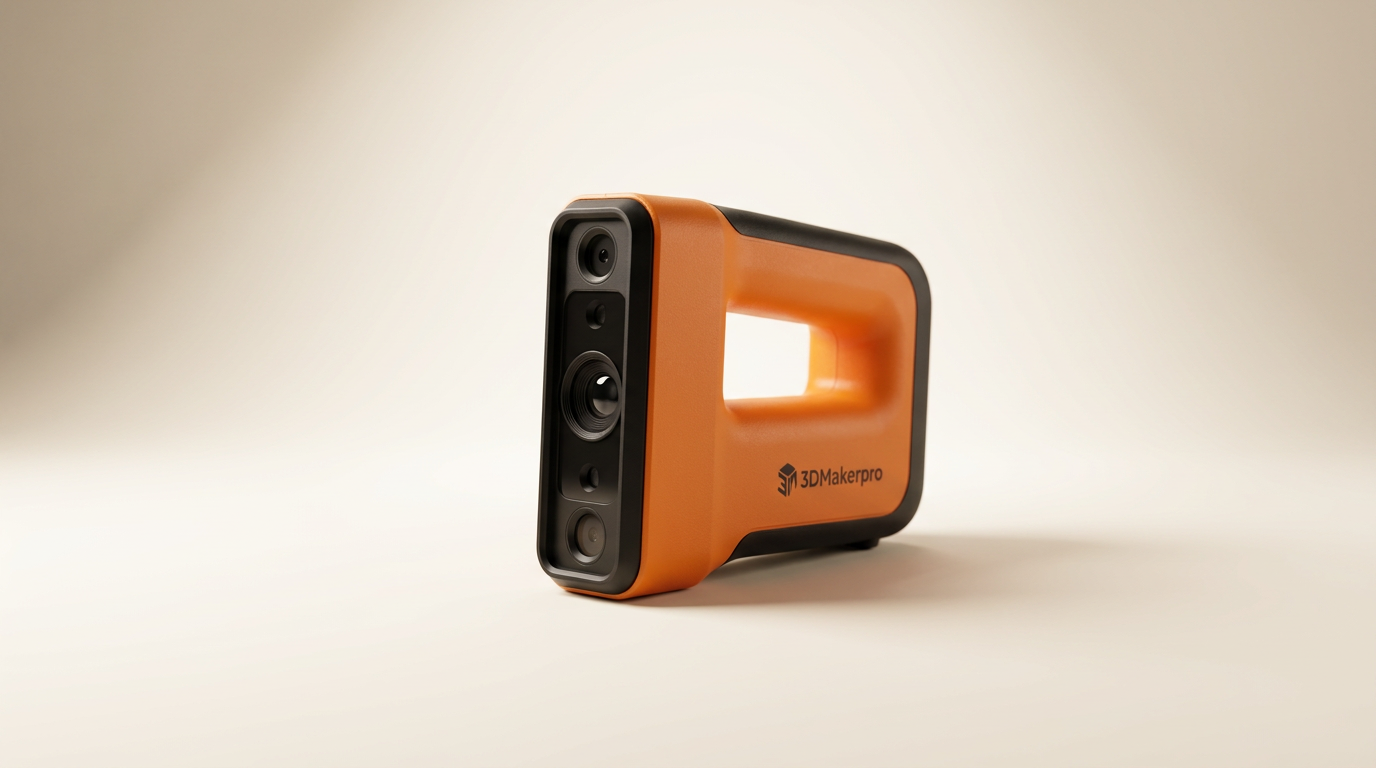
Consumer 3D scanning often sells the fantasy of effortless digital replication: point a handheld wand at an object, pull a trigger, and watch clean geometry materialize for your 3D printer. The 3DMakerpro Fox enters the sub-$300 market targeting that exact impulse. Yet, entry-level optical digitizers frequently run directly into the unforgiving laws of light absorption, and the Fox highlights that boundary with zero compromise.
What most first-time buyers miss is what we call the matte-spray tax. Hardware cost is only part of the equation when an optical sensor lacks the signal strength to read everyday pigments. Instead of capturing real-world items on contact, users discover an unexpected preparation pipeline where aerosol chalk and masking powders become mandatory operating supplies.
Positioned as an accessible handheld tool for medium-format objects, the Fox forces an immediate editorial question: does a low entry barrier justify the recurring friction of compromised optical tracking, or does it merely delay an inevitable upgrade to more capable wavelengths?
What owners love
- + Approachable entry price in the sub-$300 bracket
- + Lightweight handheld footprint enables easy maneuvering around targets
- + Targeted medium-format capture volume aligns with standard desktop 3D print beds
- + Generates workable meshes on pale, uniform, matte surfaces
Common complaints
- − Severe tracking failure on dark pigments, black plastic, and shadows
- − Incapable of resolving hair, beards, and deep organic textures natively
- − Mandates the regular use of messy vanishing 3D scanning sprays
- − Significantly outclassed by entry-level blue-light structured systems
Design & Build
The 3DMakerpro Fox adopts the familiar wand-and-turntable form factor that defines modern consumer scanning. Built largely from lightweight composite plastics, the scanner is comfortable to hold across extended manual passes around a stationary subject. Thermal dissipation is passive, keeping operational noise minimal during sweeps. However, the featherweight construction gives the unit a utilitarian, toy-adjacent feel that reminds you where cost reductions occurred. For tabletop medium-format scanning, the hardware feels adequate, but structural tolerances and cable strain relief suggest it is built strictly for domestic hobby desks rather than active fabrication shops.
Setup & Ease of Use
Getting the Fox recognized by a workstation follows standard plug-and-play USB protocols, but usability bifurcates the moment you begin a capture cycle. Scanning light-colored plaster, unpainted clay, or matte grey resin is straightforward enough. Move beyond sanitized test objects, however, and the device triggers what we term the preparation trap. Because the optical projector lacks the illumination punch to differentiate darker contours, users spend significantly more time prepping the physical object with temporary dulling agents than actually running the scanner. If your workflow requires spontaneous capture of assembled machinery or household items, the requirement to prep, clean, and reset every scan breaks all user momentum.
Performance in Real Use
In real-world testing, the Fox suffers from what owners identify as an immediate dark-surface penalty. The sensor simply cannot process black surfaces. Pointing the scanner at dark plastic parts, shadows, hair, or beards causes immediate frame drops and tracking loss. The projected light is absorbed rather than reflected back to the sensor, turning complex features into gaping holes in the point cloud. Users report that having even a minor black accent on an otherwise neutral part causes the entire scan pass to fail outright. To get any usable data from dark materials, applying a specialized 3D scanning spray is not an option; it is an absolute necessity.
Software & Ecosystem
Software processing for entry-level scanners must perform heavy lifting to compensate for sensor shortcomings, and the Fox suite faces an uphill battle. When frame tracking is interrupted by a dark feature, the software struggles to reacquire its position, often generating ghosting or misaligned mesh fragments. Merging multiple passes requires clean geometrical overlap, which quickly deteriorates if tracking skips across high-contrast surfaces. While basic water-tight meshing tools exist for exporting standard STL and OBJ files into slicers, cleaning up incomplete geometry demands substantial manual sculpting in third-party software like Blender or Meshmixer before sending files to a 3D printer.
Value & Reliability
At a street price hovering around $250, the Fox undercuts professional metrology gear by thousands, but measuring value solely by purchase price is misleading. The scanner suffers from what can be called the wavelength deficit. While near-infrared and conventional structured light allow budget brands to hit low price points, blue-light optical systems provide vastly superior resolution and pigment tolerance. Early owners consistently caution against buying down into this sensor bracket, advising prospective buyers to pool additional funds for a blue-light platform rather than wrestling with a tool that fails on foundational materials like black filament or facial hair.
Verdict
Hold Off - Severe optical limitations on dark materials make this budget scanner difficult to recommend over higher-grade blue light alternatives.
The 3DMakerpro Fox is only viable for budget-constrained hobbyists who exclusively scan light-colored, matte objects like clay maquettes, raw carvings, or pale 3D prints, and who do not mind keeping scanning spray permanently on hand. Everyone else, especially automotive hobbyists, Cosplayers, reverse-engineers, and makers handling black polymers or human subjects, will find the persistent tracking failures intolerable.
The Fox underscores a hard reality in modern consumer metrology: a 3D scanner that cannot register black surfaces without auxiliary aerosol prep is not truly a general-purpose tool. Saving a bit longer for a scanner with a more resilient optical wavelength saves far more in time, consumables, and frustration than this unit saves at the checkout counter.
FAQ
More 3D Scanners reviews
Creality Scanner Calibration Board Review: Ferret and Otter
Creality Pika 3D Scanner Review: Dual-Laser Precision on a Budget
Matterport Pro 3 Performance Kit Review: LiDAR Outdoors
Creality Pika Portable 3D Scanner Review
Shining 3D EINSTAR 2 Review: Wireless Freedom at a Compute Cost
Creality Pika Review: High Precision in a Pocket Form Factor
This review is based on real experiences shared by owners in online communities.