
Revopoint INSPIRE 2: A Precise 3D Scanner for Complex Surfaces
By AValidReview. An AI-assisted summary of customer feedback, not a hands-on test.
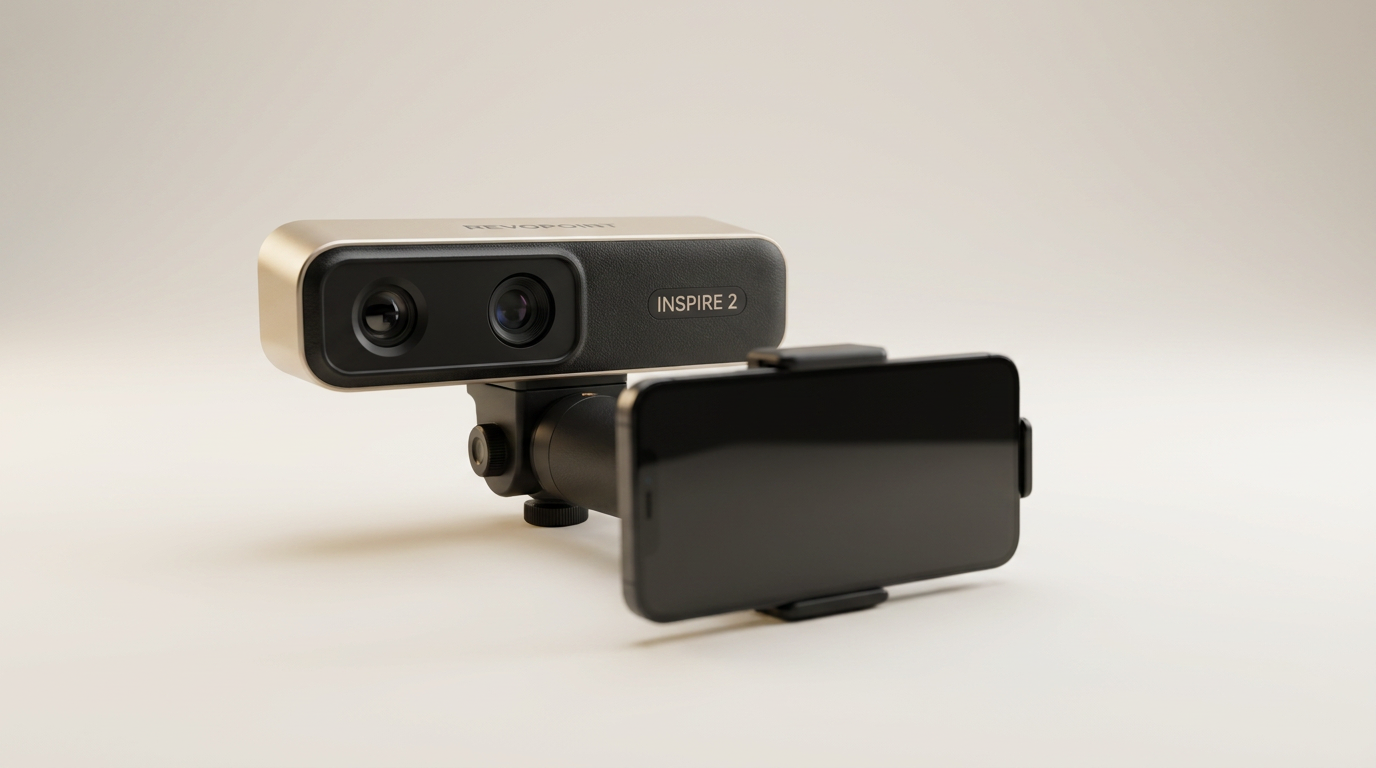
The Revopoint INSPIRE 2 enters a competitive 3D scanning market, promising high precision and versatile performance for both hobbyists and professionals. Billed as a solution for detailed capture, it emphasizes wireless operation, advanced lighting modes, and full-color output across multiple platforms. This review examines whether the INSPIRE 2 lives up to its claims, particularly for complex materials and real-world scanning scenarios.
Crafted for disciplines ranging from 3D printing to reverse engineering, the INSPIRE 2 aims to simplify the capture of intricate geometries. Its dual scanning modules and high-resolution capabilities suggest a device engineered for exacting standards. We scrutinize its performance, ease of use, and overall value, drawing insights from owners’ experiences with the hardware and accompanying software.
Understanding the nuances of 3D scanning technology requires evaluating how a device handles common challenges such as reflective surfaces, dark objects, and large ambient light variations. The INSPIRE 2 integrates features designed to mitigate these issues, positioning itself as a capable contender in its price segment. This assessment provides a clear picture of its strengths and limitations.
What owners love
- + High accuracy up to 0.03mm precision
- + Effective scanning of reflective and dark surfaces without spray
- + Wireless operation and multi-platform compatibility
- + Lightweight and durable design suitable for outdoor use
- + Excellent for 3D printing and detailed modeling
- + User-friendly software with calibration support
Common complaints
- − Can struggle with perfectly flat surfaces
- − Learning curve for new users of 3D scanning
- − Software post-processing and editing can require effort
- − Calibration dots may not adhere reliably
- − Paid software (Revo Design) is Windows-only
Design & Build
The Revopoint INSPIRE 2 features a compact, handheld design, weighing just 190g. Its aerospace-grade aluminum alloy front panel suggests durability, enhancing its portability for various scanning environments, including outdoor use. Owners find the physical design practical, noting its comfortable fit in one hand, facilitating extended scanning sessions. The inclusion of a small turntable within the kit aids stability and simplifies the scanning of smaller objects.
Setup & Ease of Use
Setting up the INSPIRE 2 generally proves straightforward for many users. The device pairs with software that guides initial configuration steps, including calibration. Several owners report being able to commence scanning quickly, achieving good results on their first attempts with default settings. However, some feedback indicates a learning curve for those new to 3D scanning altogether, suggesting that mastering the scanner's full capabilities and associated software requires dedicated effort and perhaps recourse to online tutorials or manuals. A recurring minor frustration concerns the calibration dots, which some users found did not consistently remain adhered.
Performance in Real Use
The INSPIRE 2 delivers strong performance, particularly its accuracy. Owners consistently highlight its capability to capture fine details, with precision up to 0.03mm, which significantly benefits 3D printing projects. The dual scanning modules, incorporating infrared laser lines and structured light, effectively address challenging surfaces. Users confirm successful captures of reflective, dark, and transparent objects, often without requiring scanning spray, addressing a common pain point in 3D scanning workflows. Its robust performance extends to outdoor environments, with reliable operation reported under shaded or semi-bright conditions up to 20,000 lux. While excelling in detail, some users note the scanner can struggle with perfectly flat, featureless surfaces irrespective of color.
Software & Ecosystem
The INSPIRE 2 utilizes Revo Metro, described by owners as intuitive professional scanning software with extensive settings and post-processing tools. The software includes features for interactive scan streaming and flexible editing, supporting an end-to-end workflow. Compatibility is broad, covering iOS, Android, Windows, and macOS, enhancing its utility across different devices. A separate, paid software, Revo Design, offers a full scan-to-CAD workflow but is exclusively available for Windows. Although the software is generally effective, newcomers to 3D scanning may find the advanced settings and post-processing steps demanding, requiring time to master for optimal results.
Value & Reliability
Owners frequently commend the INSPIRE 2 for its value proposition, often stating that its performance rivals devices in a significantly higher price bracket. For those entering 3D scanning, particularly for hobbyist or small-scale professional applications, it presents a compelling option around the $500 mark. The device’s reliability is generally positive; however, one owner reported initial software errors on a custom-built PC but noted responsive customer service resolved the issue. The integrated WiFi 6.0 supports wireless scanning, enhancing practical reliability in mobile and variable environments.
Verdict
Buy - The Revopoint INSPIRE 2 offers exceptional precision and versatility for its price range, making complex 3D scanning accessible.
This scanner is an excellent acquisition for hobbyists, educators, or small businesses engaged in 3D printing, reverse engineering, or detailed modeling who require high accuracy on diverse surfaces. Its ability to handle reflective or dark objects without spray and its broad platform compatibility reduce workflow friction. Given its performance capabilities and feature set, it stands as a strong option for users seeking a capable device in the under-$600 segment.
Users who prioritize extreme simplicity and minimal post-processing, or those whose primary need is scanning large, perfectly flat, featureless objects without any surface texture, might find certain aspects challenging. While the software is capable, new entrants to 3D scanning should anticipate a learning phase to fully leverage its advanced features.
FAQ
More 3D Scanners reviews
Creality CR-Scan Ferret Pro Review: Budget Reality Check
3DMakerpro Fox Review: Budget 3D Scanning with Real Trade-offs

Revopoint INSPIRE 2 3D Scanner Review: Unpacking the Accessory Echo Chamber

Creality 6mm 3D Scanning Markers Review: Essential Tracking Aid

TOSUKKI 6mm Positioning Targets Review: The Refined Generic Choice

AESUB 3DTOOLS 3D Scanner Spray Review: The 'Evaporative Enabler'
This review is based on real experiences shared by owners in online communities.