
EINSTAR Rockit Review: Wireless Laser 3D Scanning for the Prosumer
By AValidReview. An AI-assisted summary of customer feedback, not a hands-on test.
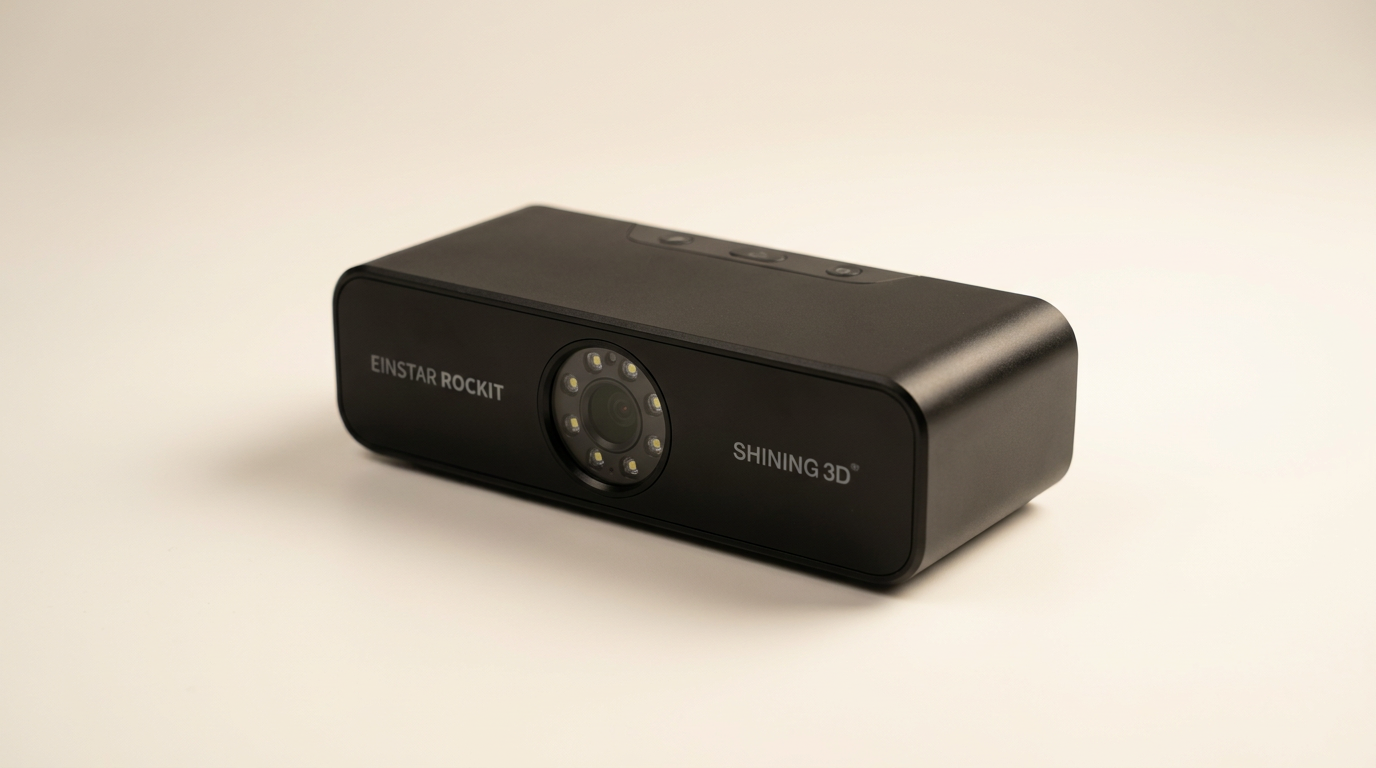
The market for 3D scanners has long presented a sharp dichotomy: either prohibitively expensive professional systems or budget devices with significant limitations. The EINSTAR Rockit attempts to bridge this gap, offering advanced features like wireless operation and multi-laser modes at a price point accessible to serious prosumers. It arrives not as a simplified gadget, but as a gateway to intricate 3D capture, demanding a foundational understanding of scanning workflows yet rewarding that investment with professional-grade output.
While many devices in this segment prioritize ease of entry, the Rockit leans into capability. Its design philosophy acknowledges that users willing to navigate 3D scanning's inherent complexities will benefit from robust performance. This scanner targets a specific niche: individuals or small businesses ready to commit to a learning curve for consistent, detailed results, particularly for industrial parts, intricate figures, or even large outdoor objects, rather than those seeking a one-click solution for casual use. It's a tool built for production, not just experimentation.
The Rockit's true value proposition lies in its wireless functionality combined with diverse scanning modalities, including blue laser and infrared. This dual approach, while adding complexity, ultimately expands its utility across a wide range of materials and environments. However, this versatility comes with its own set of requirements, particularly concerning the host computer's specifications, a point potential buyers often overlook.
What owners love
- + Exceptional detail and accuracy with blue laser modes
- + Robust wireless operation with long battery life
- + Solid build quality; feels durable in hand
- + Effective marker-free scanning for feature-rich objects
- + Good material adaptability, including dark and reflective surfaces
- + Intuitive and capable software for experienced users
Common complaints
- − High system requirements, particularly for RAM and GPU
- − Software registration process can be cumbersome
- − Difficulty with very complex or glossy geometries for some users
- − No integrated mounting point (e.g., 1/4-20) for external support
- − Exclusive compatibility with Nvidia graphics cards is a significant limitation
Design & Build
The EINSTAR Rockit presents a robust and compact form factor. Owners consistently report its solid construction, with a largely metal body that eliminates plastic creaking and inspires confidence in its durability. Its ergonomic design fits comfortably for handheld operation, which is critical for extended scanning sessions. The included hard case is also noted for its quality and utility, providing secure storage for the scanner and accessories, including the calibration plate. A recurring observation, however, is the lack of a 1/4-20 mounting port. This omission limits options for stationary scanning setups or integration with turntables, forcing users to rely on manual handheld scanning or improvising mounts. This design choice, while contributing to the compact profile, introduces a minor 'setup tax' for specific use cases.
Setup & Ease of Use
Initial setup of the Rockit is generally described as straightforward, particularly for those with prior 3D scanning or CAD experience. The true wireless design, incorporating a built-in Wi-Fi module and swappable battery, contributes significantly to freedom of movement and simplifies the physical setup, eliminating cable clutter. Calibration, while noted by some as slightly more involved than with competing models, is manageable and leads to accurate results. A point of friction for several users, however, is the software registration process. Obtaining a user ID and linking the device to the EXstar Hub software has been reported as frustrating and non-intuitive, creating an unnecessary hurdle before full functionality is achieved. This 'activation bottleneck' detracts from an otherwise streamlined physical setup.
Performance in Real Use
The Rockit excels in capturing detail and maintaining tracking stability across diverse applications. Its blue laser modes, with both crossed and parallel lines, enable high-resolution capture, clearly rendering fine surface features and performing well on challenging black or reflective surfaces without requiring scanning spray. Several owners specifically highlight its capability for deep-hole scanning, making it suitable for industrial parts like automotive components. The marker-free scanning feature is highly praised for its efficiency with feature-rich objects, contributing to faster workflows. While many users achieve excellent results, particularly in automotive scanning where speed and accuracy are critical, some encountered difficulties with highly complex geometries or large, glossy surfaces, experiencing slow tracking or loss of position. This suggests a 'complexity threshold' where the scanner's performance, while generally strong, can be challenged by extreme conditions.
Software & Ecosystem
The EXstar Hub software, the Rockit's accompanying platform, receives mixed but largely positive feedback from experienced users. Many find it intuitive and user-friendly, especially when compared to commercial alternatives. Its streamlined workflow, unified interface, and tools for model processing and optimization are appreciated. The software's ability to minimize system load and enhance performance also contributes to faster scanning and greater mobility. However, the system's stringent hardware requirements are a critical point. The software, and by extension the scanner, demands significant RAM and, crucially, an Nvidia graphics card. Owners report that non-Nvidia GPUs render the scanner non-functional, a significant oversight in marketing materials and a potential 'compatibility trap' for unsuspecting buyers. This dependency limits hardware flexibility and can necessitate costly system upgrades.
Value & Reliability
Positioned in the mid-range for professional 3D scanners, the Rockit offers what many describe as professional scanning quality at a 'prosumer price,' around the $1500 mark. Its robust build, consistent performance, and advanced features like wireless operation and multi-laser modes represent strong value for users transitioning from entry-level devices or seeking a more portable alternative to high-end systems. Reliability is generally high, with solid tracking and consistent output. The manufacturer's support is also frequently mentioned positively. However, the explicit requirement for an Nvidia graphics card and substantial system memory introduces a hidden cost. Buyers must account for these hardware prerequisites, as neglecting them renders the scanner unusable, turning an otherwise affordable investment into a potentially frustrating one. This 'hardware gate' is the primary reliability concern, not the scanner unit itself.
Verdict
Buy - The EINSTAR Rockit is a highly capable 3D scanner delivering professional-grade results for serious prosumers.
This scanner is an excellent choice for individuals and small businesses involved in product design, inspection, rapid prototyping, or digital archiving, particularly those working with automotive parts, intricate figures, or sculptures. It offers a strong balance of accuracy, speed, and versatility at a price point well below high-end industrial systems. Users with existing Nvidia-equipped PCs and a willingness to learn scanning workflows will find it a compelling tool. Those who should skip the Rockit include casual users seeking a plug-and-play experience, anyone unwilling to invest in the recommended high-spec hardware, or those exclusively working with extremely large, complex, and highly reflective surfaces where industrial solutions remain unmatched.
The Rockit embodies the 'prosumer pivot' in 3D scanning, showcasing how advanced technology previously confined to industrial settings is becoming more accessible. Its design choice to prioritize robust capability and wireless freedom over absolute beginner-friendliness highlights a maturing market segment. This device challenges the traditional cost-performance curve, demonstrating that a focused feature set and diligent software optimization can deliver significant value, provided the user meets its underlying hardware demands.
FAQ
More 3D Scanners reviews

Revopoint INSPIRE 2 3D Scanner Review: Unpacking the Accessory Echo Chamber

Creality 6mm 3D Scanning Markers Review: Essential Tracking Aid

TOSUKKI 6mm Positioning Targets Review: The Refined Generic Choice

AESUB 3DTOOLS 3D Scanner Spray Review: The 'Evaporative Enabler'

Creality 8-inch Rotating Turntable: A Solid Scanner Accessory

Generic 12 Piece Multi-Angle Markers Review: Essential 3D Scanning Dots
This review is based on real experiences shared by owners in online communities.