
Creality Raptor Pro Scanner Review: Precision Meets Portability Headaches
This review is based on real experiences shared by owners in online communities.
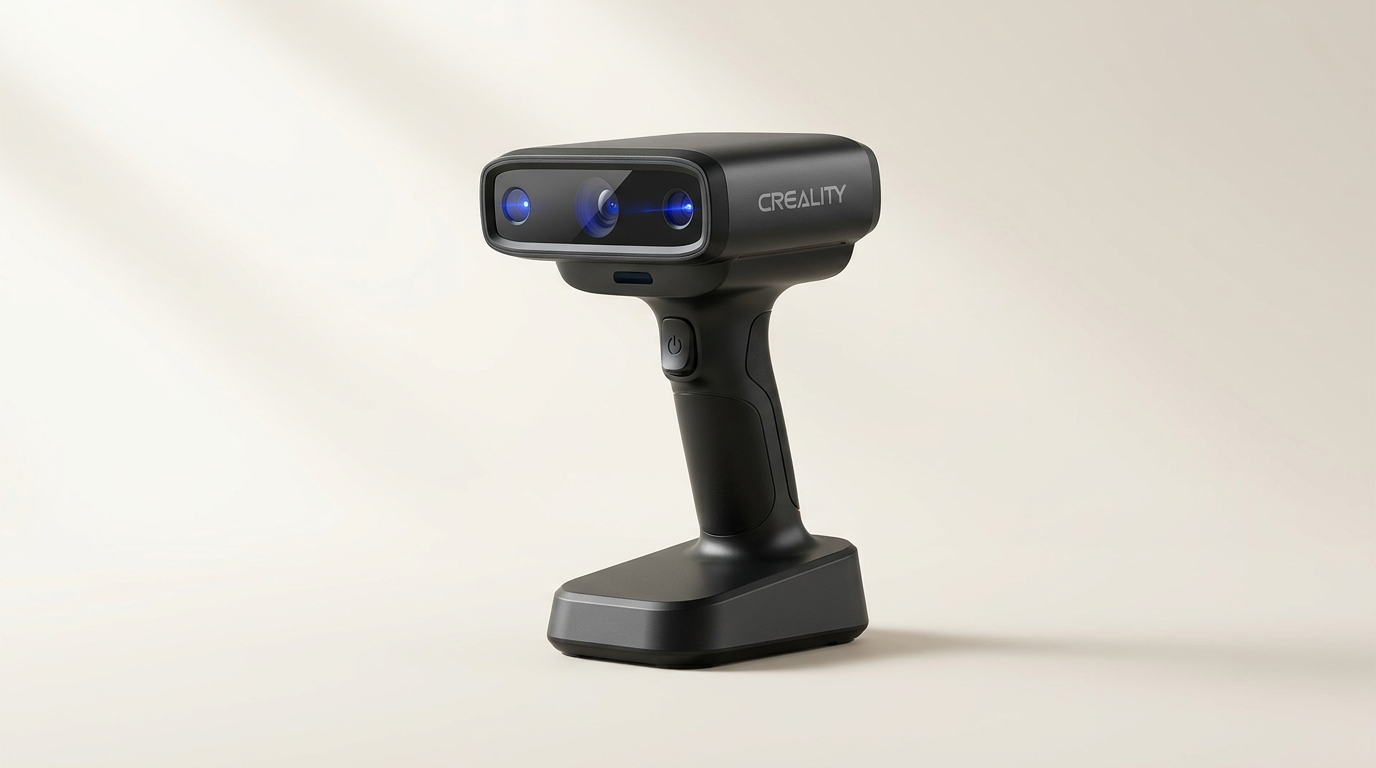
The Creality Raptor Pro enters a 3D scanning market increasingly focused on accessibility, attempting to bridge the gap between industrial precision and portable convenience. While many consumer-grade scanners prioritize user-friendliness over raw data quality, the Raptor Pro leans heavily into its stated 0.02mm accuracy and multi-laser array, a specification typically found in far more expensive equipment. However, the true test for such devices lies not just in their laboratory benchmarks, but in their real-world reliability, especially when incorporating ambitious wireless components.
This scanner, accompanied by its Scan Bridge wireless accessory, aims to liberate users from tethered workflows. Yet, this promise of untethered operation often introduces a new layer of complexity. The Raptor Pro represents a fascinating tension: the drive for uncompromising detail colliding with the practicalities of wireless data transmission, a common fault line in advanced tech products. Understanding this dynamic reveals whether its cutting-edge specifications translate into consistent, usable results for professionals and dedicated hobbyists alike.
Our analysis reveals the Raptor Pro's place as a tool for those prioritizing raw data fidelity for intricate work, provided they navigate what we term the "wireless reliability tax" - the inherent compromise in stability and range when opting for untethered operation in high-bandwidth applications.
What owners love
- + Delivers exceptional 0.02mm precision for intricate parts and small components.
- + Offers versatile scanning with 22+7 blue laser lines for speed and detail.
- + Provides stunning 24-bit full-color texture reproduction for realistic models.
- + Supports markerless scanning for delicate objects using NIR structured light.
- + Wireless scanning option enhances mobility for some users.
- + Robust build quality and professional packaging noted by owners.
Common complaints
- − Scan Bridge wireless module frequently suffers from connectivity issues and limited range.
- − Wireless functionality often fails to connect to mobile devices.
- − Initial learning curve can be steep for new 3D scanning users.
- − Latches on the carry case require careful, forceful closing to secure properly.
- − Users report significant frustration and lost productivity due to wireless instability.
Design & Build
The Creality Raptor Pro makes an immediate positive impression regarding its physical construction. Owners consistently describe the device as professionally packaged, with high-quality materials and precise build. The scanner itself feels robust and well-engineered, suggesting durability for its intended use cases. Even the included carry case earns praise for its construction, although some users note a minor design flaw where its latches require significant force and an audible 'click' to ensure secure closure, a detail that, if overlooked, could lead to accidental openings. This attention to physical detail reinforces its positioning as a professional-grade instrument, contrasting sharply with some of the functional shortcomings observed elsewhere.
Setup & Ease of Use
For new entrants to 3D scanning, the Raptor Pro presents a notable learning curve. Several users report initial struggles with operation and functionality, often relying on external resources like YouTube tutorials to grasp its full potential. While experienced users find its capabilities straightforward once mastered, the product does not appear designed for immediate plug-and-play simplicity. This indicates what we might call a "specialist's onboarding" - a product that rewards dedicated learning with powerful results, but demands that initial investment of time and effort. The promise of wireless convenience via the Scan Bridge also complicates setup for some, with connectivity proving temperamental from the outset.
Performance in Real Use
When functioning optimally, the Raptor Pro delivers on its core promise of high-precision scanning. Owners engaged in reverse engineering, mold making, and artistic restoration laud its ability to capture intricate details, from 5mm mechanical parts to fine grain textures on antiques, with reported accuracy down to 0.02mm. The versatility of its 22+7 blue laser lines allows for both high-speed capture of larger objects and detailed partial scans, a significant asset for diverse projects. Its 24-bit full-color scanning and markerless NIR structured light technology receive high praise for realistic texture reproduction and safe handling of fragile artifacts. This performance profile indicates the scanner itself is a highly capable instrument, achieving a "precision ceiling" that few competitors reach at its price point.
Software & Ecosystem
While direct feedback on the accompanying software is less explicit, the critical aspect of the Raptor Pro's ecosystem revolves around its wireless Scan Bridge. This accessory is intended to enhance workflow flexibility by allowing untethered operation. However, owner experiences reveal significant friction. The Scan Bridge is a recurring point of frustration, frequently failing to maintain stable connections beyond a few feet from the PC and often refusing to connect to mobile devices entirely. This severely undermines the intended benefit of wireless scanning, pushing users back to a wired setup. This creates what we identify as the "wireless placebo effect" - the inclusion of a feature that, while advertised as a convenience, introduces more instability than it resolves, effectively adding cost without commensurate benefit for many users.
Value & Reliability
The Creality Raptor Pro operates in a price band well north of $1500, positioning it as a significant investment. For users who can consistently leverage its ultra-high precision, especially those migrating from older, less capable scanners, the value proposition is strong. Its ability to capture minute details and full-color textures rival that of more expensive industrial solutions. However, the recurring issues with the Scan Bridge severely impact its overall reliability and, by extension, its value. Users report endless hours of frustration and zero usable results when the wireless component fails, negating the scanner's inherent quality. This suggests that while the core scanning hardware offers strong value for its capabilities, the integrated wireless solution introduces a reliability bottleneck that compromises the total package, making it a potentially expensive exercise in troubleshooting for some.
Verdict
Consider - The Creality Raptor Pro offers exceptional scanning precision and versatility, but its wireless component introduces significant reliability concerns.
This scanner is a strong option for professionals and dedicated hobbyists who absolutely require sub-millimeter accuracy for intricate parts, reverse engineering, or high-fidelity artistic capture. If your workflow primarily involves scanning tethered to a PC or if you are willing to manage potential wireless connectivity issues, the core scanning performance delivers value. Buyers upgrading from older, less precise devices will appreciate its detail capture and color capabilities. The high-end precision justifies its cost in the upper-mid range for those who can utilize it consistently.
However, those prioritizing seamless wireless operation or seeking an easy-to-use, frustration-free experience should hold off. The Scan Bridge's inconsistent connectivity makes the wireless feature unreliable for many, potentially nullifying its benefits and adding unnecessary complexity. Users new to 3D scanning may find the initial learning curve, compounded by wireless glitches, too steep.
The Raptor Pro embodies a dual identity: a formidable precision instrument tethered to a flawed wireless vision. Its true utility emerges when viewed not as a seamless wireless solution, but as a high-fidelity wired scanner with an optional, often problematic, untethered mode. Buyers should approach it as a powerful, precision-focused tool that demands a wired default, effectively treating its wireless capabilities as an unstable bonus rather than a core functional promise.
FAQ
More 3D Scanners reviews

Revopoint INSPIRE 2 3D Scanner Review: Unpacking the Accessory Echo Chamber

Creality 6mm 3D Scanning Markers Review: Essential Tracking Aid

TOSUKKI 6mm Positioning Targets Review: The Refined Generic Choice

AESUB 3DTOOLS 3D Scanner Spray Review: The 'Evaporative Enabler'

Creality 8-inch Rotating Turntable: A Solid Scanner Accessory

Generic 12 Piece Multi-Angle Markers Review: Essential 3D Scanning Dots
This review is based on real experiences shared by owners in online communities.