
Creality Otter Lite Review: A Small Scanner, Big Learning Curve
By AValidReview. An AI-assisted summary of customer feedback, not a hands-on test.
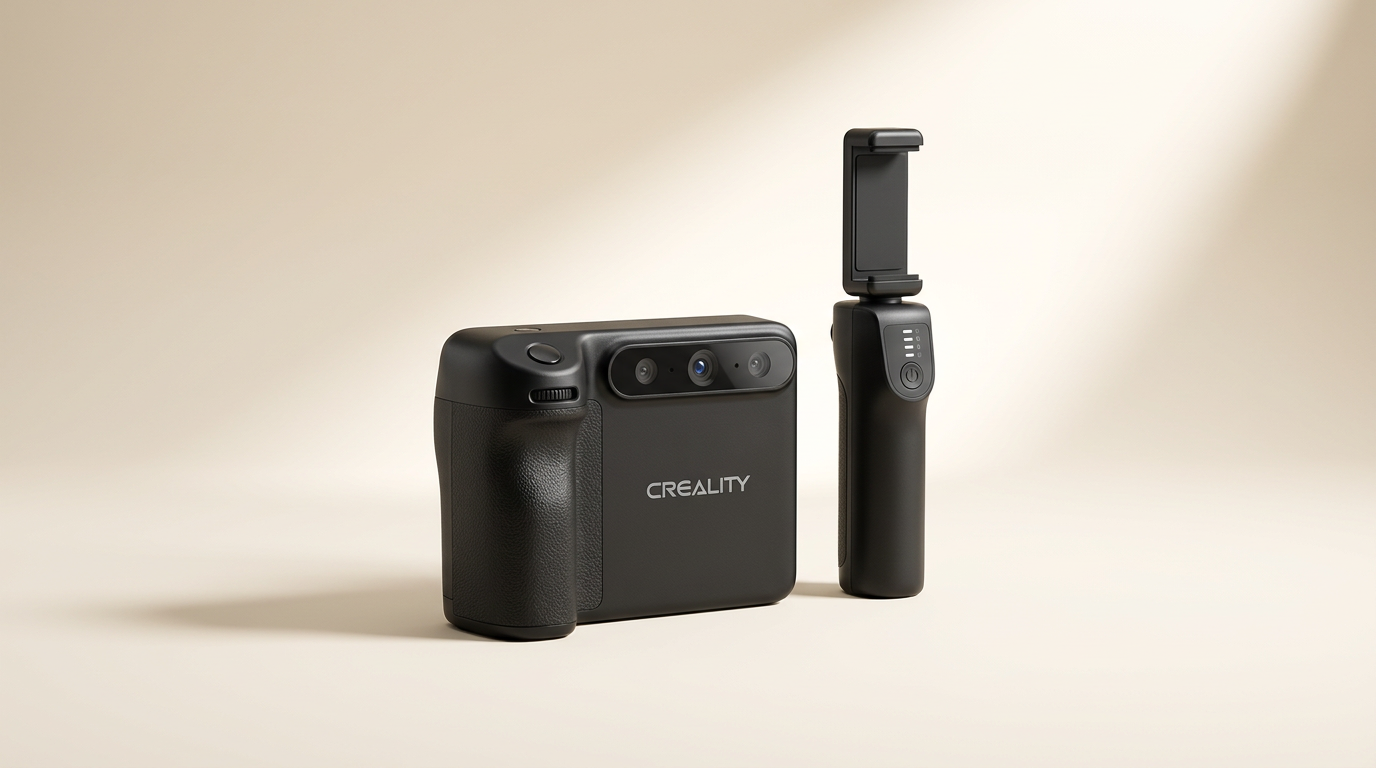
The Creality Otter Lite positions itself as a harbinger of untethered 3D scanning, promising professional results without the cable clutter that often defines this category. Its manufacturer touts a wireless design and advanced tracking, suggesting a streamlined workflow from capture to model. However, the true utility of any 3D scanner lies not just in its specifications, but in its consistent performance across various objects and user skill levels.
While the marketing focuses on portability and technical prowess, owner feedback reveals a product grappling with the realities of accessible 3D capture. The Otter Lite appears to exist in a tension between its ambitious feature set and the practical demands of generating reliably precise data. This review explores whether its wireless freedom translates into tangible scanning efficiency or introduces a different set of challenges for the operator.
Most buyers approach 3D scanning with the expectation of a 'point and shoot' experience for generating digital twins. The Otter Lite, despite its claimed innovations, challenges this assumption. It subtly reveals a "tracking tax" - the unseen effort and expertise required to maintain stable tracking and achieve usable scans, especially when dealing with complex geometries or specific surface types.
What owners love
- + Ultra-small 3mm marker dots are available, suitable for intricate objects
- + Markers exhibit good adhesion on various surfaces including PLA and painted metal
- + Markers are easily removable without residue
- + High reflectivity of included markers aids scanner recognition
- + Markers function effectively with other scanner brands
Common complaints
- − Achieving usable scans out of the box requires significant effort
- − Scanner frequently loses tracking, even with slow movements
- − Stickers provided with the scanner are reported to be ineffective for tracking
- − Struggles to scan into low or recessed areas, leading to incomplete data
- − Requires considerable user experience and adjustment to find optimal settings
Design & Build
The Creality Otter Lite is marketed as a lightweight, ergonomic device, emphasizing its wireless operation. This design choice aims to mitigate the physical constraints often associated with handheld scanners, promising greater maneuverability around subjects. While the manufacturer highlights the 330g weight and robust battery life, owner commentary primarily focuses on the consumable markers rather than the scanner's physical attributes. The availability of 3mm marker dots, a departure from larger standard sizes, is a practical advantage for scanning small or detailed parts. This indicates Creality has considered specific user needs related to object scale, addressing a common constraint in detail capture. However, the scanner's core design elements, such as wireless reliability and anti-shake effectiveness, remain largely unvalidated by current user experience, pushing the "mobility promise" into an aspirational category rather than a proven benefit.
Setup & Ease of Use
Manufacturer claims suggest an easy setup with the CrealityScan app, featuring tutorials and one-click processing. However, owner feedback paints a different picture regarding the initial user experience. One user explicitly states that achieving great scans "out of the box" is unrealistic. This implies a significant gap between the advertised simplicity and the reality of operation. The process of finding a "sweet spot" for settings, combined with persistent tracking issues, suggests that the learning curve is steep, requiring users to invest considerable time in experimentation rather than benefiting from immediate plug-and-play functionality. This disparity creates an initial "expectation debt" for new users, where the product's marketing builds a belief in ease that the practical application cannot repay quickly.
Performance in Real Use
The Otter Lite's core performance, particularly its ability to maintain stable tracking and capture detail, is a consistent pain point for owners. Despite claims of 30 FPS scanning and "One-Shot 3D Technology" for stability, recurring reports describe frequent tracking loss, even when moving slowly. This undermines the scanner's primary function and its advertised anti-shaking capabilities. Furthermore, the inability to capture data in low or recessed areas indicates a fundamental limitation in its depth perception or optical design, affecting its versatility across various object types. While smaller, highly reflective markers are lauded by some owners for their quality and utility, the scanner's difficulty in tracking even these suggests a deeper issue with the tracking algorithms or sensor sensitivity. This creates a "data integrity gap" where the output quality is heavily dependent on an unusually precise and difficult-to-master scanning technique.
Software & Ecosystem
Creality promotes the CrealityScan app as a robust, free, and evolving solution with features like tutorials and advanced editing. While the presence of such software is essential, user comments do not provide substantial detail on its effectiveness in mitigating the hardware's performance issues. The stated difficulty in achieving usable scans and finding optimal settings points to either complex software parameters or an inability of the software to compensate for tracking inconsistencies. The positive feedback surrounding the separate purchase of 3mm markers highlights a crucial aspect of the ecosystem: while the scanner itself struggles, its associated consumables are well-regarded. This indicates that while Creality excels at providing high-quality accessories, the synergy between these accessories and the core scanning hardware requires further refinement. The "ecosystem paradox" here is that the quality of ancillary components shines, yet the central product struggles to leverage them effectively for user benefit.
Value & Reliability
The Otter Lite operates in a competitive segment where reliable performance directly translates to value. Given its price point, which is well north of $500, users expect a reasonable return on investment in terms of scan quality and operational ease. The recurring issues with tracking, scan quality, and the steep learning curve directly challenge this value proposition. While the markers themselves are praised for their adherence and removability, their effectiveness is ultimately constrained by the scanner's own tracking limitations. The product's reliability is primarily questioned in its core function: consistently generating accurate 3D data. The need for extensive user intervention and setting adjustments to achieve even marginal success implies a higher "unseen cost of ownership" in terms of time and effort, beyond the initial purchase price. This factor significantly diminishes its overall value for anyone expecting a straightforward scanning tool.
Verdict
Hold Off - The Creality Otter Lite presents significant challenges in achieving consistent, usable 3D scans.
This scanner is not recommended for beginners or those seeking an immediate, reliable scanning solution. While the promise of wireless freedom is compelling, the pervasive issues with tracking and scan quality mean significant time investment is required for experimentation, often without guaranteed success. Users who are highly experienced with 3D scanning, possess deep technical knowledge of scan settings, and are willing to troubleshoot extensively may eventually find a workflow, but even then, output quality can be inconsistent. If you need a plug-and-play device or are on a tight project timeline, look for alternatives in the $500 to $1000 range that have a proven track record of stable performance.
The Otter Lite embodies the "ambition gap" prevalent in nascent tech-adjacent categories: it prioritizes headline features like wireless connectivity over the fundamental, often difficult, engineering task of ensuring robust, consistent performance. Its real contribution might lie in pushing the industry towards wireless designs, but its current iteration demands too much from the user, inadvertently exposing the complex underlying mechanics of 3D scanning rather than simplifying them.
FAQ
More 3D Scanners reviews
Creality CR-Scan Ferret Pro Review: Budget Reality Check
3DMakerpro Fox Review: Budget 3D Scanning with Real Trade-offs

Revopoint INSPIRE 2 3D Scanner Review: Unpacking the Accessory Echo Chamber

Creality 6mm 3D Scanning Markers Review: Essential Tracking Aid

TOSUKKI 6mm Positioning Targets Review: The Refined Generic Choice

AESUB 3DTOOLS 3D Scanner Spray Review: The 'Evaporative Enabler'
This review is based on real experiences shared by owners in online communities.