
3DMakerpro Seal Lite Review: Precision for Small Objects, Patience Required
By AValidReview. An AI-assisted summary of customer feedback, not a hands-on test.
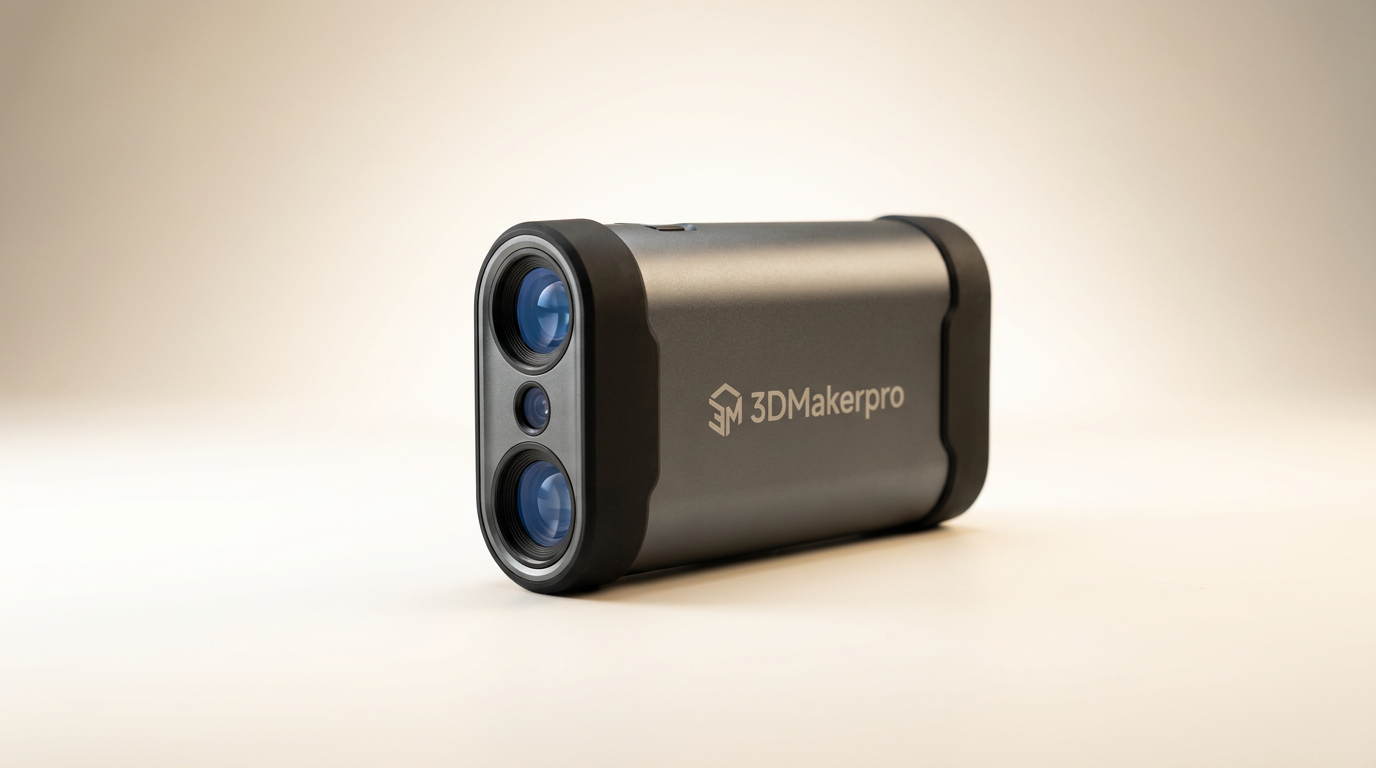
The 3D scanning market often presents a stark choice: high-cost professional devices delivering granular detail, or budget-friendly options that compromise significantly on accuracy. The 3DMakerpro Seal Lite, with its sub-$400 price point and claimed 0.02mm precision, attempts to bridge this gap, promising detailed scans without the steep investment. However, as is often the case with emerging tech at this price tier, the printed specifications do not tell the whole story of its practical application.
Most buyers looking at the Seal Lite are hobbyists or small-scale creators entering the 3D printing ecosystem, seeking to digitize physical objects for reproduction or modification. This specific use case, digitizing small, intricate items, is where the Seal Lite carves out its niche. It provides a level of detail uncommon in its class, yet this precision comes with a non-trivial learning curve and specific operational caveats that dictate its true suitability.
This review unpacks the Seal Lite's performance, user experience, and overall value, contrasting its stated capabilities with the lived experiences of owners. We investigate whether its precision makes up for its eccentricities, and who stands to benefit most from its particular blend of capabilities and limitations.
What owners love
- + High accuracy, consistently capturing fine surface details (0.02mm)
- + Effective anti-shake lenses maintain tracking during handheld use
- + Lightweight and portable design allows for extended scanning sessions
- + Provides significant value for its price point
- + Intuitive software interface once past initial setup hurdles
- + Fast 10FPS scanning speed maintains smooth capture
Common complaints
- − Poor documentation and lack of clear setup instructions
- − Struggles significantly with scanning black or dark objects
- − Difficulty tracking large objects, leading to lost scans
- − Mac software version lags behind Windows, causing tracking issues
- − Requires considerable patience and effort to master
- − Plastic build quality, noted as a downgrade from other Seal models
Design & Build
The 3DMakerpro Seal Lite adopts a compact, lightweight form factor, weighing 225g. Its plastic construction contributes to this portability, a deliberate design choice that distinguishes it from the aluminum alloy of its more premium sibling. Owners appreciate the light feel, noting it prevents arm fatigue during longer scanning sessions. The optical system incorporates anti-shake lenses, a critical feature for a handheld device, which owners confirm effectively compensates for minor hand movements. While the plastic build ensures it remains lightweight and portable, it also implies a trade-off in perceived durability compared to metal-bodied alternatives, reflecting its position as a value-oriented entry point rather than a ruggedized workhorse.
Setup & Ease of Use
Initial setup and achieving optimal results present the Seal Lite's primary barrier to entry, a phenomenon we term the "YouTube Gauntlet." Despite being marketed as user-friendly, owners consistently report a severe lack of comprehensive instructions, forcing reliance on community-generated video tutorials. This significant knowledge gap extends the time from unboxing to successful scanning. While the calibration process is quick, achieving consistent, high-quality scans requires patience and experimentation, particularly with lighting and object preparation. The device is not a plug-and-play solution; it demands operator investment in understanding its nuances to unlock its potential. This makes the initial experience less accessible than implied, despite its user-friendly software once configured.
Performance in Real Use
For its intended purpose-scanning small, intricate objects-the Seal Lite performs commendably. Owners praise its ability to capture fine surface details with near-0.02mm precision, noting the blue LED light source provides stable and accurate results. This detail capture is a significant upside for miniature enthusiasts and product designers working with smaller parts. However, its performance significantly degrades when faced with objects exhibiting specific material properties or large dimensions. Dark or black objects often prove challenging, requiring external lighting solutions or surface treatment. Furthermore, the device struggles with "large object drift," losing tracking when the scanner cannot maintain the full object within its field of view, creating disconnected scan data. This operational limitation creates a practical ceiling on the physical size of objects suitable for scanning, a crucial consideration for potential buyers.
Software & Ecosystem
The 3DMakerpro Seal Lite operates with JMStudio software, supporting common 3D export formats like OBJ/STL/PLY/ASC. While the software itself is generally reported as user-friendly once configured, a recurring issue is the disparity between platform versions. Specifically, owners report the MacOS version of JMStudio lags several revisions behind its Windows counterpart, leading to tracking inconsistencies and reduced functionality on Apple systems. This version fragmentation creates an unequal experience, where Mac users encounter more significant hurdles in achieving reliable scans. The optional Smart Grip accessory, connecting to smartphones for mobile scanning, expands the ecosystem's versatility, but its effectiveness is contingent on the underlying software stability across platforms. The "platform parity paradox" here forces Mac users into more troubleshooting or a suboptimal experience, even though macOS compatibility is advertised.
Value & Reliability
Positioned in the around $350 range, the Seal Lite offers a compelling value proposition for its stated accuracy. For users focused on small object detail, its performance often exceeds expectations for the price. However, its reliability hinges heavily on user dedication. It is not a set-and-forget device. The significant learning curve, coupled with software inconsistencies (particularly on Mac) and limitations with object characteristics, introduces an "effort tax" on its overall value. While the hardware largely performs as advertised for small, non-challenging objects, the complete ownership experience involves overcoming these systemic issues. Longevity and consistent performance are tied to the user's willingness to adapt and troubleshoot, rather than inherent robustness or seamless operation.
Verdict
Consider - For its price, the 3DMakerpro Seal Lite delivers impressive detail on small objects, but demands significant user patience.
This scanner is best suited for hobbyists, educators, or small-scale creators who frequently work with intricate, small-to-medium sized objects and are prepared to invest time in learning its operational quirks. If your projects primarily involve miniatures, detailed parts for 3D printing, or intricate models, and you operate on a Windows system, the Seal Lite presents a strong value proposition, especially given its sub-$400 price point. Its ability to capture fine details at this cost is a significant advantage, assuming you can navigate its learning curve and prepare your objects effectively.
However, skip the Seal Lite if you require a truly plug-and-play experience, frequently scan large objects, or regularly work with challenging materials like very dark or highly reflective surfaces. Mac users should also exercise caution due to reported software inconsistencies. Those needing a scanner for production environments or requiring robust performance across a diverse range of object sizes and materials should consider investing in a higher-tier solution, likely well north of $500.
The Seal Lite embodies the "Enthusiast's Enigma": a device that promises professional-grade results at a prosumer price, but extracts its true cost in user effort and adaptability. Its core strength lies in its precision, yet this is often obscured by the operational friction points that require prospective owners to become skilled operators rather than just users. It’s a powerful tool for those willing to meet it halfway, offering a glimpse into high-detail scanning without the typical financial barrier, provided you understand its specific constraints.
FAQ
More 3D Scanners reviews
Creality CR-Scan Ferret Pro Review: Budget Reality Check
3DMakerpro Fox Review: Budget 3D Scanning with Real Trade-offs

Revopoint INSPIRE 2 3D Scanner Review: Unpacking the Accessory Echo Chamber

Creality 6mm 3D Scanning Markers Review: Essential Tracking Aid

TOSUKKI 6mm Positioning Targets Review: The Refined Generic Choice

AESUB 3DTOOLS 3D Scanner Spray Review: The 'Evaporative Enabler'
This review is based on real experiences shared by owners in online communities.