
3DMakerpro Moose Lite: A Compact Scanner for Precision Detail
By AValidReview. An AI-assisted summary of customer feedback, not a hands-on test.
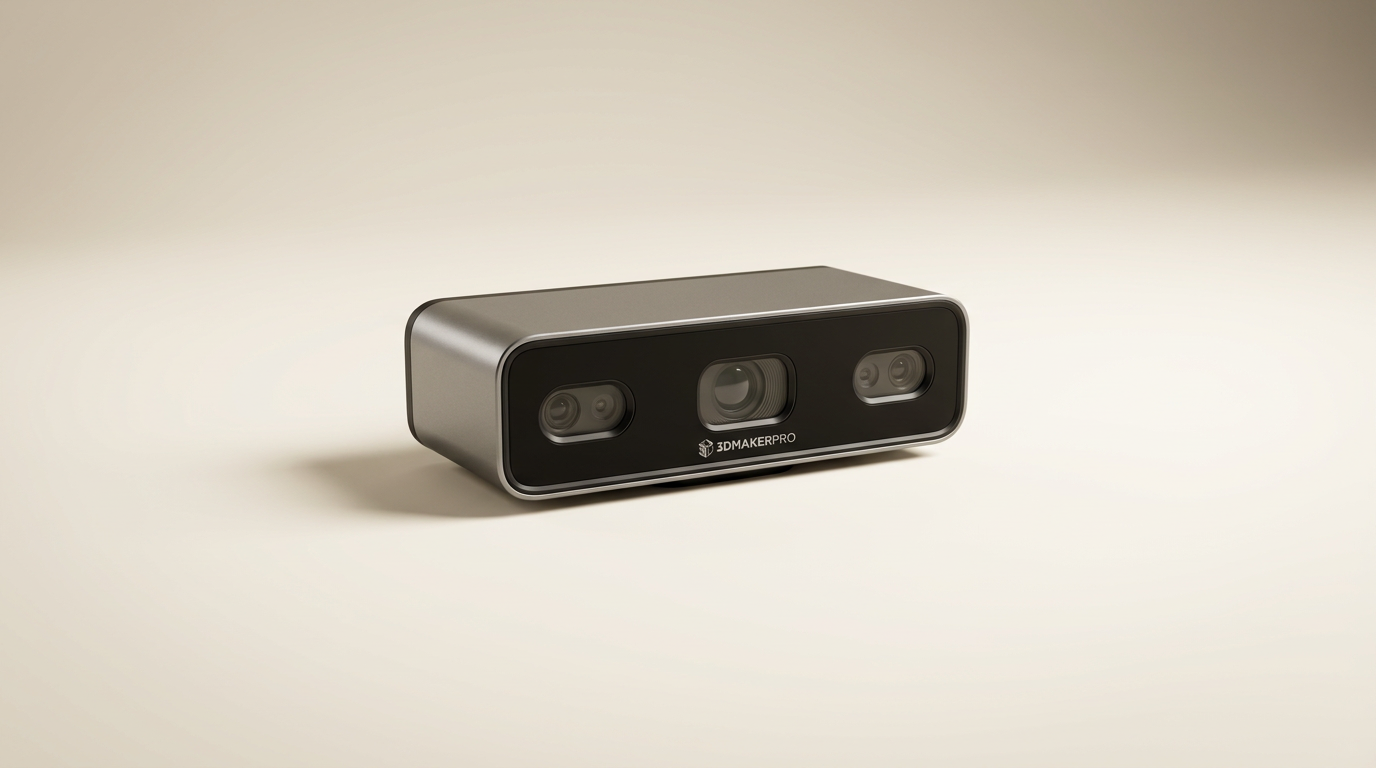
The 3D scanning market continues its slow crawl towards accessibility, but often at the cost of precision or ease of use. The 3DMakerpro Moose Lite enters this landscape not as a revolutionary leap, but as a significant refinement of what's possible in the mid-range for specific use cases. It quietly targets a niche: users prioritizing minute detail capture on smaller objects, where the "first-layer cliff" of consumer-grade scanners often frustrates. This isn't a scanner for large furniture, but rather for the intricate components that require exacting digital preservation or replication.
While marketing emphasizes broad applicability, the Moose Lite's true strength lies in its ability to consistently deliver on fine detail, especially with smaller subjects. This focus differentiates it from many competitors that claim high accuracy but struggle with the nuances of complex geometry or intricate surfaces. Its design and software ecosystem reflect an understanding of these challenges, aiming to reduce the post-processing burden for detail-oriented tasks.
Our analysis reveals a device that performs admirably within its optimal operating envelope, presenting a compelling option for hobbyists and professionals who require reliable precision without venturing into prohibitively expensive industrial solutions. It trades universal versatility for specialized competence, a strategic choice that many buyers overlook in the pursuit of a do-it-all device.
What owners love
- + Captures impressive detail and fine surface geometries
- + Highly accurate with 0.05mm precision reported by users
- + AI tracking features enhance scanning stability and reliability
- + Compact, lightweight design, and quiet operation
- + User-friendly setup and straightforward software experience
- + Kit includes useful accessories like a tripod and turntable
Common complaints
- − Primary use case optimized for small to medium objects
- − Learning curve for effective post-processing is expected
- − The included tripod can be prone to tipping
- − Scanning speed could be faster for larger objects
Design & Build
The Moose Lite presents a compact and well-assembled form factor, with owners noting its excellent portability. While the standard Moose features a metal frame, the Lite variant utilizes plastic, yet still maintains a reassuring heft according to one user. Its design priorities clearly favor handling and heat dissipation, with owners reporting a fanless operation that translates to a quiet scanning experience. This "quiet-hours tax" - the trade-off of potentially slower internal processing for silent operation - makes it suitable for environments where noise is a concern, distinguishing it from many noisier counterparts. The bundled premium kit often includes a protective carrying case, an unexpected but welcome addition that enhances its travel readiness.
Setup & Ease of Use
Owners consistently report a straightforward setup process, allowing users to begin scanning without significant initial hurdles. The device's integrated AI tracking system receives particular commendation; it actively assists in maintaining focus and minimizing scanning artifacts, which simplifies the capture process for new and experienced users alike. This intelligent assistance reduces the need for constant manual adjustments, a common pain point with less sophisticated scanners. The inclusion of a multi-functional tripod, which also serves as a handle, contributes to its ease of handling, though some users caution that the tripod can be unstable if not properly balanced.
Performance in Real Use
The Moose Lite truly distinguishes itself in its ability to capture fine detail on small to medium-sized objects. Owners are consistently impressed by the precision, with the 0.05mm accuracy claim feeling tangibly real in practical applications. The blue light technology and 0.1mm resolution effectively render intricate shapes and surface textures, providing highly accurate models suitable for 3D printing or archival. While the 10 frames per second (FPS) scanning speed is noted as quick for many tasks, the "deep focus benefit" observed for small objects suggests this is where its performance curve peaks. Attempting to scan significantly larger items, while technically possible, might reveal a practical limit to its efficiency, requiring more passes and patience than a dedicated large-format scanner.
Software & Ecosystem
The JMStudio software suite is central to the Moose Lite experience, integrating scanning, editing, and optimization functions. Owners describe the software as user-friendly, supporting the device's overall ease of use. It capably processes the detailed point clouds generated by the scanner, allowing for refined model generation. However, a recurring theme among users is the need to allocate time for post-processing and learning the software's nuances. While the AI tracking streamlines capture, achieving optimal results still demands user engagement with the editing tools, reflecting a common reality in 3D scanning where raw data always benefits from intelligent refinement.
Value & Reliability
Positioned in the mid-range price band, the Moose Lite is frequently cited as offering strong value for its capabilities. Owners praise its consistent reliability and accuracy, especially for the price point. The inclusion of useful accessories like a tripod and turntable in the kit further enhances its perceived value, providing a complete scanning solution out of the box. Its robust construction, featuring an aluminum alloy core (for the non-Lite Moose, the Lite uses plastic), implies a durable device designed for sustained use. For those requiring precise detail capture without venturing into professional equipment costing well north of $1000, this scanner provides a compelling balance of performance and investment.
Verdict
Buy - The 3DMakerpro Moose Lite offers exceptional detail capture and user-friendly operation for small to medium objects, delivering strong value in its price tier.
This scanner is an excellent choice for hobbyists, educators, and small businesses focused on replicating or archiving highly detailed, smaller physical objects. Individuals working with miniatures, intricate mechanical parts, or specific archival projects will find its precision invaluable. Those who frequently scan larger items, however, or who expect instant, print-ready models without any post-processing effort, may find its optimal workflow too constrained or its software demands too high. Consider alternatives if your primary goal is large object capture or zero-effort scanning.
The Moose Lite represents the category's continued evolution towards what we term 'micro-specialization.' It's not about being the best generalist, but about mastering a specific, difficult task - rendering fine details accurately and reliably on a small scale. This focus on deep capability in a narrow band is a sign of market maturity, moving beyond broad claims to deliver tangible results for discerning users. It quietly defines a new benchmark for accessible, high-resolution small-object scanning.
FAQ
More 3D Scanners reviews

Revopoint INSPIRE 2 3D Scanner Review: Unpacking the Accessory Echo Chamber

Creality 6mm 3D Scanning Markers Review: Essential Tracking Aid

TOSUKKI 6mm Positioning Targets Review: The Refined Generic Choice

AESUB 3DTOOLS 3D Scanner Spray Review: The 'Evaporative Enabler'

Creality 8-inch Rotating Turntable: A Solid Scanner Accessory

Generic 12 Piece Multi-Angle Markers Review: Essential 3D Scanning Dots
This review is based on real experiences shared by owners in online communities.