
3DMakerpro Fox Review: Budget 3D Scanning with Real Trade-offs
By AValidReview. An AI-assisted summary of customer feedback, not a hands-on test.
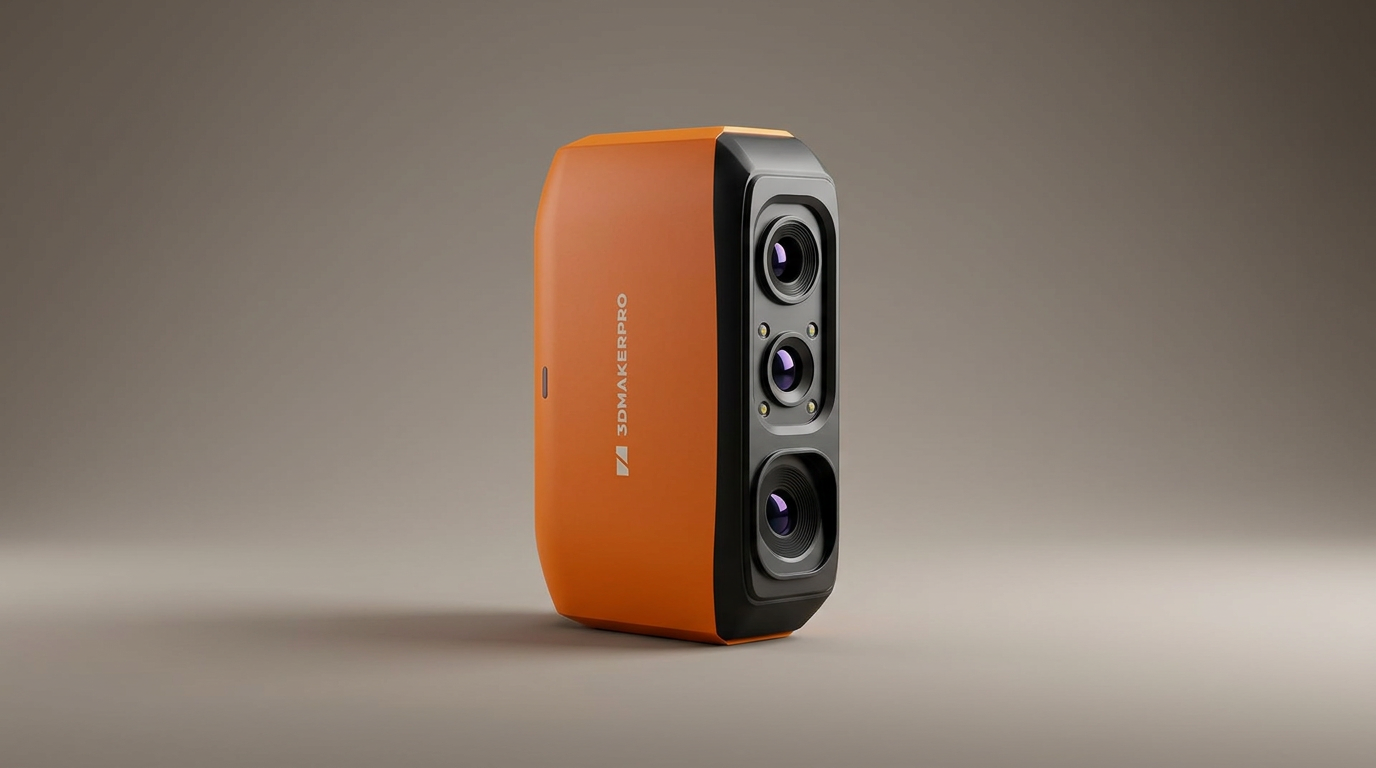
Consumer 3D scanning often falls victim to the Photocopy Fallacy: the assumption that a handheld wand can duplicate a physical object into a clean digital CAD file as effortlessly as an office copier duplicates paper. In reality, structured light digitizers must battle ambient photons, reflective glare, and optical distortion. Hardware under $300 typically forces owners to navigate these physics without the industrial-grade sensors that make high-end metrology reliable.
The 3DMakerpro Fox occupies this exact battleground. Selling in the $200 to $300 range, it promises sub-millimeter precision, markerless tracking, and an accessible pathway into 3D printing replication. It arrives in an ultralight shell designed to make medium-format spatial capture available to everyday hobbyists.
Yet real-world reception is acutely polarized. While patient makers praise the Fox as a functional entry point for duplicating brackets and organic shapes, others encounter baffling onboarding friction and loose dimensional accuracy. The Fox is not a pocket-sized coordinate measuring machine; it is a budget spatial digitizer that works only when users accept strict operating protocols and manage their expectations.
What owners love
- + Accessible price point in the entry-level $200 to $300 tier
- + Ultralight 210-gram chassis reduces wrist fatigue during long sweeps
- + Captures serviceable envelope geometry on medium-sized mechanical parts
- + Markerless tracking re-acquires position well after gentle tracking drops
- + JMStudio software handles basic mesh stitching without manual target dots
Common complaints
- − Dimensional accuracy falls well short of advertised fine-detail claims
- − Account creation and app activation suffer from severe onboarding friction
- − Blind to dark or glossy materials without specialized scanning spray
- − Continuous optical strobing and legacy USB tethering hamper user experience
- − JMStudio software exhibits intermittent crashes and inconsistent mesh processing
Design & Build
Weighing roughly 210 grams, the Fox feels closer to a plastic computer mouse than an industrial tool. The minimal weight is an asset during slow, continuous sweeps around stationary targets, sparing the operator fatigue during multi-minute sessions. The casing fits neatly into a hand or on a desktop tripod, giving the immediate impression of a streamlined consumer peripheral.
That light footprint comes with physical compromises. The scanner relies on a tethered connection using traditional USB-A cabling rather than a modern native USB-C link, requiring adapters on newer machines. Once powered, the projector strobes aggressively, an unavoidable trait of structured light technology that becomes fatiguing to work beside in dim hobby spaces. While the outer shell shows clean tolerances, the overall package feels built for delicate benchtop tasks rather than rugged garage conditions.
Setup & Ease of Use
The onboarding journey exposes a glaring gap in 3DMakerpro's consumer infrastructure. Multiple owners hit a wall before firing a single scan: the JMMeta registration portal frequently fails to deliver verification emails, drops connection timers, or presents mobile users with untranslated interface prompts and awkward puzzle-piece verification checks. For an entry-level tool pitched at newcomers, this software gatekeeping can temporarily turn the physical scanner into an expensive paperweight.
Once past account verification, the learning curve remains steep. The marketing implies instant point-and-shoot scanning, but usable capture demands precise distance control, uniform ambient lighting, and methodical pacing. The scanner operates best within a narrow focal corridor. Moving too quickly or tilting outside that window immediately breaks tracking, demanding that users master scanner posture before generating their first viable mesh.
Performance in Real Use
Evaluating the Fox requires separating promotional specifications from mechanical truth, a divide we call the Reverse-Engineering Gap. 3DMakerpro advertises 0.07mm accuracy, but field results rarely approach that standard. In typical hobbyist environments, owners report dimensional tolerances closer to one or two millimeters. Fine threads, crisp internal fillets, and sharp corners blur into rounded approximations. The Fox captures the broad envelope of a part, not its exact engineering tolerances.
Material composition dictates success. Like most optical systems, the Fox struggles heavily with dark plastics, deep shadows, and glossy coatings. Capturing black or reflective objects requires the Surface Preparation Tax: coating the subject in chalky 3D scanning spray or dry shampoo to create a matte, diffuse target. When paired with dulling spray and a motorized turntable, the Fox tracks medium geometry between 40mm and 1 meter capably, generating adequate reference meshes for subsequent CAD remodeling.
Software & Ecosystem
The bundled JMStudio suite attempts to automate capture, point-cloud alignment, and mesh optimization into a streamlined pipeline. When conditions are ideal, the AI-assisted visual tracking performs admirably, locking onto feature-rich objects without requiring physical marker stickers. If the sensor loses tracking, returning to a previously scanned quadrant usually restores orientation without ruining the active project file.
Underneath the clean visual skin, however, software stability remains erratic. Users report sudden crashes during processing, sluggish rendering on mid-range hardware, and cryptic error alerts. The software only records monochrome geometry, omitting realistic color texture maps. While capable of exporting standard STL and OBJ files ready for 3D printing slicers, JMStudio often generates dense, noisy surface meshes that require secondary cleanup in external tools like MeshMixer or Blender before printing.
Value & Reliability
Selling in the $200 to $300 territory, the Fox undercuts legacy desktop scanners significantly. It delivers real utility for a specific segment: 3D printing enthusiasts who need rough physical hulls to model around, such as capturing a dashboard curve or an automotive bracket to ensure basic fitment. In those loose-tolerance scenarios, it saves hours of caliper measurements.
However, its low price is offset by software friction and customer support hurdles. Disappointed owners cite unhelpful support channels and software roadblocks that stall usability. Compared to slightly pricier rivals from brands like Revopoint, the Fox demands far more user patience to extract decent results. It provides fair value only if you treat it as an experimental learning instrument rather than a dependable production utility.
Verdict
Consider - A budget-friendly envelope digitizer for patient tinkerers, but too erratic for precision reverse engineering.
Buy the 3DMakerpro Fox if you already own a 3D printer, understand the basics of mesh editing, and want an inexpensive way to capture rough reference geometry for medium-sized parts. If you are comfortable using scanning spray, setting up controlled lighting, and tolerating early software quirks, it offers an affordable sandbox for learning spatial capture.
Skip this unit if you require dimensional inspection accuracy for functional mechanical tolerances, or if you expect a plug-and-play appliance that operates out of the box without registration hassles. Engineers needing micron-level precision and users with low tolerance for software troubleshooting should invest in higher-tier hardware.
What most buyers miss is that the Fox is not a replacement for traditional digital calipers, but a digital template generator. It does not output ready-to-manufacture CAD files; it captures organic volumetric bounds that still require manual modeling in CAD. Treat it as a digital contour gauge rather than a metrology scanner, and its limitations become far easier to accept.
FAQ
More 3D Scanners reviews

Revopoint INSPIRE 2 3D Scanner Review: Unpacking the Accessory Echo Chamber

Creality 6mm 3D Scanning Markers Review: Essential Tracking Aid

TOSUKKI 6mm Positioning Targets Review: The Refined Generic Choice

AESUB 3DTOOLS 3D Scanner Spray Review: The 'Evaporative Enabler'

Creality 8-inch Rotating Turntable: A Solid Scanner Accessory

Generic 12 Piece Multi-Angle Markers Review: Essential 3D Scanning Dots
This review is based on real experiences shared by owners in online communities.