
Revopoint INSPIRE 2 3D Scanner Review: Unpacking the Accessory Echo Chamber
This review is based on real experiences shared by owners in online communities.

The Revopoint INSPIRE 2 presents itself as a versatile 3D scanner, designed for a range of applications from rapid prototyping to detailed archival work. Its feature set boasts wireless operation, multi-material scanning capabilities, and outdoor performance, suggesting a product engineered for accessibility and robust use. The core promise is high accuracy and user-friendly software, aiming to democratize advanced 3D scanning.
However, a deep dive into user feedback reveals an unexpected landscape: the conversation often revolves less around the scanner itself and more around the essential accessories required to make any 3D scanner, including the Inspire 2, perform optimally. This phenomenon, which we term the "Accessory Echo Chamber," highlights a critical, often unspoken truth in the 3D scanning market: the device's true utility is frequently bottlenecked by the ancillary tools. While the Inspire 2 positions itself as a standalone solution, its practical success, as evidenced by user discussions, hinges on the effective deployment of scanning sprays and markers.
This review will navigate through the implications of this accessory dependency, evaluating the Inspire 2 not just on its stated features, but also on how it functions within the broader ecosystem of 3D scanning tools, acknowledging that the perceived "ease of use" often includes a necessary reliance on external aids. We aim to discern what the Inspire 2 truly delivers, both as a piece of hardware and as part of a complete workflow, especially in light of what owners prioritize in their feedback.
What owners love
- + Integrated Wi-Fi 6.0 enables mobile scanning operations
- + Dual scanning modules handle varied materials and environments
- + High accuracy up to 0.05 mm for detailed models
- + Lightweight design (190g) with durable aluminum alloy
- + Ability to scan challenging surfaces without spray using infrared laser lines
Common complaints
- − User experience often heavily reliant on scanning sprays for reflective/dark objects
- − Effective scanning, especially of complex objects, frequently necessitates reference markers
- − The learning curve for new users appears significant, despite "easy to use" claims
- − Some critical software (Revo Design) is a separate, Windows-only purchase
- − The actual performance of the Inspire 2 itself is less discussed than its required accessories
Design & Build
The Revopoint INSPIRE 2 presents a compact and portable design, weighing a mere 190g, which contributes significantly to its appeal for mobile and outdoor scanning applications. The aerospace-grade aluminum alloy front panel suggests a robust construction intended for durability during transport and varied use cases. Its form factor aligns with the trend towards handheld scanning solutions that prioritize ergonomic handling and on-the-go utility. While specific owner comments on the build quality of the INSPIRE 2 are limited, the general emphasis on lightweight design and material choice indicates an intent for a scanner that withstands field use. The core design philosophy appears to be one of unobtrusive functionality, allowing users to focus on the scanning task rather than managing cumbersome equipment. This physical design positions the INSPIRE 2 as a highly mobile tool, a critical advantage for professionals needing to capture data across diverse locations.
Setup & Ease of Use
Setting up the INSPIRE 2 involves downloading software and calibrating the device. Owners consistently report that while the initial setup and basic scanning can be straightforward, achieving optimal results, especially for complex or challenging objects, demands a steeper learning curve. The inclusion of a calibration board and markers, as well as the suggestion of using a mini turntable, indicates that while the scanner can operate standalone, its full potential is realized through a managed workflow. Several users mention needing to consult online tutorials or PDF manuals, suggesting that the software, though described as intuitive, requires dedicated effort to master advanced settings and post-processing tools. This creates a "first-layer cliff" for new users: basic operation is accessible, but proficiency for professional output requires significant investment in learning the broader ecosystem of scanning techniques and software capabilities. The expectation of immediate, flawless results, particularly for novice users, may not align with the reality of advanced 3D scanning processes, irrespective of the scanner's inherent design.
Performance in Real Use
The INSPIRE 2 aims to address common scanning challenges such as reflective or dark surfaces through its 11 infrared laser lines, theoretically eliminating the need for scanning spray. Despite this stated capability, owner feedback heavily emphasizes the continued reliance on scanning sprays and reference markers for achieving successful scans on difficult materials. Owners report significant improvements in detection and accuracy when using specialized sprays on shiny or dark objects, with some calling them "indispensable" or a "secret weapon." This suggests a practical reality where the scanner's advanced features, while present, may not fully obviate the need for traditional material preparation. The "spray reliance paradox" demonstrates a gap between marketing claims of advanced surface handling and the lived experience of users who still find these accessories critical for consistent, high-quality results. Similarly, the use of reference markers is frequently cited as crucial for maintaining tracking stability on smooth, uniform, or featureless surfaces, underscoring that even advanced scanners benefit from external spatial anchors.
Software & Ecosystem
Revopoint highlights its Revo Metro scanning software as user-friendly, offering advanced settings and post-processing tools. The option for one-click import to Revo Design for a scan-to-CAD workflow positions the INSPIRE 2 within a comprehensive ecosystem. However, it is crucial to note that Revo Design is a separate, paid software and is Windows-only, potentially limiting its full workflow utility for users on other operating systems or those seeking a bundled solution. While the software is generally described as functional, the emphasis from users on the utility of external aids like sprays and markers suggests that the software alone does not always compensate for difficult object characteristics. This highlights a "software-hardware synergy gap" where even robust software requires optimal input data, often facilitated by physical preparation. The availability of accessories like official Revopoint markers, while praised for compatibility and ease of use, further entrenes the idea that the scanner's performance is often a product of its interaction with its peripheral components, rather than solely its internal processing capabilities.
Value & Reliability
Priced around $400-500, the Revopoint INSPIRE 2 positions itself as an accessible entry point for professional or prosumer 3D scanning. The value proposition is strong given its feature set, including wireless operation and multi-line laser scanning, which are typically found in more expensive units. Owners, particularly those new to 3D scanning, express satisfaction with the scanner's ability to produce decent results, especially after overcoming the initial learning phase. However, the recurring cost and necessity of scanning sprays and markers introduce a "hidden cost of consistency." While the scanner itself might be an initial value, reliable, high-quality output on diverse objects often requires ongoing investment in these consumables. The reliability of the INSPIRE 2 is generally high when used within its optimal conditions and with appropriate preparation. The consensus points to a product that performs as expected, provided users understand and address the fundamental challenges of 3D scanning, which frequently involve material properties and geometric complexity.
Verdict
Consider - The Revopoint INSPIRE 2 offers a compelling set of features for its price point, particularly for those willing to invest in the full ecosystem of scanning aids.
This scanner is best suited for hobbyists or professionals seeking a portable, relatively affordable 3D scanning solution who understand that achieving consistent, high-quality results will involve dedicated learning and the regular use of scanning sprays and reference markers. If your projects frequently involve reflective, dark, or featureless objects, budget for these consumable accessories. It is a strong option for users who prioritize mobility and the flexibility of dual scanning modes within the $400-500 range. Those new to 3D scanning should be prepared for a learning curve, but the potential for accurate models is present.
Conversely, users expecting a truly plug-and-play experience for all object types without the need for additional preparation or accessories may find the INSPIRE 2's practical performance disappointing. If your workflow demands consistent, unassisted scanning of challenging surfaces, or if you prefer an all-in-one software solution that does not require separate purchases for CAD integration, you might consider alternatives that feature more advanced, integrated solutions, likely at a higher price point. The INSPIRE 2 reveals a deeper truth about the 3D scanning market: while hardware advances, the "real" work often happens at the interface between the object and the scanner, a zone still heavily managed by consumable materials. This is not just a scanner; it is a gateway to a methodology.
FAQ
More 3D Scanners reviews

Creality 6mm 3D Scanning Markers Review: Essential Tracking Aid

TOSUKKI 6mm Positioning Targets Review: The Refined Generic Choice

AESUB 3DTOOLS 3D Scanner Spray Review: The 'Evaporative Enabler'

Creality 8-inch Rotating Turntable: A Solid Scanner Accessory

Generic 12 Piece Multi-Angle Markers Review: Essential 3D Scanning Dots
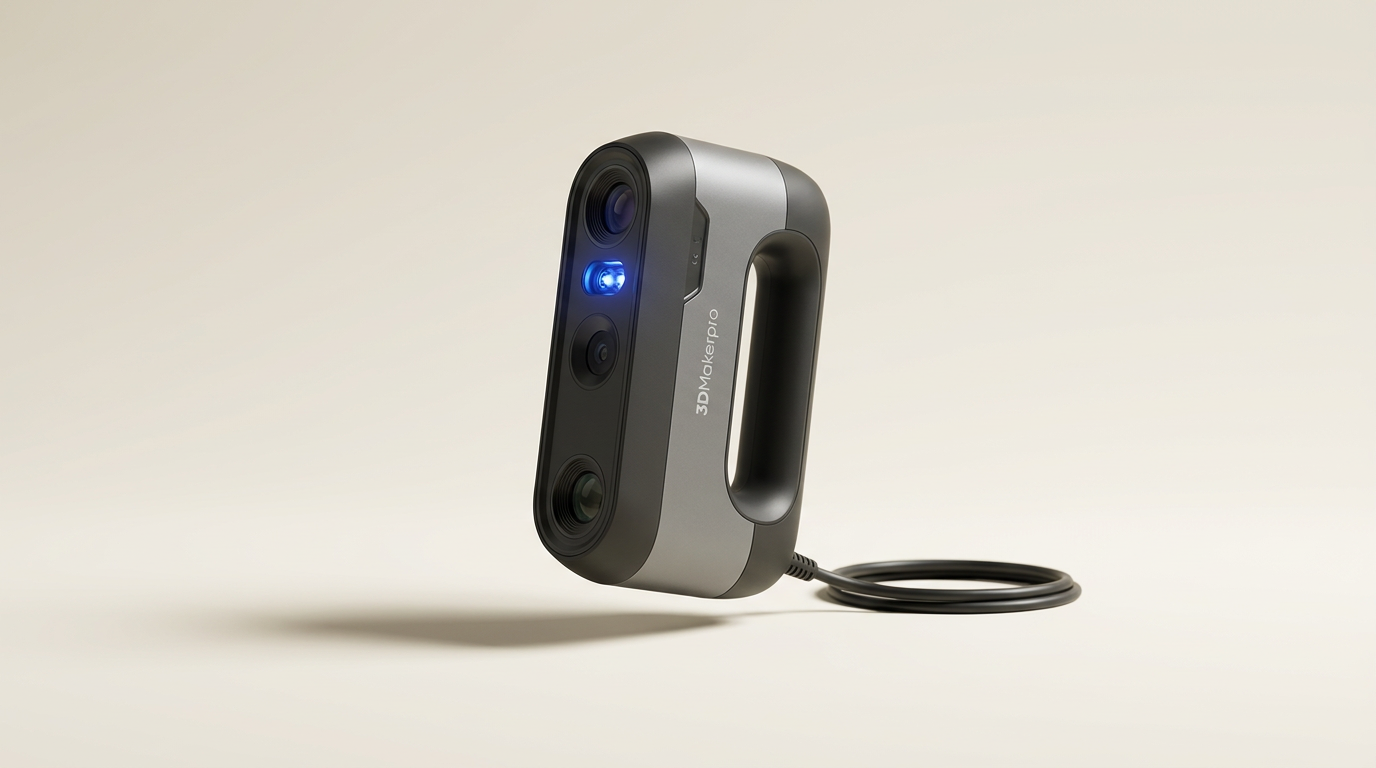
3DMakerpro Moose Standard Review: High Detail for the Serious Hobbyist
This review is based on real experiences shared by owners in online communities.