
Creality CR-Ferret SE Review: The Low-Cost 3D Scanner's Real Cost
By AValidReview. An AI-assisted summary of customer feedback, not a hands-on test.
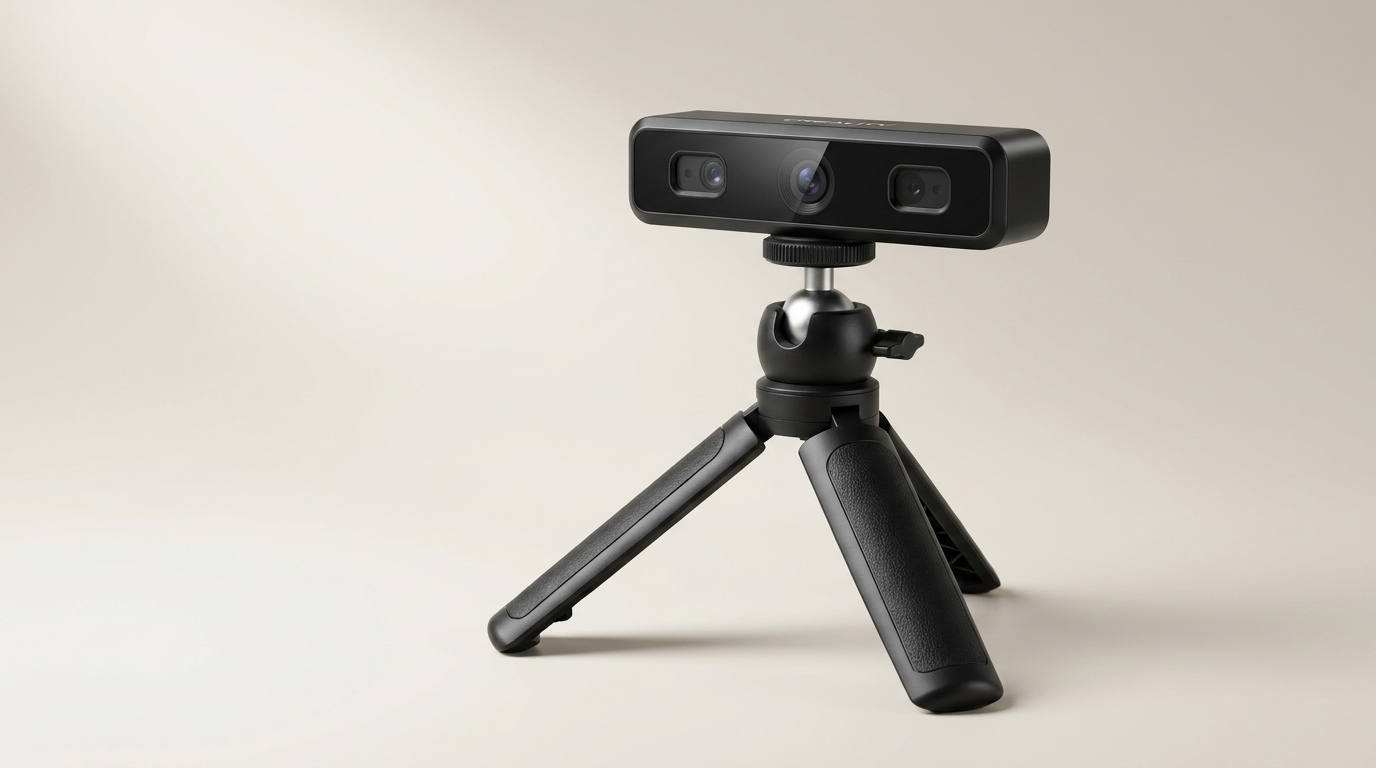
The 3D scanning market, long dominated by high-cost industrial solutions, has seen an influx of more accessible devices. The Creality CR-Ferret SE aims to capitalize on this trend, promising features like 0.1mm accuracy and full-color scanning at a consumer-friendly price point. For many, it represents the potential for integrating scan-to-CAD workflows or creative object replication without a significant financial outlay.
However, budget 3D scanners often present a complex proposition. While marketing highlights technical specifications, the practical reality of calibration, software stability, and object geometry can quickly reveal a different story. This review cuts through the marketing to assess the CR-Ferret SE's true capabilities, examining whether its perceived value aligns with the actual user experience in a crowded and rapidly evolving segment.
What emerges from owner feedback is a product defined by its fundamental trade-off: an accessible price against a steep learning curve and significant operational limitations. It forces prospective buyers to confront what we call the "Aspiration Gap"- the distance between the advertised potential of low-cost scanning and the considerable effort required to achieve even modest results.
What owners love
- + Affordable entry point for 3D scanning
- + Simple physical setup for beginners
- + Effective for scanning faces or larger, simple objects
- + Captures color and basic detail for some applications
- + Can generate models for CAD integration or custom attachments
Common complaints
- − Steep learning curve, poor instructions
- − Inconsistent scanning accuracy, especially for small or detailed objects
- − Software is widely reported as buggy and difficult to use
- − Requires a powerful computer for processing scans
- − Registration and calibration issues reported by some owners
- − Limited mobility due to wired connection
Design & Build
The Creality CR-Ferret SE arrives as a compact, handheld unit designed for ease of handling. Its construction feels adequate for the price, not luxurious, but functional. Several owners describe the physical setup as straightforward. The primary design consideration from a user perspective is its wired connection, a feature noted by some as limiting mobility during the scanning process. While wired connections inherently offer stable data transfer, the tether can become a hindrance when attempting to navigate around larger objects or achieve optimal scanning angles. This design choice represents a common point of friction, contrasting with the wireless freedom offered by some higher-tier or alternative solutions.
Setup & Ease of Use
Initial setup of the CR-Ferret SE is generally reported as simple in its physical connections. Owners describe connecting the device to a PC without significant complication. However, the subsequent stages, particularly software installation, registration, and calibration, present a substantial hurdle. Multiple users recount difficulty getting the scanner to register its serial number, preventing calibration and effective use. Beyond these technical blocks, the scanner imposes what we term the "Operator Skill Tax"- the extensive time and expertise required from the user to achieve a usable scan, even with seemingly simple objects. This tax contrasts sharply with the expectation of an 'easy to use' device, pushing new users quickly into frustration.
Performance in Real Use
The CR-Ferret SE's performance is highly variable and object-dependent. It can capture decent scans of human faces or larger, less intricate items. However, its effectiveness diminishes rapidly with smaller objects, fine details, or complex geometries. Owners report that indentations and sharp edges often appear blurred or 'bubbly,' failing to render accurate detail. The device struggles significantly with tracking, requiring near-perfect mechanical stability from the operator. The advertised ability to scan black or metal objects without spray also sees mixed results in practice, with several users needing to resort to scanning sprays to obtain any data. This inconsistency highlights a fundamental tension: while it can produce usable geometry for applications like creating CAD-compatible holders or mounts, its resolution for detailed replication is insufficient for many. This aligns with the "Dimensional Utility Threshold"- the point at which a scan provides enough accurate dimensional data to be useful for design integration, rather than precise visual fidelity.
Software & Ecosystem
The accompanying software for the CR-Ferret SE is a significant point of contention for owners. It is widely criticized as buggy, difficult to navigate, and lacking essential features like basic editing or cropping. Several users report an absence of clear instructions for optimal use within the software itself. The processing demands are also high; a powerful computer is necessary to handle the generated data, adding an unspoken cost to the setup. This software deficiency represents a critical bottleneck, undermining the hardware's potential and making the entire workflow cumbersome. The reliance on a problematic software interface creates a "Workflow Chasm"- a wide gap between the raw data capture and the production of a refined, usable 3D model, forcing users into a labor-intensive post-processing phase, often with third-party tools not included.
Value & Reliability
At its price point, the Creality CR-Ferret SE occupies the lowest tier of the 3D scanner market, leading many to question its overall value. While some users find it an acceptable starting point for basic projects, a substantial number of owners feel it does not deliver on its promises and represents a waste of money. The recurring issues with software stability, difficult calibration, and inconsistent scanning results directly impact its perceived reliability. For users accustomed to other Creality products, the scanner often falls short of expectations, with several recommending alternative, sometimes cheaper, solutions like phone-based scanning apps for comparable or better results. This feedback establishes a clear "Value Perception Disconnect"- the product's marketing positions it as an accessible tool, but the operational frustrations and limited output quality cause many users to conclude that its effective value is significantly lower than its asking price, which sits around $200.
Verdict
Hold Off - The Creality CR-Ferret SE struggles to consistently deliver on its advertised capabilities, leading to significant user frustration.
This scanner is for a highly specific, patient, and technically proficient user who understands its limitations. If your primary goal is to generate very basic, low-detail geometric data for simple CAD integration, or to scan large, uncomplicated surfaces like faces, and you possess a powerful computer and a high tolerance for troubleshooting software, it might serve as a learning tool. Expect to invest considerable time in understanding its nuances and performing manual post-processing. This is not for anyone seeking an 'easy' entry into 3D scanning, nor for those who need precise, detailed scans.
The CR-Ferret SE exemplifies the "low-cost barrier, high-effort entry" dynamic common in nascent consumer tech categories. It demonstrates that while the upfront monetary cost may be low, the hidden costs in time, frustration, and the need for external expertise often negate its initial appeal. This product primarily reveals the substantial gap that still exists between affordable hardware and truly user-friendly, high-performance 3D scanning.
FAQ
More 3D Scanners reviews
Creality Otter Lite Basic 3D Scanner Review: Reality Capture
Creality Pika 3D Scanner Review: Precision Meets The Compute Cliff
Revopoint POP 4 Magnetic Outdoor Filter Review
3DMakerpro Moose Lite Premium 3D Scanner Review
3DMakerpro Seal Lite Review: Precision at a Strict Distance
3DMakerpro 6mm 3D Scanning Marker Dots Review
This review is based on real experiences shared by owners in online communities.